Utilizzo di Timecode sulla Sony A7S III con Wireless PRO
In questo articolo ti mostreremo come configurare il timecode sulla tua Sony A7S III con Wireless PRO. La A7S III non dispone di una porta timecode dedicata, ma puoi registrare il timecode come audio tramite l’ingresso microfono utilizzando il cavo RØDE SC2 da 3,5 mm incluso.
Passaggio 1
Collega il tuo ricevitore Wireless PRO a un computer o telefono su cui è in esecuzione RØDE Central.
Passaggio 2
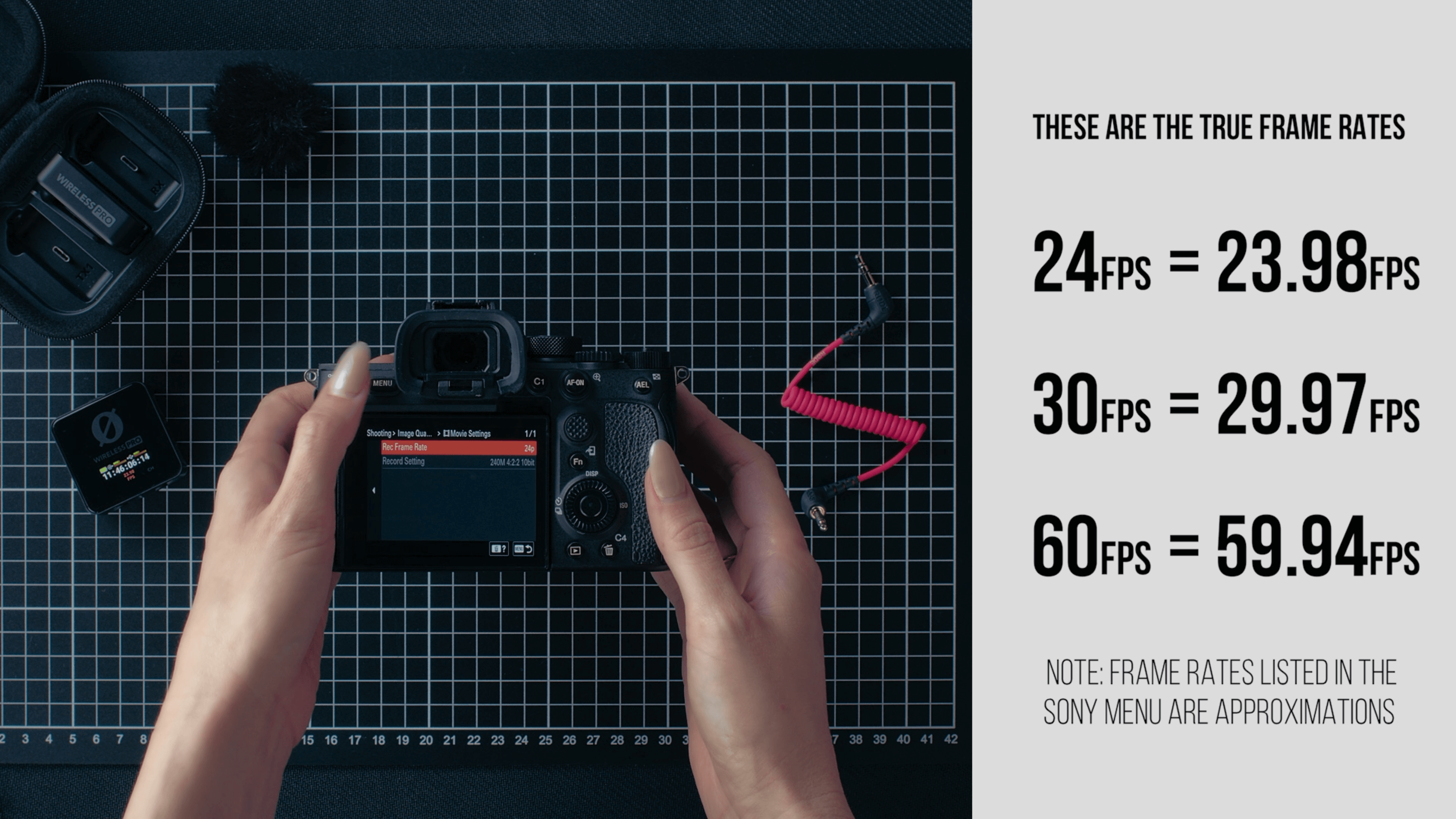
In RØDE Central, abilita il timecode e seleziona il framerate con cui stai effettuando le riprese. È importante notare che i framerate indicati sulla Sony non sono del tutto accurati: sono approssimazioni degli FPS effettivi. Se stai effettuando riprese a 24 fps sulla tua Sony, seleziona 23,98 fps in RØDE Central. Se stai effettuando riprese a 30 fps o 60 fps, seleziona 29,97 fps in Central.
Passaggio 3
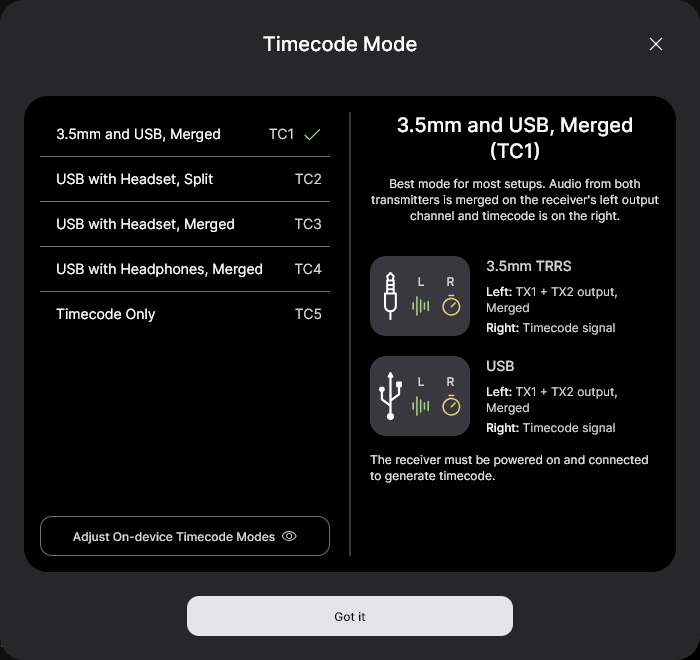
Attiva o disattiva «Real Time» a seconda del formato in cui desideri visualizzare il timecode, quindi fai clic su «Timecode Modes», seleziona «Timecode 1» e fai clic su «Apply».
Passaggio 4
Assicurati che il framerate della videocamera corrisponda a quello appena impostato per il timecode e regola le altre impostazioni video e audio come di consueto.
Passaggio 5
Collega il cavo da 3,5 mm SC2 incluso dall’Wireless PRO ricevitore all’ingresso rosso per microfono della tua Sony A7S III e inizia a girare!
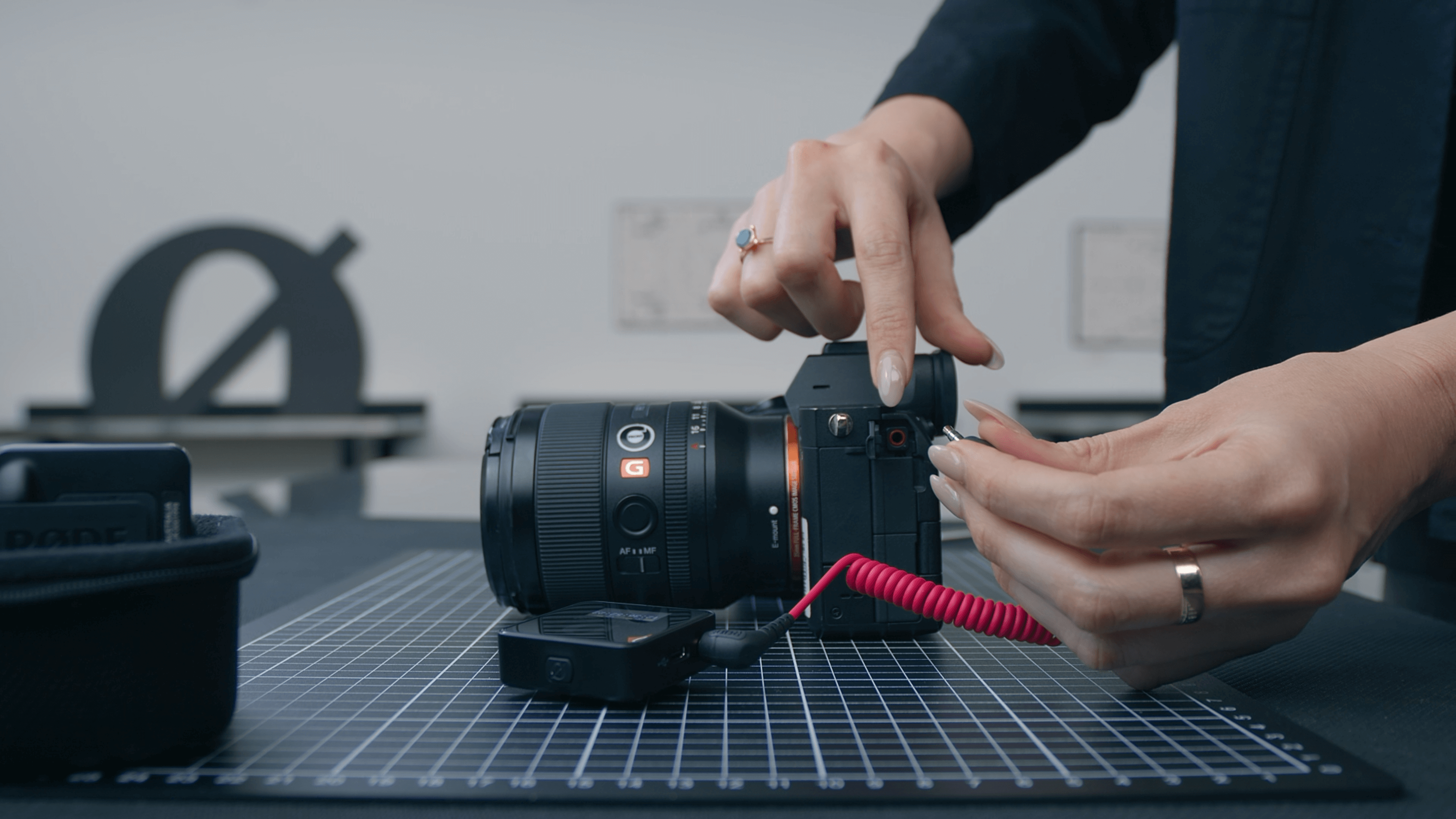
Poiché questa fotocamera non accetta il timecode esterno, la visualizzazione del timecode non corrisponderà a quella del tuo Wireless PRO, ma puoi comunque utilizzare il segnale audio del timecode per sincronizzare le riprese in post-produzione: ti basta seguire una delle nostre guide qui sotto.
Consulta la nostra guida utente per ulteriori informazioni su come utilizzare Timecode con Wireless PRO.