La versión de firmware 1.0.7 para RØDECaster Pro II ya está disponible
El RØDECaster Pro II —la solución de producción de audio todo en uno más potente del mundo— ahora ofrece muchas más funciones gracias al lanzamiento de la versión de firmware 1.0.7.
Esta actualización de firmware incorpora un gran número de nuevas funciones increíbles, como el enrutamiento personalizado para las salidas de USB y Bluetooth, la posibilidad de convertir USB 1 en una salida estéreo para mejorar la compatibilidad con las plataformas de streaming en línea, además de prácticas mejoras y controles de la interfaz que hacen que usar RØDECaster Pro II sea aún más intuitivo.
Estas son las funciones principales de la versión de firmware 1.0.7.
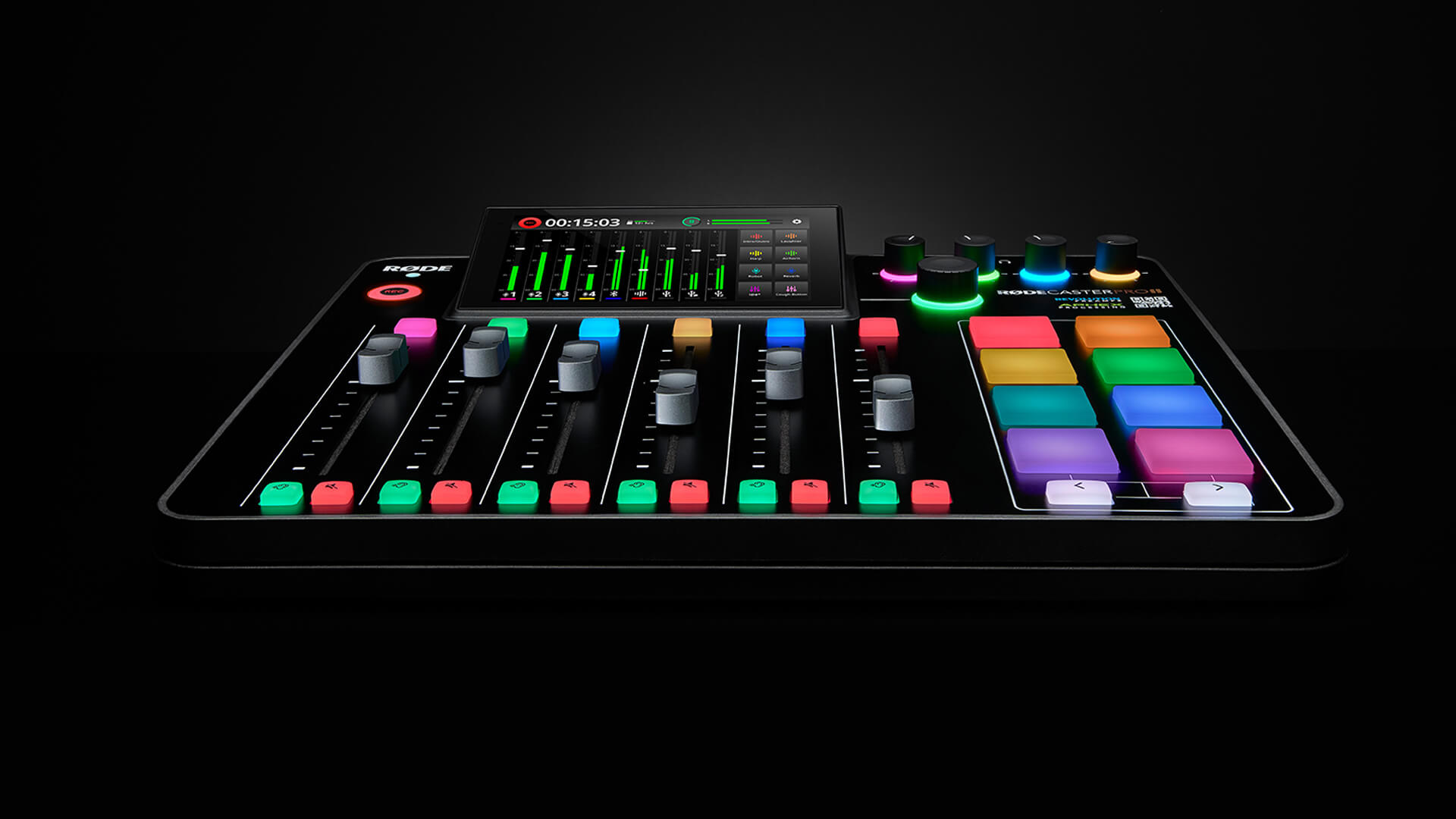
La versión de firmware 1.0.7 para RØDECaster Pro II desbloquea una gran variedad de nuevas funciones y mejoras intuitivas
Enrutamiento personalizado para USB y salidas Bluetooth
Una de las funciones más solicitadas desde su lanzamiento, el enrutamiento personalizado para los canales USB y Bluetooth, ya está disponible en el RØDECaster Pro II con la versión de firmware 1.0.7.
Esta es una función importante para gamers, streamers y podcasters, ya que permite seleccionar qué entradas de audio se incluyen y se excluyen de la mezcla para cada salida USB y la salida Bluetooth.
Para acceder a la función de enrutamiento personalizado, toca el icono de engranaje de configuración situado en la esquina superior derecha de la interfaz del mezclador; después, selecciona «Salidas» > «Enrutamiento», elige la salida que quieras configurar y toca «Personalizado». Para obtener más información, consulta la sección sobre enrutamiento personalizado de la página «Guía para configurar conexiones USB en el RØDECaster Pro II» del manual de usuario.
La función mix-minus también está disponible ahora en todas las salidas USB (antes solo estaba disponible en USB 2 y USB Chat).
Salida estéreo en USB 1 Main
La versión de firmware 1.0.7 también incluye la posibilidad de alternar entre una salida estéreo o multipista en la salida USB 1 Main. Esto resulta especialmente útil al utilizar RØDECaster Pro II con plataformas de streaming en línea, algunas de las cuales presentan problemas al recibir una entrada multipista.
USB 1 Main se configurará como salida estéreo de forma predeterminada para todos los nuevos usuarios de RØDECaster Pro II. Por lo tanto, si desea grabar en modo multipista y no ve la salida multipista, recuerde comprobar la configuración («Outputs» > «Multitrack») y asegurarse de que «USB» esté configurado como «Pre-Fader» o «Post-Fader», según sus preferencias de grabación.
En el caso de los usuarios actuales de RØDECaster Pro II que actualicen a la versión de firmware 1.0.7, USB 1 Main conservará la configuración anterior a la actualización, lo que significa que la función multipista estará activada de forma predeterminada (como pre-fader o post-fader). Para cambiar al modo de salida estéreo, vaya a «Outputs» > «Multitrack» y seleccione «Off» en la pestaña «USB».
Nueva versión de RØDE Central
Ya está disponible una versión actualizada de RØDE Central. Esta nueva versión es compatible con la nueva arquitectura de USB y también incluye una nueva función que convierte automáticamente cualquier archivo de audio incompatible al cargar sonidos en los pads SMART, además de otras actualizaciones menores (consulta las notas de la versión completas aquí).
Recomendamos encarecidamente utilizar la versión más reciente de RØDE Central para asegurarte de aprovechar al máximo RØDECaster Pro II.
Descarga la versión más reciente de RØDE Central aquí.
Mejoras en la interfaz de usuario
También se han incorporado algunas mejoras útiles en la interfaz de usuario que hacen que navegar y utilizar RØDECaster Pro II sea aún más intuitivo.
En primer lugar, los indicadores de posición de los faders en la pantalla del mezclador ahora cambian de blanco a gris cuando un fader está completamente abajo, para que puedas ver fácilmente qué canales están transmitiendo audio.
Ahora también es posible controlar directamente el nivel de salida de monitorización (Bluetooth y salida de línea) desde la pantalla de reproducción mientras escuchas grabaciones.
También se han realizado algunos cambios en el funcionamiento del codificador giratorio para ofrecer un flujo de trabajo más eficiente. Ahora puedes alternar fácilmente entre los canales virtuales y la salida de monitorización al pulsar el codificador giratorio, lo que facilita el ajuste de niveles sobre la marcha. Al mantener pulsado el codificador giratorio cuando hay un fader virtual seleccionado, ese canal se silenciará.
Por último, hemos mejorado el funcionamiento de algunas prestaciones, incluida la optimización de la salida Bluetooth para mejorar el rechazo del ruido ambiental, además de añadir la posibilidad de apagar el dispositivo pulsando dos veces el botón de encendido.
Puedes consultar la lista completa de prestaciones, mejoras y correcciones de errores de cada actualización (incluida la 1.0.7) en las notas de lanzamiento del firmware aquí.
Con muchas más actualizaciones en camino, no dejes de mantenerte al día a través de la RØDE webpage y de nuestros canales sociales para conocer las últimas novedades sobre futuras actualizaciones del firmware. No dudes en hacernos saber si tienes alguna otra sugerencia, ya sea poniéndote en contacto con nosotros por correo electrónico en info@rode.com o uniéndote a nuestro programa de pruebas beta del firmware aquí.