XLR frente a USB micrófonos: ¿cuál es el mejor para ti?
Los micrófonos están disponibles en todo tipo de formas y tamaños, con distintos diseños, capacidades y usos previstos, pero una de las primeras decisiones que tendrás que tomar al comprar un micrófono es cómo piensas conectarlo a tu dispositivo de grabación. En este sentido, existen varias opciones, pero las dos más habituales para capturar sonido en casa o fuera de ella son XLR y USB.
Aunque el tipo de conexión puede darte una idea general del uso previsto de un micrófono, los diseños modernos pueden hacer que sean mucho más versátiles de lo que parecen a primera vista. En este artículo te explicaremos qué son los micrófonos XLR y USB micrófonos, sus ventajas y casos de uso, y qué tipo es el adecuado para ti.
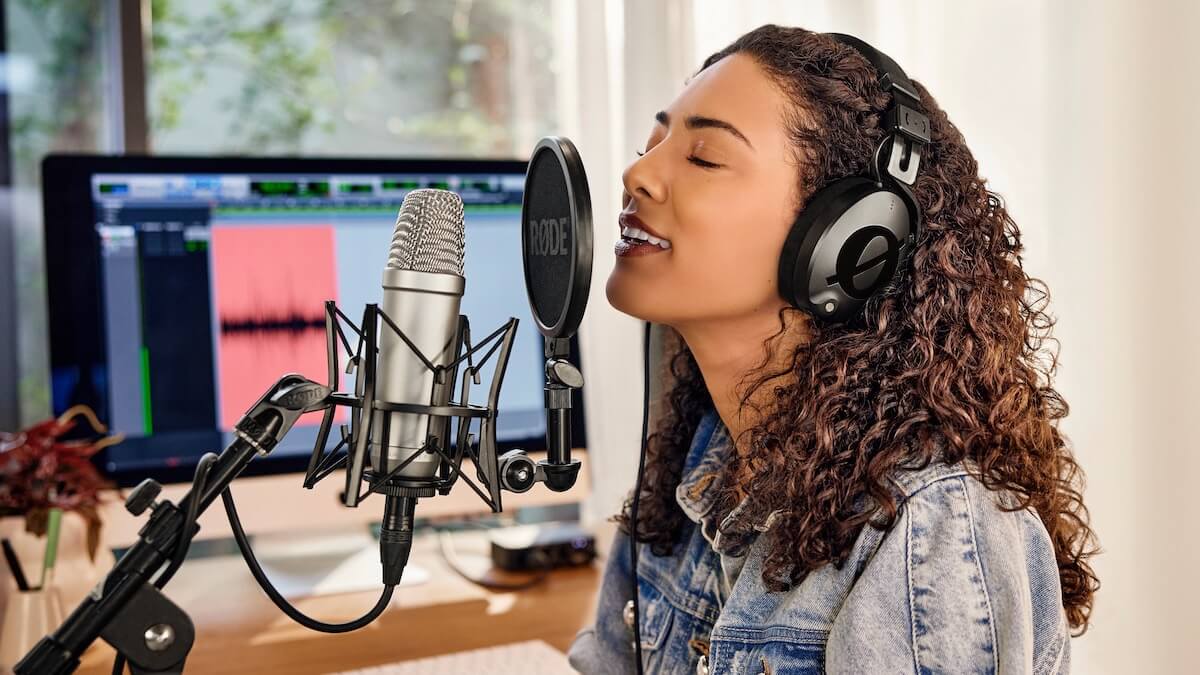
El NT1-A micrófono de condensador captura un audio impecable con calidad de estudio y utiliza una conexión XLR.
¿Qué son los micrófonos XLR y USB ?
Antes de analizar cuál de los dos tipos de micrófonos se adapta mejor a tus necesidades, es importante entender qué los diferencia.
Micrófonos XLR
Los micrófonos XLR, como el RØDE NT1-A, son, con diferencia, el tipo de micrófono más común en aplicaciones de audio profesional, como la grabación en estudio o las actuaciones en directo. Como su nombre indica, los micrófonos XLR utilizan una conexión XLR para transferir la señal de audio producida por el micrófono a su destino mediante un cable XLR.
Este es un proceso totalmente analógico y, en la mayoría de las aplicaciones de grabación modernas, significa que tendrás que conectar un micrófono XLR a un dispositivo, como una interfaz de audio o una consola de mezclas, que pueda convertir la señal analógica producida por la cápsula del micrófono en una señal digital que pueda grabar un ordenador u otro dispositivo digital. Esta es la diferencia clave entre un micrófono XLR y un micrófono USB .
Micrófonos USB
Los micrófonos USB , como el NT-USB+, están diseñados para conectarse directamente a un ordenador, tableta o dispositivo similar mediante un cable USB , sin necesidad de equipos adicionales. Estos micrófonos incorporan un procesador A/D (analógico-digital) que convierte la señal analógica producida por el micrófono en una señal digital, que después se transfiere al dispositivo de grabación mediante un cable USB .
Los micrófonos USB también suelen ofrecer funciones que encontrarías en una interfaz de audio para un micrófono XLR, como una salida de auriculares o un control de nivel, además de accesorios como un soporte y un filtro antipop integrados en el micrófono. Son, en gran medida, una solución de grabación «todo en uno».
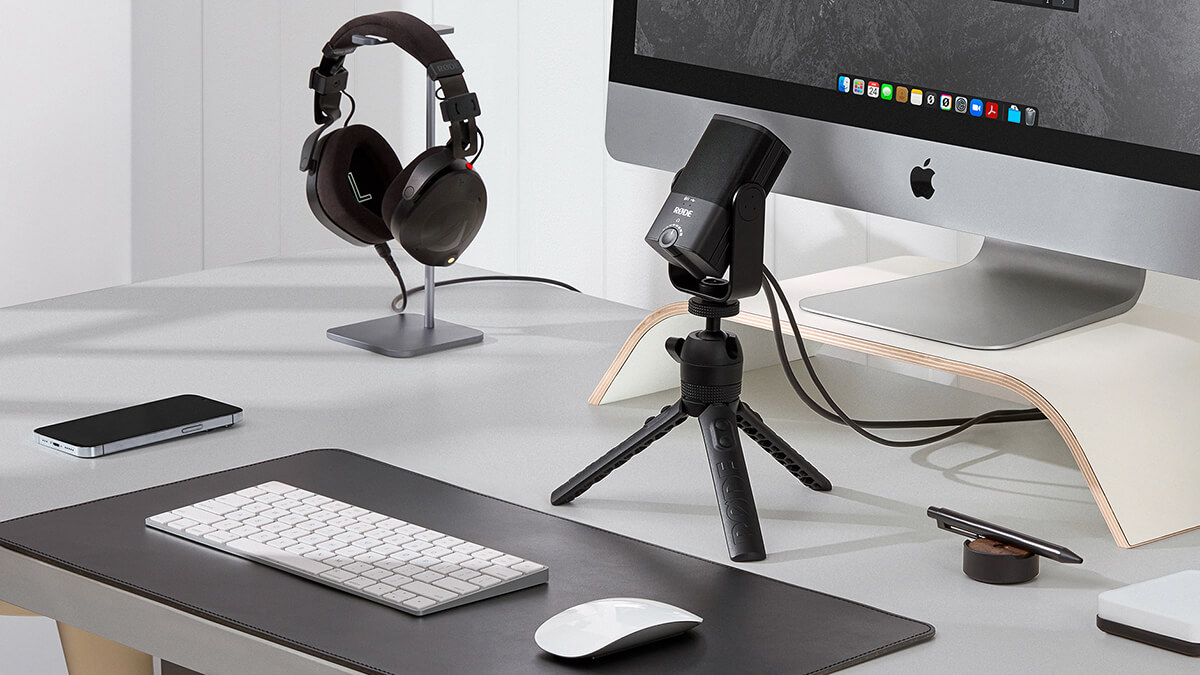
El NT-USB Mini ofrece una solución compacta, asequible y profesional para grabar audio directamente en tu ordenador.
Ventajas de los micrófonos XLR
Como mencionamos anteriormente, los micrófonos XLR son más habituales en aplicaciones de grabación profesionales. La forma fundamental en que capturan el audio es muy similar a la de un USB micrófono; sin embargo, ofrecen algunas ventajas clave que pueden hacer que sean más adecuados para ti, dependiendo del tipo de grabación que realices.
La primera y principal es la versatilidad. Dado que los USB micrófonos incorporan una interfaz de audio equivalente en el propio micrófono, en esencia estás limitado a esta configuración, sin posibilidad de cambiar o actualizar el micrófono o la interfaz de audio para adaptarlos a tus necesidades. Con una configuración de micrófono XLR, puedes combinar libremente el micrófono y la interfaz, u otros equipos de grabación, como prefieras. Existe todo un mundo de micrófonos XLR por explorar (lo mismo se aplica a las interfaces de audio, mezcladores y otros equipos de grabación) y, al elegir este tipo de configuración, puedes probar distintos estilos y funciones para descubrir qué se adapta mejor a ti.
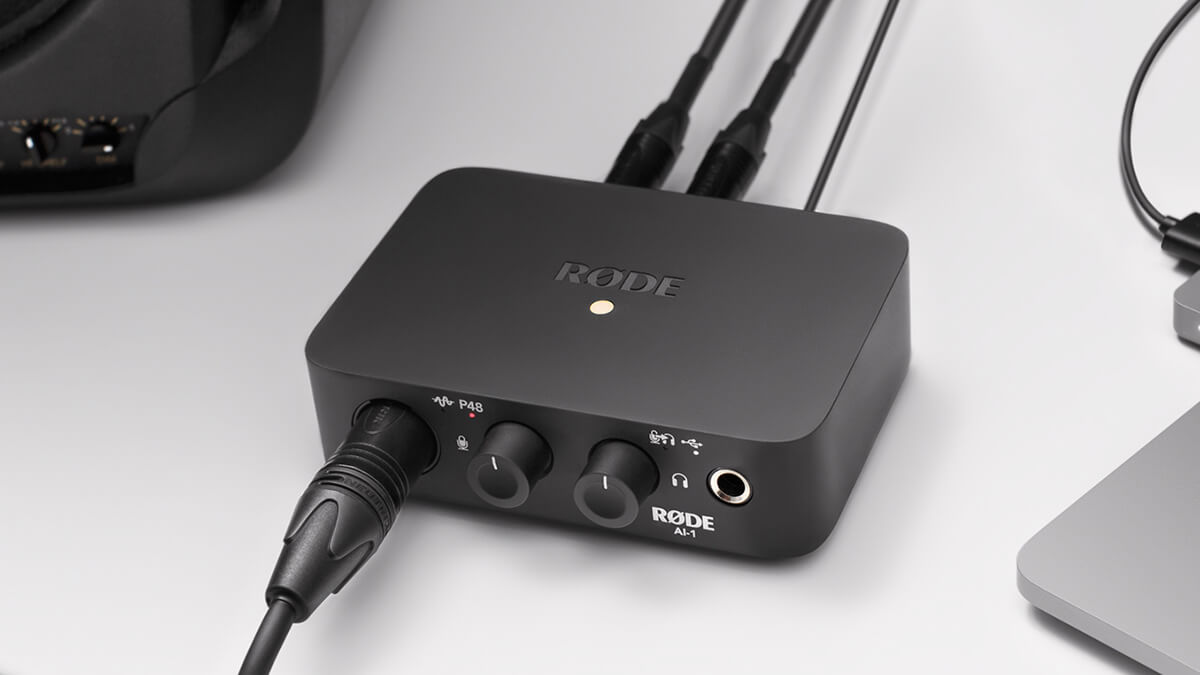
La interfaz de audio RØDE AI-1 se utiliza para convertir la señal de audio analógica de un micrófono XLR en una señal digital que posteriormente puede enviarse a un ordenador.
Ventajas de los micrófonos USB
La principal ventaja de los micrófonos USB es su sencillez. Están diseñados para ser increíblemente fáciles de usar y, al mismo tiempo, ofrecer una excelente calidad de audio. Para grabar con un micrófono USB solo necesitas el propio micrófono, un ordenador y unos auriculares.
Su diseño compacto «todo en uno» también significa que son muy portátiles y ofrecen una solución de grabación de alta calidad que puedes configurar prácticamente en cualquier lugar. También puedes conectar algunos micrófonos USB directamente a una tableta o un smartphone, algo que no puedes hacer con un micrófono XLR, lo que permite disponer de una configuración aún más compacta para llevarla contigo.
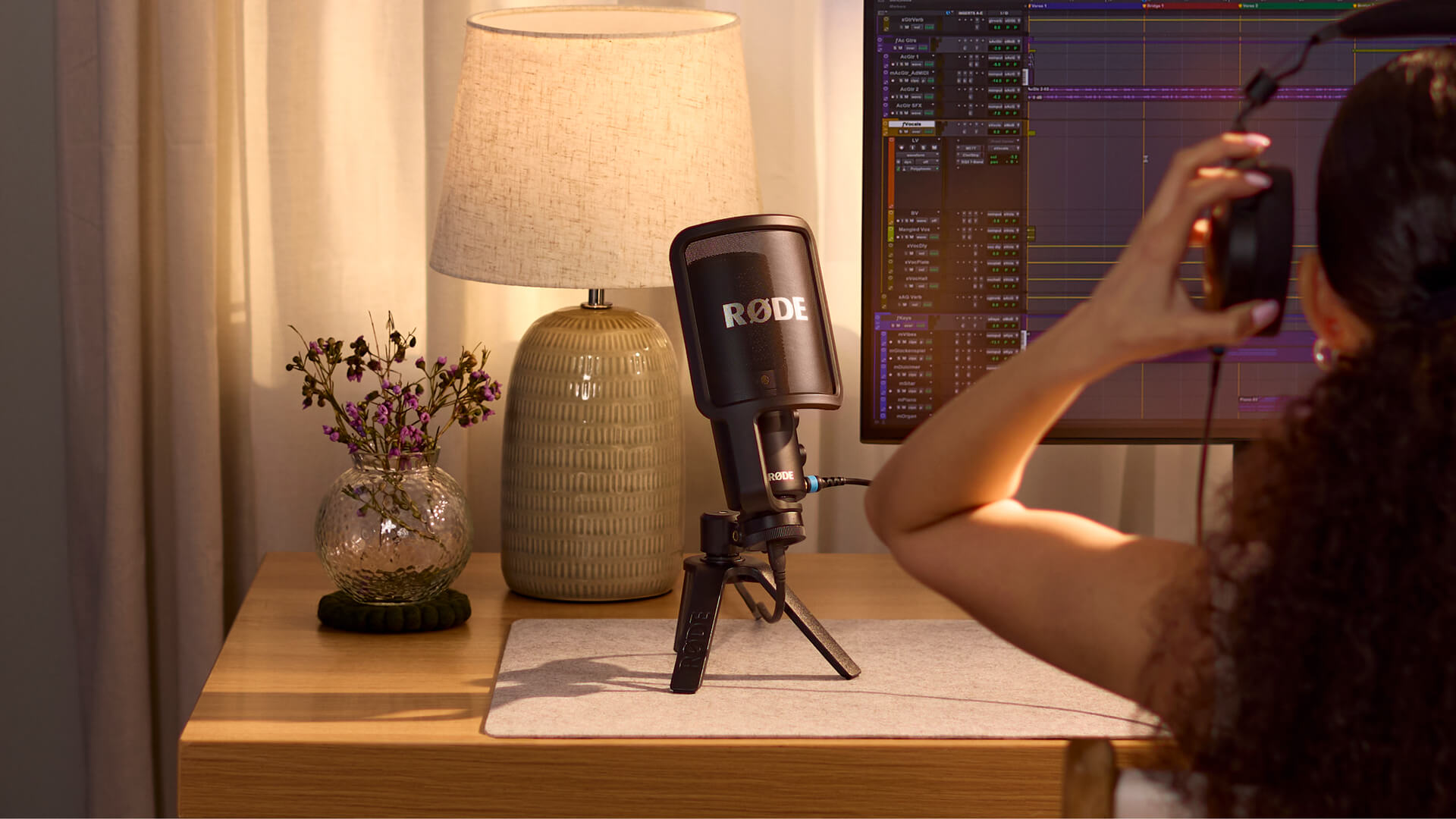
El NT-USB+ cuenta con controles integrados para ajustar tanto el volumen de los auriculares como la mezcla entre el audio de tu dispositivo y el nivel de monitorización, tal como suele encontrarse en una interfaz de audio para un micrófono XLR.
¿Es adecuado para ti un micrófono XLR o USB ?
Que un micrófono XLR o USB sea adecuado para ti depende en gran medida del tipo de grabación que realices.
Si estás empezando a hacer pódcast, streaming, grabaciones musicales básicas o necesitas un micrófono para videollamadas u otras aplicaciones empresariales, un micrófono USB te ofrecerá un audio excelente, además de ser fácil de usar y asequible, sin necesidad de equipos adicionales. En muchos casos, esto es todo lo que necesitas para grabar sonido de alta calidad, y un micrófono XLR podría ser excesivo.
Si estás empezando a montar un estudio doméstico y crees que explorarás la grabación más allá de simples grabaciones de guitarra o voz, elige una configuración con micrófono XLR. Esto te permitirá explorar distintos tipos de micrófonos y ampliar tu configuración de grabación a medida que progreses como músico. Por ejemplo, quizá quieras probar distintos micrófonos de condensador para encontrar el que mejor se adapte a tu voz, o pasar a una opción más profesional si te estás tomando más en serio tu trabajo.
Del mismo modo, si estás explorando la grabación de distintos instrumentos, una configuración XLR te permitirá probar diferentes tipos de micrófonos, como micrófonos de cinta, micrófonos de condensador de diafragma pequeño o micrófonos de válvulas. Además, si necesitas grabar más de un micrófono simultáneamente —por ejemplo, para grabar una guitarra acústica en estéreo—, necesitarás una configuración XLR con una interfaz o mezclador que tenga más de una entrada.
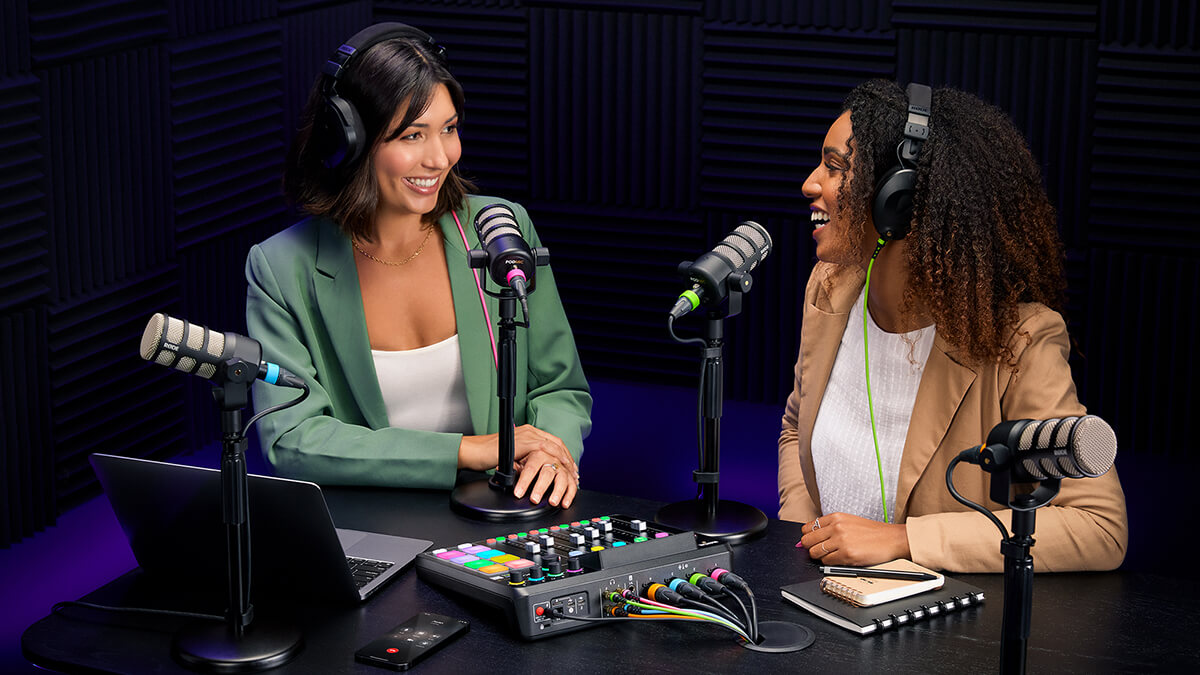
El RØDECaster Pro II es una excelente forma de mezclar y grabar hasta cuatro micrófonos XLR simultáneamente.
Del mismo modo, si te estás tomando más en serio el podcasting o el streaming y quieres explorar distintos micrófonos que se adapten a tu voz, o pasar a una configuración más profesional, un micrófono XLR es la mejor opción. Además, si haces podcasting o streaming con más de una persona, una configuración XLR con un mezclador como el RØDECaster Pro II es una excelente opción (aunque puedes grabar varios micrófonos USB con un solo ordenador utilizando nuestro software RØDE Connect).
En resumen, los micrófonos USB son excelentes micrófonos plug and play que ofrecen un sonido magnífico, son asequibles, portátiles y fáciles de usar. Los micrófonos XLR requieren más equipo para empezar, pero ofrecen mayor versatilidad, con la posibilidad de actualizar el micrófono y ampliar tu configuración según lo necesites.
Si buscas una solución de grabación de alta calidad, la gama RØDE ofrece una gran variedad de excelentes micrófonos USB y micrófonos XLR tanto para uso en broadcast como en estudio.