RØDECaster Pro
Studio di produzione podcast
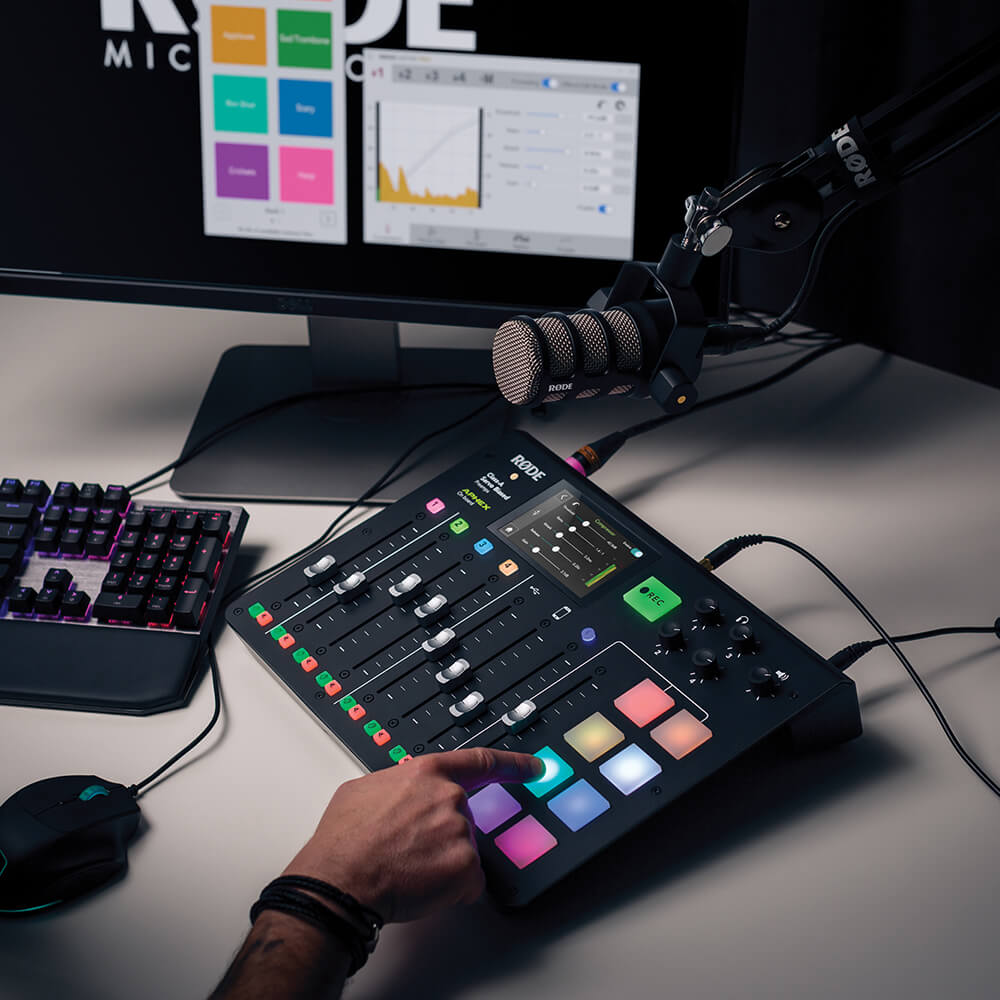
RØDECaster Pro™ è la soluzione all-in-one più potente al mondo per il podcasting. Progettato per offrire una qualità audio eccellente e funzionalità avanzate, pur essendo incredibilmente facile da usare, è lo strumento definitivo tanto per i principianti quanto per i professionisti. Grazie a quattro ingressi microfonici con preamplificatori di livello studio per registrare un audio cristallino, canali per smartphone, USB e Bluetooth per integrare facilmente ospiti da remoto, otto pad sonori per attivare musica ed effetti sonori, un potente processamento audio con la semplice pressione di un pulsante e molto altro ancora, RØDECaster Pro è tutto ciò che ti serve per creare podcast straordinari.
- La soluzione podcasting all-in-one perfetta
- Quattro ingressi XLR per microfoni di livello studio
- Canali per smartphone, USB e Bluetooth™ per l'integrazione di chiamate da remoto con mix-minus automatico per un audio privo di eco
- Otto pad sonori programmabili, con otto banchi disponibili: carica fino a 64 suoni in totale!
- Potente elaborazione audio integrata, inclusi i leggendari effetti APHEX Aural Exciter™ e Big Bottom™ per una qualità audio di livello superiore
- Registra su microSD o su un computer in stereo o multitraccia per un editing post-produzione senza limiti
- Incredibilmente facile da usare
- Nove lingue disponibili, tra cui inglese, francese, tedesco, italiano, spagnolo, portoghese, cinese, giapponese e coreano
RØDECaster Pro™ è la soluzione all-in-one più potente al mondo per il podcasting. Progettato per offrire una qualità audio eccellente e funzionalità avanzate, pur essendo incredibilmente facile da usare, è lo strumento definitivo tanto per i principianti quanto per i professionisti. Grazie a quattro ingressi microfonici con preamplificatori di livello studio per registrare un audio cristallino, canali per smartphone, USB e Bluetooth per integrare facilmente ospiti da remoto, otto pad sonori per attivare musica ed effetti sonori, un potente processamento audio con la semplice pressione di un pulsante e molto altro ancora, RØDECaster Pro è tutto ciò che ti serve per creare podcast straordinari.
- La soluzione podcasting all-in-one perfetta
- Quattro ingressi XLR per microfoni di livello studio
- Canali per smartphone, USB e Bluetooth™ per l'integrazione di chiamate da remoto con mix-minus automatico per un audio privo di eco
- Otto pad sonori programmabili, con otto banchi disponibili: carica fino a 64 suoni in totale!
- Potente elaborazione audio integrata, inclusi i leggendari effetti APHEX Aural Exciter™ e Big Bottom™ per una qualità audio di livello superiore
- Registra su microSD o su un computer in stereo o multitraccia per un editing post-produzione senza limiti
- Incredibilmente facile da usare
- Nove lingue disponibili, tra cui inglese, francese, tedesco, italiano, spagnolo, portoghese, cinese, giapponese e coreano
RØDECaster Pro Companion App
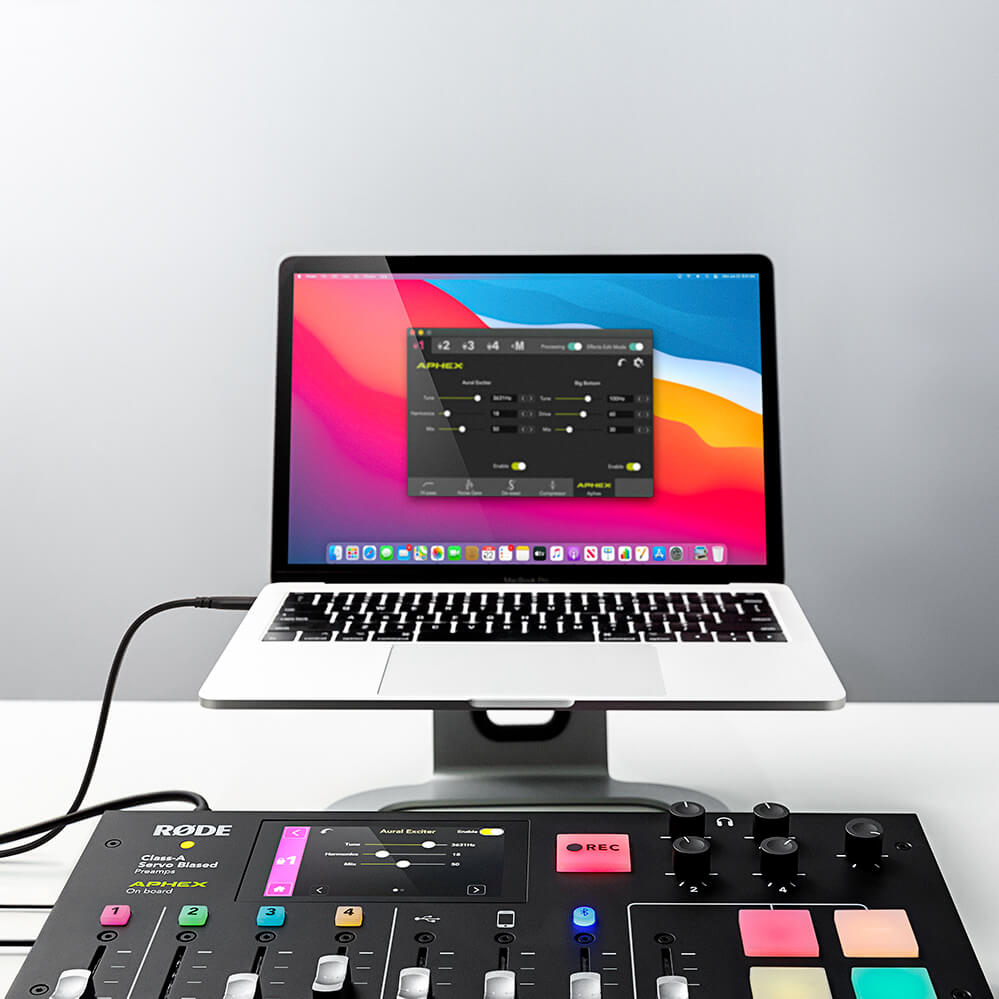
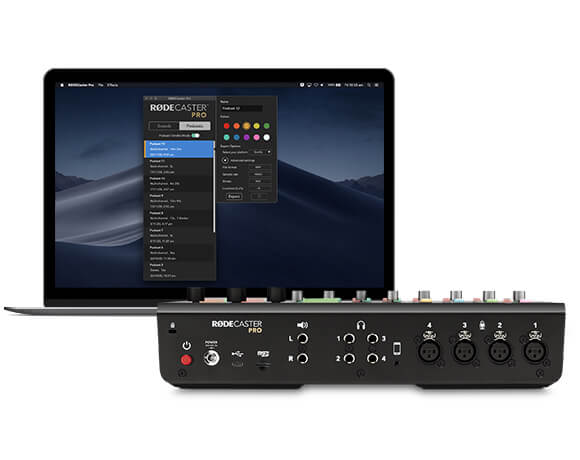
L’app RØDECaster Pro Companion è progettata per garantire una connessione perfetta tra il tuo RØDECaster Pro e un computer, offrendoti accesso a potenti funzionalità, tra cui la personalizzazione dei sound pad, effetti granulari e processori, il salvataggio e il caricamento delle impostazioni, l’esportazione dei podcast e molto altro. Il RØDECaster Pro viene inoltre migliorato regolarmente con aggiornamenti del firmware, accessibili tramite la Companion App.
Ora compatibile con i dispositivi Apple Silicon.
Podcast professionali, senza complicazioni
RØDECaster Pro rende semplice la realizzazione di podcast professionali. Grazie a quattro ingressi microfonici XLR di qualità da studio e quattro uscite per cuffie, ai comandi intuitivi tramite un ampio touchscreen a colori, alla regolazione automatica dei livelli e ai controlli del timbro con un solo tocco, potrai creare un podcast dal suono straordinario in pochi minuti, appena estratto dalla confezione.
Audio di qualità broadcast
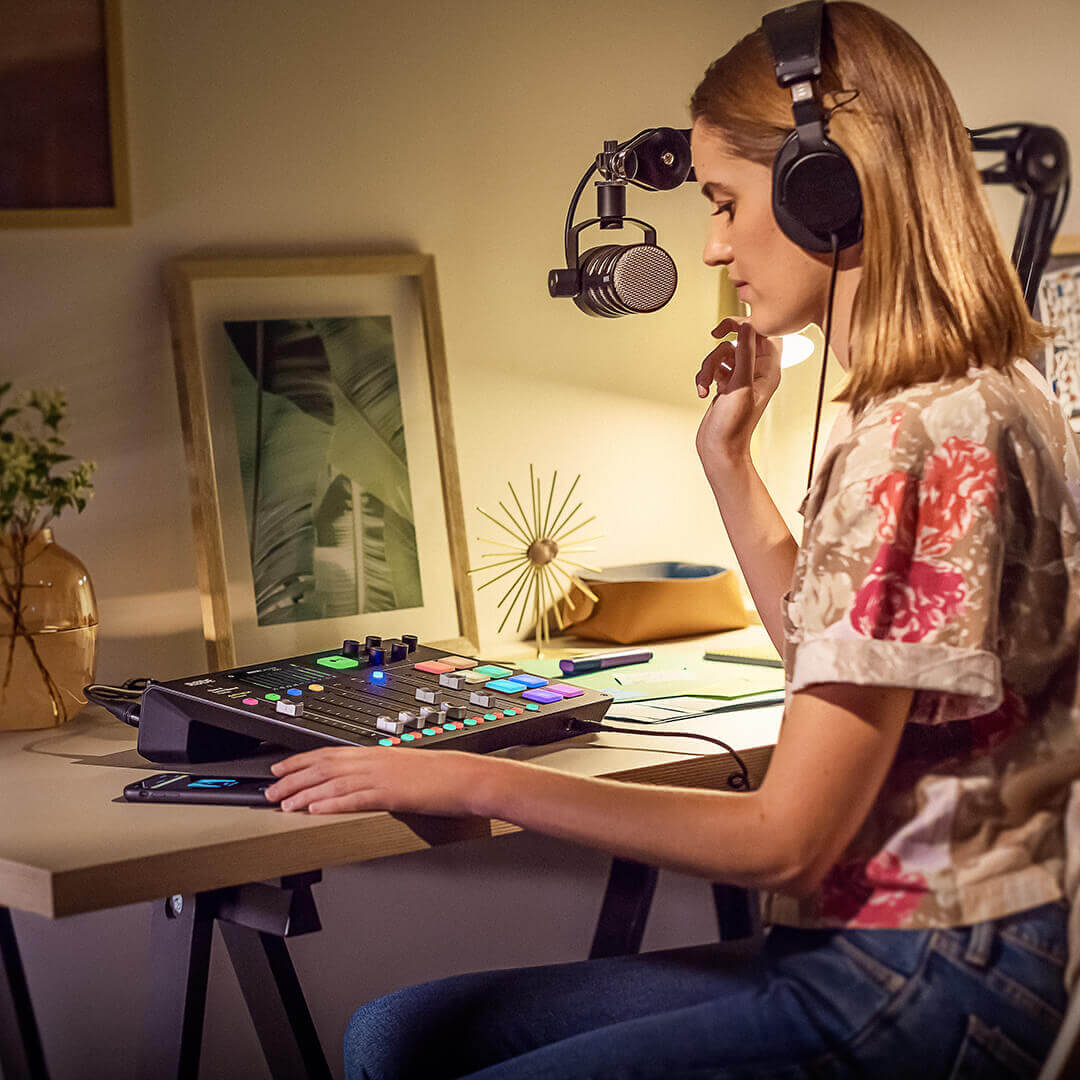
Una qualità audio straordinaria è garantita dai preamplificatori microfonici servo-bilanciati in Classe A, impeccabilmente trasparenti, del RØDECaster Pro, che forniscono un segnale incredibilmente nitido e a basso rumore con qualsiasi microfono. Le uscite di alta qualità per cuffie e monitor assicurano che tu possa ascoltare te stesso e i tuoi ospiti con la massima definizione. Per un suono raffinato e professionale, RØDECaster Pro integra un potente processamento audio, che include compressore, noise gate, filtro passa-alto e i leggendari effetti broadcast APHEX Aural Exciter™ e Big Bottom™, tutti accessibili con la semplice pressione di un pulsante e con il controllo completo di ogni parametro, proprio come nei migliori studi del mondo. Audio di qualità broadcast.
Crea il tuo sound
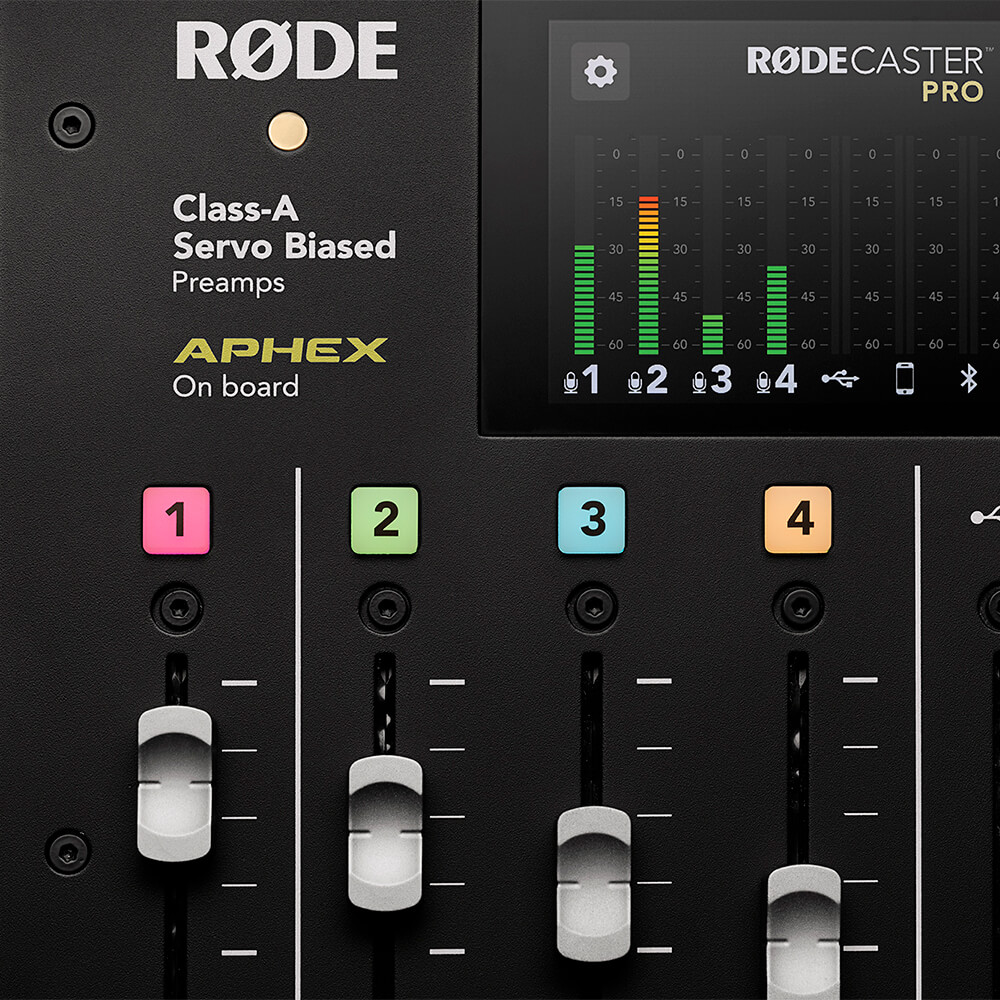
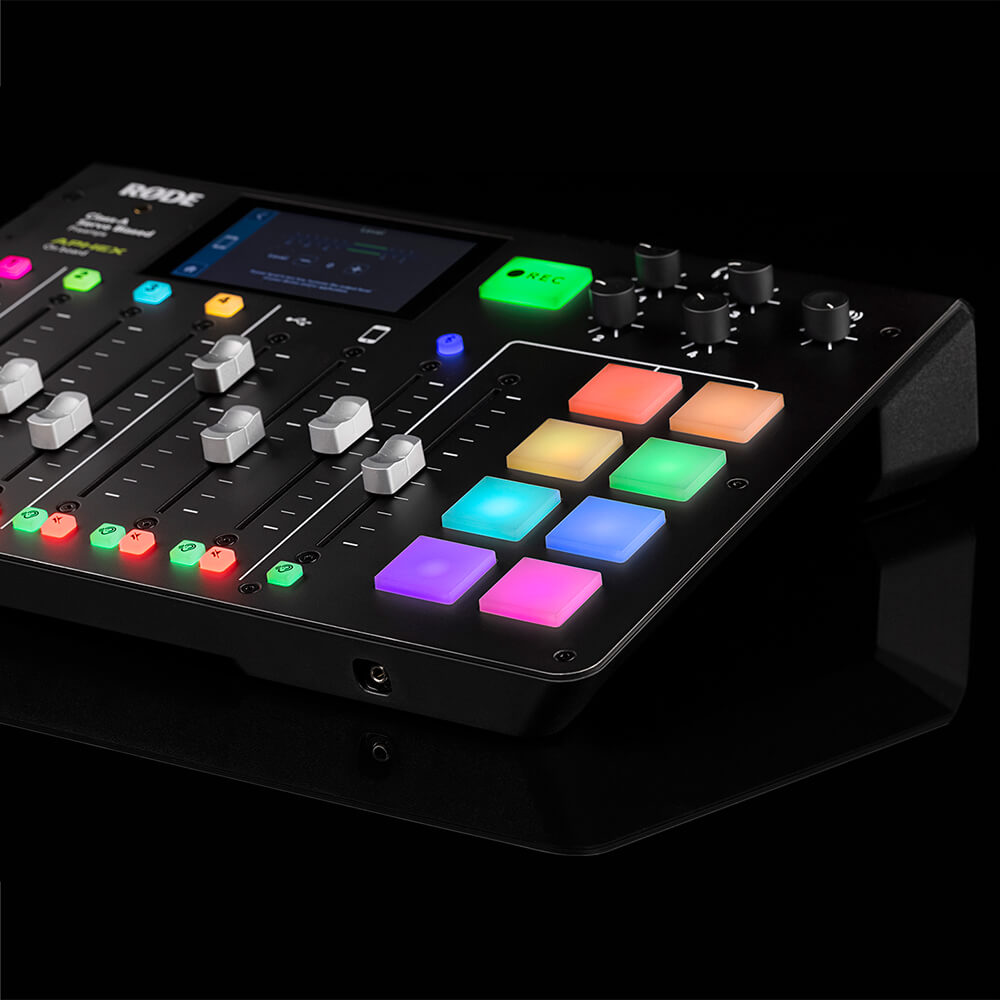
RØDECaster Pro dispone di otto pad per effetti sonori programmabili, che consentono di attivare istantaneamente effetti sonori, musica, intro e outro oppure spot pubblicitari. Puoi registrare direttamente su un pad da qualsiasi ingresso di RØDECaster Pro oppure assegnare semplicemente l’audio dal computer. Ogni pad è altamente personalizzabile, con opzioni per la modalità di riproduzione, la codifica a colori e molto altro; inoltre, puoi memorizzare fino a otto banchi di suoni, per un totale di 64!
Rimani connesso
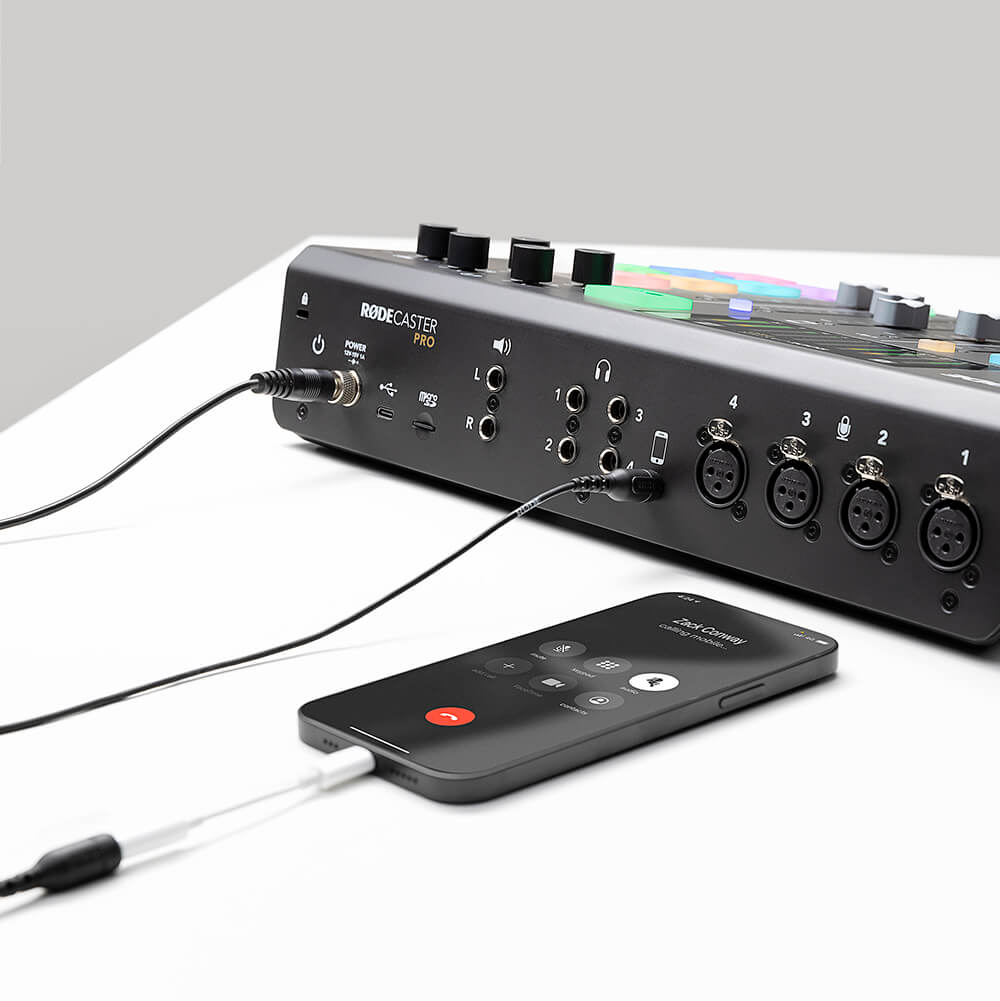
Hai un ospite da remoto con cui vuoi parlare? Stai registrando un podcast con il tuo team a distanza? Collega semplicemente il tuo telefono al RØDECaster Pro tramite Bluetooth™ o con un cavo TRRS . Il RØDECaster Pro fornisce anche un audio “mix-minus” per evitare che il chiamante senta l’eco (senza bisogno di hardware esterno complesso). Le interviste da remoto non sono mai suonate così bene!
Flessibilità senza pari
RØDECaster Pro funziona come unità autonoma fin dal primo utilizzo, registrando il tuo podcast direttamente su una microSD card (puoi persino realizzare podcast in mobilità con RØDE DC-USB1). Collegalo a un computer tramite USB e usa RØDECaster Pro come potente interfaccia audio per registrare con il tuo software audio preferito. Le versatili funzionalità di registrazione multitraccia ti consentono di modificare all’infinito il tuo podcast in post-produzione e aprono infinite possibilità per le applicazioni di livestreaming.
Guida per l’utente di RØDECaster Pro
La Guida per l’utente di RØDECaster Pro contiene tutto ciò che devi sapere per creare podcast straordinari con RØDECaster Pro! Questa guida completa illustra ogni aspetto, dalla configurazione iniziale alle dirette streaming, fino alla produzione avanzata di podcast. Con contenuti adatti sia ai principianti sia ai podcaster più esperti, la Guida per l’utente è pensata per chiunque voglia portare le proprie conoscenze di RØDECaster Pro a un livello superiore.