Che cos’è RØDE CallMe?
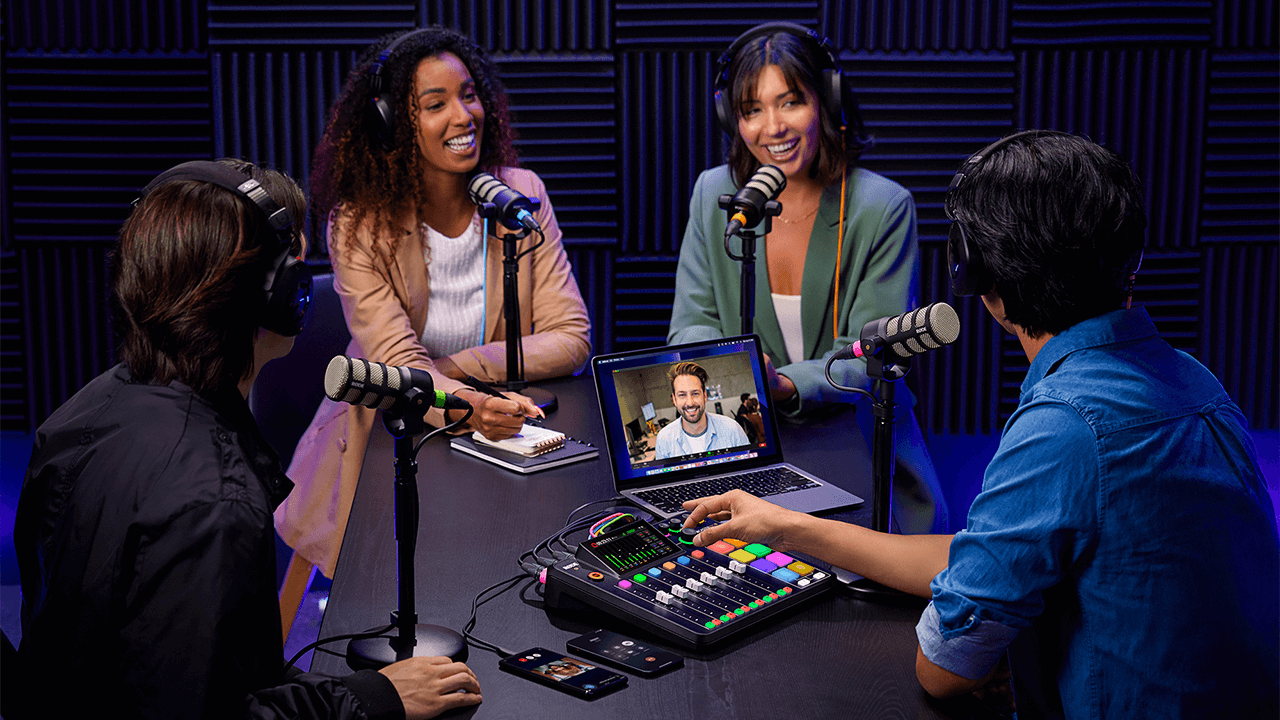
RØDE CallMe è una nuova funzionalità per RØDECaster Pro II e RØDECaster Duo, progettata per facilitare la comunicazione audio da remoto. CallMe offre connessioni audio dirette e a bassa latenza tramite Wi-Fi o Ethernet. Questa funzionalità consente agli utenti di connettersi a ospiti remoti da altre RØDECaster unità o tramite un browser web, integrando direttamente il loro audio in RØDECaster per la trasmissione o la registrazione.
Sviluppata in collaborazione con Vortex Communications, è progettata per superare i principali limiti della tecnologia Voice over IP standard, che in genere offre un audio di bassa qualità e fortemente compresso, meno facilmente integrabile nei flussi di lavoro professionali.
Fedeltà audio superiore: Il sistema è progettato per offrire una qualità audio significativamente superiore, adatta alla radiodiffusione professionale e al podcasting. Tutti i piani garantiscono miglioramenti notevoli rispetto al VoIP standard. Questo elimina il tradizionale «suono telefonico».
Integrazione perfetta del flusso di lavoro: Per ottimizzare il flusso di lavoro e ridurre la gestione di applicazioni separate, CallMe viene utilizzato direttamente tramite l’interfaccia RØDECaster . Questo semplifica l’intero processo di produzione. Le chiamate vengono assegnate a un fader e usufruiscono dell’intera suite di elaborazione APHEX, proprio come un microfono locale.
Funzionalità avanzate per le chiamate: L’integrazione nativa offre un’esperienza professionale nella gestione delle chiamate. Le funzionalità includono le chiamate dirette da RØDECaster a RØDECaster (RC Call), con la possibilità di salvare i contatti, la possibilità di mettere in coda fino a due chiamanti mentre uno è in diretta e un semplice Web Calling che consente agli ospiti di partecipare tramite un link del browser.
.png)
Come si accede a CallMe?
Puoi accedere a questa nuova funzionalità per RØDECaster Pro II e RØDECaster Duo assicurandoti che la tua unità sia aggiornata all'ultimo firmware. Per assicurarti che la tua unità utilizzi l'ultimo firmware, usa RØDECaster App.
Per accedere alle funzionalità di CallMe, devi registrare RØDECaster Pro II o RØDECaster Duo sul nostro portale dell'account.
Nota
Puoi accedere alla funzione CallMe sul tuo RØDECaster Pro II o RØDECaster Duo aggiornando il dispositivo alla versione firmware 1.6.5 e assicurandoti che la tua RØDECaster App sia la versione 2.0.98 o successiva.
Abbonamenti
Una volta registrato, potrai selezionare CallMe tra i tre piani di abbonamento disponibili per ciascuno dei tuoi dispositivi.
Configurazione di CallMe
Assegnazione di CallMe a un fader
Per assegnare il canale CallMe a un fader, la procedura è identica a quella per assegnare un microfono o un ingresso USB : è necessario assegnare il canale CallMe a un canale fader per controllarne l’audio.
- Tocca il canale fader che desideri utilizzare.
- Tocca l’icona delle impostazioni (ingranaggio).
- Nella schermata di selezione della sorgente, scegli «CallMe».
- Tocca il segno di spunta verde per confermare.
.png)
Connettiti a Internet
Per utilizzare le funzioni CallMe, è essenziale disporre di una connessione Internet stabile.
Puoi connettere il tuo RØDECaster a Internet nei seguenti modi:
- Wi-Fi (collegandoti direttamente dal tuo RØDECaster a una rete Wi-Fi potente)
- Ethernet (collegando direttamente un cavo Ethernet al tuo RØDECaster)
.png)
Opzioni di chiamata con CallMe
La funzione CallMe consente di effettuare chiamate dirette da e verso il tuo RØDECaster Pro II o RØDECaster Duo. Esistono due modalità principali:
Chiamate da RØDECaster a RØDECaster .
In tutti i piani CallMe, puoi chiamare direttamente un'altra unità RØDECaster utilizzando un codice di accesso univoco. In questo modo viene stabilito un collegamento audio stabile e di alta qualità tra le due unità RØDECaster .
Per effettuare una connessione in questo modo:
- Tocca l'icona del canale «CallMe» nella schermata principale del tuo RØDECaster.
- Tocca «Chiama un RØDECaster».
- Inserisci il codice di accesso univoco dell'altro utente. Il tuo RØDECaster si connetterà quando il destinatario accetterà la chiamata.
.png)
.png)
Chiamate tramite browser web
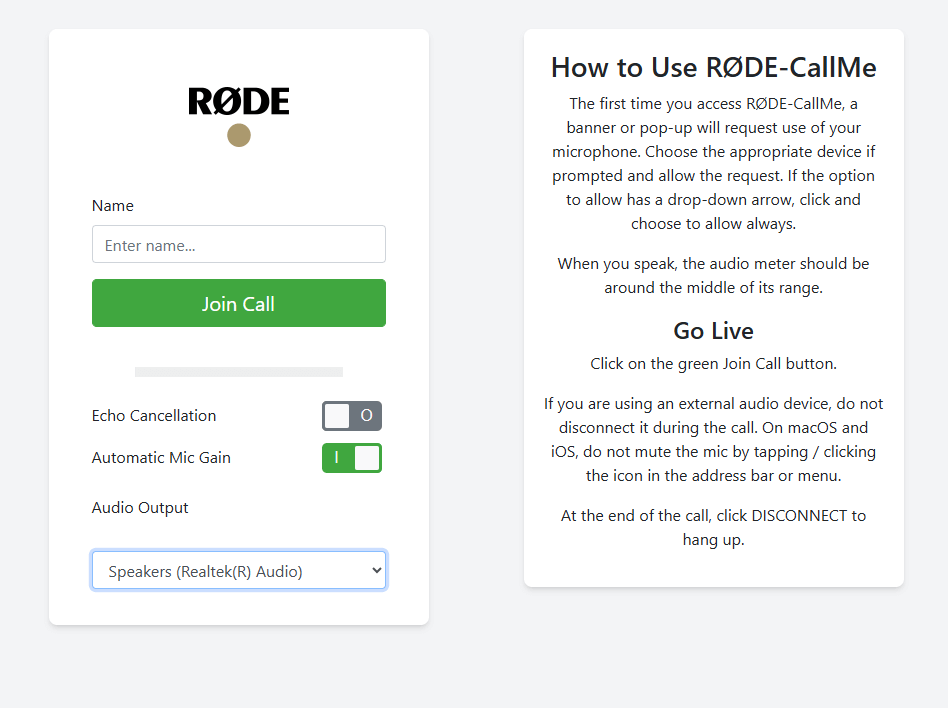
RØDE CallMe e RØDE CallMe Pro offrono inoltre accesso illimitato alle chiamate web, così il tuo ospite può collegarsi con qualsiasi dispositivo connesso al proprio computer.
- Tocca l’icona del canale «CallMe».
- Individua l’URL univoco e il codice QR visualizzati sullo schermo.
- Condividi con il tuo ospite l’URL e il codice univoci oppure il codice QR.
- Il tuo ospite aprirà il link nel browser web, inserirà il proprio nome, concederà l’accesso al microfono e sarà in diretta sul tuo RØDECaster.
Altre opzioni di chiamata
CallMe Pro offre opzioni di chiamata più avanzate, configurabili con dispositivi e sistemi SIP di terze parti. Le funzionalità aggiuntive includono:
- Supporto multi-ospite (3 canali CallMe)
- Include tutte le funzionalità CallMe RØDE , oltre a un'ampia gamma di strumenti professionali per la trasmissione
- Codec audio SIP completamente integrato, con interoperabilità con dispositivi di terze parti per la trasmissione da remoto
- Chiamate SIP avanzate con supporto per UDP, TCP, TLS, risposta automatica e selezioni rapide personalizzabili
- Streaming resiliente su più reti, conforme a RFC7198 e con supporto esterno 4G/5G
- Controllo audio di livello broadcast con supporto per Opus, G.722, G.711, PCM e buffer di jitter regolabile
- Controllo flessibile tramite touchscreen, interfaccia web locale, CallMe Hub, integrazione con Zoom™ e Click-&-Connect
.png)
Utilizzare CallMe per le chiamate
Ospitare chiamate
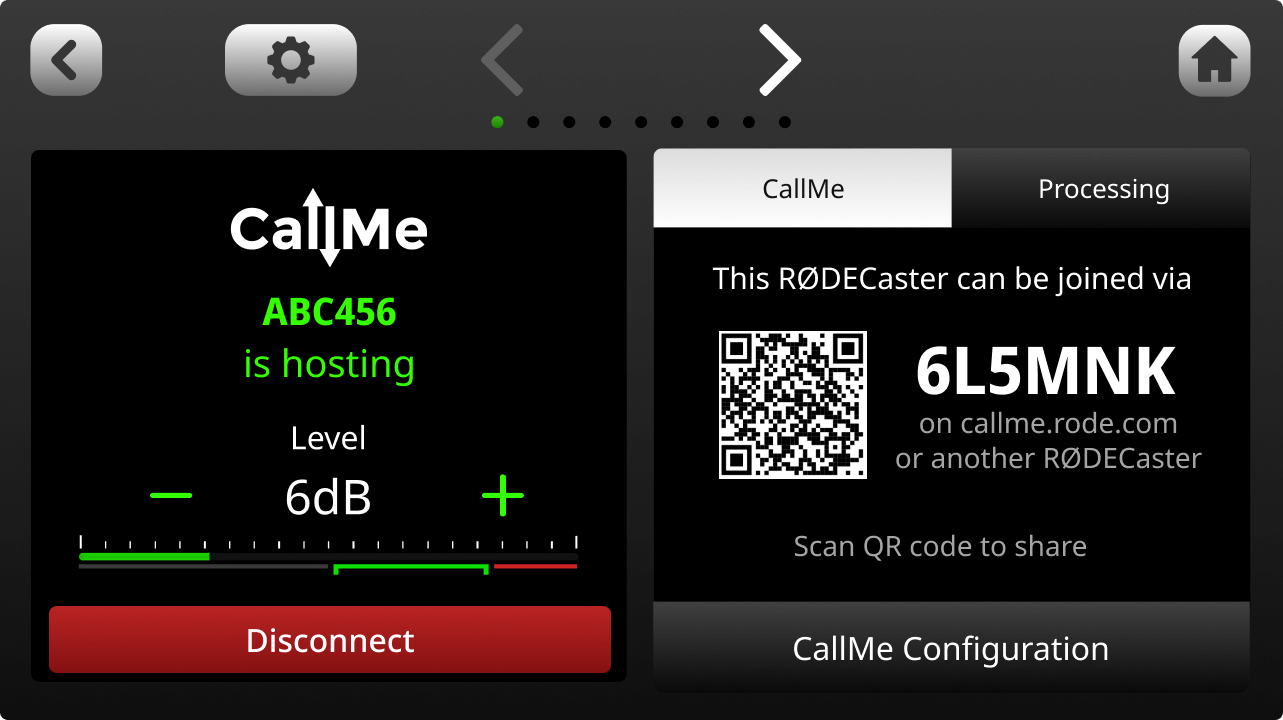
Per le chiamate web o le chiamate dirette RØDECaster , puoi configurare RØDECaster Pro II e RØDECaster Duo per ricevere chiamate abilitando la funzione "Ospitare" nelle impostazioni di CallMe.
- Vai alle impostazioni di CallMe.
- Assicurati che l'opzione "Abilita l'hosting delle chiamate" sia attivata
.png)
Quando qualcuno ti chiama, sullo schermo del tuo RØDECaster comparirà una notifica pop-up.
Tocca il segno di spunta verde per accettare la chiamata oppure la X rossa per rifiutarla.
Ti verrà quindi chiesto di assegnare la chiamata in arrivo a un canale CallMe disponibile. I canali verdi indicano che sono pronti. Se non è assegnato alcun canale CallMe, ti verrà chiesto di assegnarne uno a un fader.
.png)
Chiamate in uscita
Esistono due modi principali per effettuare una chiamata in uscita.
Chiamare un altro RØDECaster o partecipare a una chiamata SIP (le chiamate SIP sono disponibili solo per gli abbonati Pro).
Per chiamare un altro RØDECaster, seleziona semplicemente «Chiama un RØDECaster» e inserisci il suo codice univoco. Se l’altro utente accetta la chiamata, potrai monitorarla, modificare le impostazioni e altro ancora nelle impostazioni del canale.
Consiglio da professionisti
Puoi bloccare tutte le chiamate in arrivo disattivando l'interruttore "Abilita l'hosting delle chiamate" nelle impostazioni di CallMe.
Elaborazione e registrazione del canale CallMe
Elaborazione
Come gli altri ingressi di RØDECaster Pro II o RØDECaster Duo, un canale CallMe ha accesso all'intera suite di strumenti di elaborazione audio di RØDECaster. Questo consente di elaborare l'audio di un ospite remoto e uniformarlo alla qualità dei microfoni locali, garantendo un suono professionale e coerente.
Include:
- Controllo del guadagno
- Equalizzazione (EQ)
- Dinamica (compressore, noise gate, de-esser)
- Exciter APHEX
Puoi trovare maggiori informazioni qui.
.png)
Mix-minus con CallMe
Il segnale audio di CallMe viene instradato in modo bidirezionale. In questo modo, il chiamante remoto riceve un mix di tutti gli ingressi attivi sul RØDECaster dell’host. Per impostazione predefinita, ogni connessione CallMe è configurata in modalità mix-minus.
Questa funzione fondamentale impedisce al chiamante remoto di sentire l’eco della propria voce, un aspetto essenziale per una conversazione chiara e priva di eco.Registrazione
Insieme a tutti gli altri canali, i canali CallMe saranno inclusi nelle registrazioni multitraccia su scheda microSD .
Per le registrazioni multitraccia USB , i canali CallMe non sono inclusi.
Utilizzare SMART Pads con CallMe
Con CallMe, puoi utilizzare SMART Pads come chiamata rapida, per chiamare istantaneamente un altro dispositivo premendo un solo pulsante.
Configurazione della selezione rapida
Puoi assegnare rapidamente un fader accedendo alle configurazioni del tuo RØDECaster, selezionando l'opzione "Fader", scegliendo un fader disponibile e selezionando l'opzione Call ME.
- Una volta assegnato, apri il menu CallMe toccando l'icona delle frecce nell'angolo in alto a destra della schermata iniziale del dispositivo.
- Seleziona il pulsante "Partecipa a una chiamata" su un canale CallMe disponibile.
- Seleziona uno spazio di selezione rapida disponibile, inserisci il nome e il codice univoco del RØDECaster a cui desideri connetterti, quindi premi Salva.
.png)
Assegna a uno Smart Pad
Dopo aver configurato lo spazio Quick Dial, è possibile assegnarlo a uno SMART Pad:
- Nella schermata iniziale, seleziona uno spazio SMART Pad vuoto
- Nel SMART Pad menu Nuovo, seleziona «Quick Dials»
- Scegli il Quick Dial da assegnare a SMART Pad e premi il segno di spunta verde in alto a destra
.png)
Disponibilità e sicurezza di CallMe
Disponibilità di CallMe
RØDE CallMe è progettato per connetterti praticamente ovunque. Tuttavia, in alcuni Paesi le normative locali su Internet o i firewall governativi possono bloccare servizi come il nostro, con possibili ripercussioni sulle prestazioni.
Se non sei sicuro di poter utilizzare CallMe nella tua area geografica, ti consigliamo di verificare le indicazioni locali sui servizi SIP e VoIP prima di iniziare. Per qualsiasi altra domanda, contatta il nostro cordiale team di supporto.
Sicurezza su RØDECaster-RØDECaster e nelle chiamate Web-RØDECaster
Diamo priorità alla sicurezza e alla privacy delle vostre conversazioni. Quando effettuate una chiamata, quindi, tutto l’audio è crittografato end-to-end tra voi (il chiamante) e l’host.
Ciò significa che solo le persone direttamente coinvolte nella conversazione possono ascoltare o registrare l’audio.
Nella maggior parte dei casi, questo audio crittografato viene trasferito direttamente tra i partecipanti (peer-to-peer), per garantire una connessione più rapida e sicura. Anche se un firewall di rete restrittivo richiede che l’audio venga inoltrato tramite un server, rimane completamente crittografato e non può essere consultato né ascoltato da nessun altro.
Per aiutarci a fornire assistenza ai clienti e monitorare la qualità del nostro servizio, archiviamo in modo sicuro dati tecnici limitati (metadati) relativi alla chiamata. Potete essere certi che i nostri server non registrano né archiviano mai il vostro audio crittografato.