UNIFY
UNIFY è una potente soluzione di missaggio virtuale per streaming e gaming che ti consente di controllare tutto il tuo audio in un’unica interfaccia software intuitiva, con opzioni di routing flessibili, sub-mix, elaborazione audio professionale, registrazione multitraccia e molto altro.
Come funziona
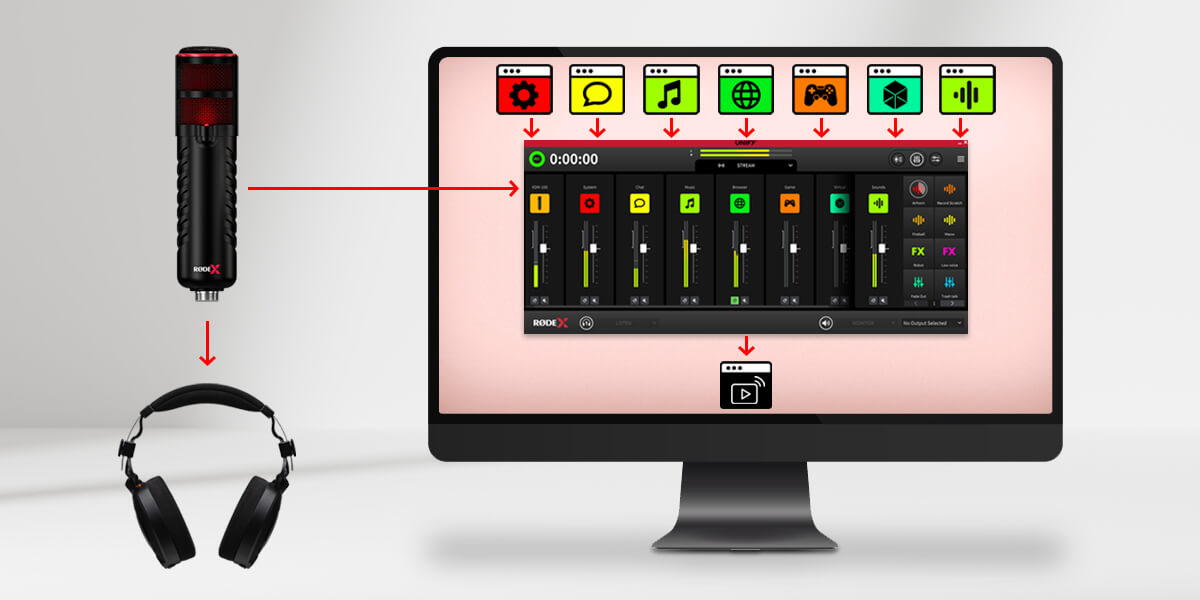
Prima di entrare nei dettagli, esaminiamo alcuni dei principi di base di UNIFY e come utilizzarli. UNIFY è un software che riunisce più sorgenti audio. È come un mixer audio che potresti avere sulla tua scrivania, ma in questo caso è un software sul tuo computer. Ogni sorgente audio appare su un cursore in UNIFY, così puoi regolare il livello di ciascuna. Ad esempio, potresti voler abbassare il volume della musica e alzare quello della tua voce. Quindi l’uscita di UNIFY viene inviata al tuo software di streaming.
È importante! UNIFY si trova tra le tue sorgenti audio e il tuo stream, quindi l’audio proveniente dal tuo microfono, dal tuo gioco e così via entra in UNIFY, mentre l’uscita di UNIFY viene inviata al tuo stream. Non è necessario selezionare nuovamente quei dispositivi audio nel tuo software di streaming, perché UNIFY li gestisce già tutti per te.
Caratteristiche
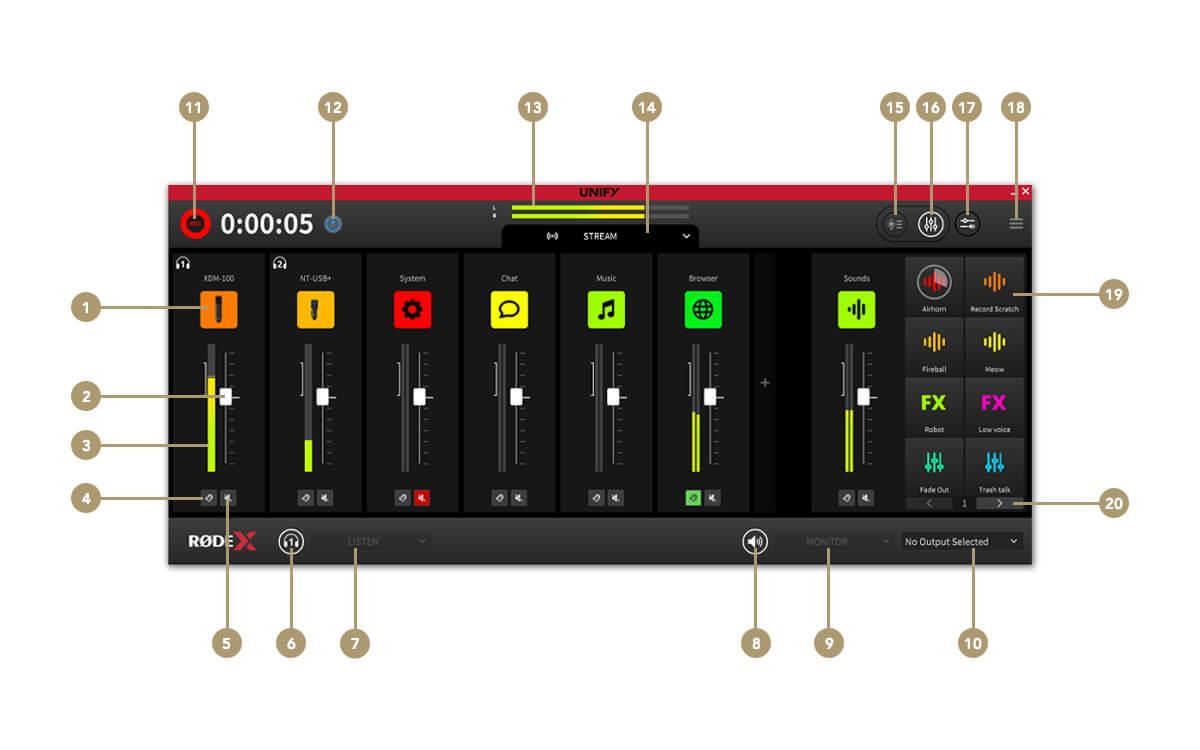
1Impostazioni della sorgente del canale
2Fader del canale (livello)
3Misuratore del livello del canale
4Ascolto (cue)
5Muto del canale
6Muto delle cuffie
7Selettore del monitoraggio in cuffia
8Muto del monitor esterno
9Selettore della sorgente del monitor
10Selettore del dispositivo di monitoraggio
11Avviare / interrompere la registrazione
12Inserire un marcatore di registrazione
13Livello di uscita dello streaming
14Selettore del submix
15Passa alla finestra di registrazione
16Passa alla finestra del mixer
17Instradamento dell'audio delle app (solo Windows )
18Menu delle impostazioni
19Pad SMART
20Selettore e banchi
I controlli del submix
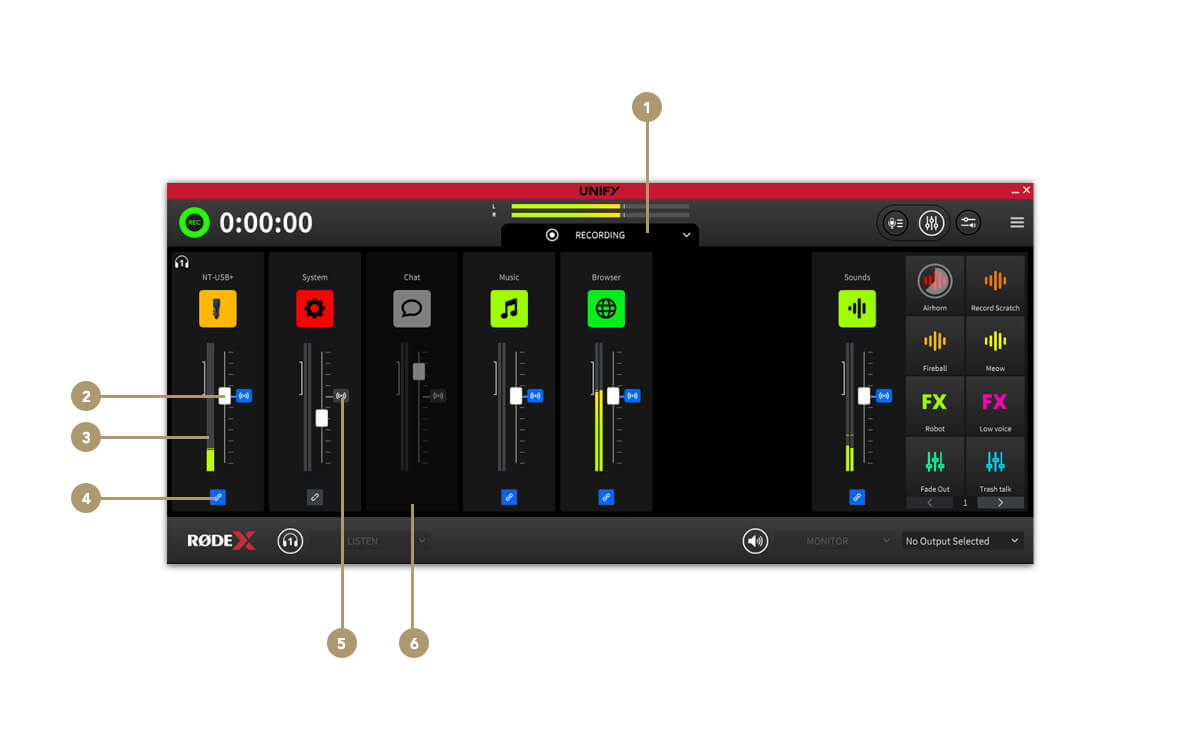
1Selettore del submix
2Fader del livello del submix
3Misuratore del livello del submix
4Collega / scollega il canale dal mix Stream
5Indicatore del livello audio del mix Stream
6Canale rimosso dal submix
La finestra di registrazione
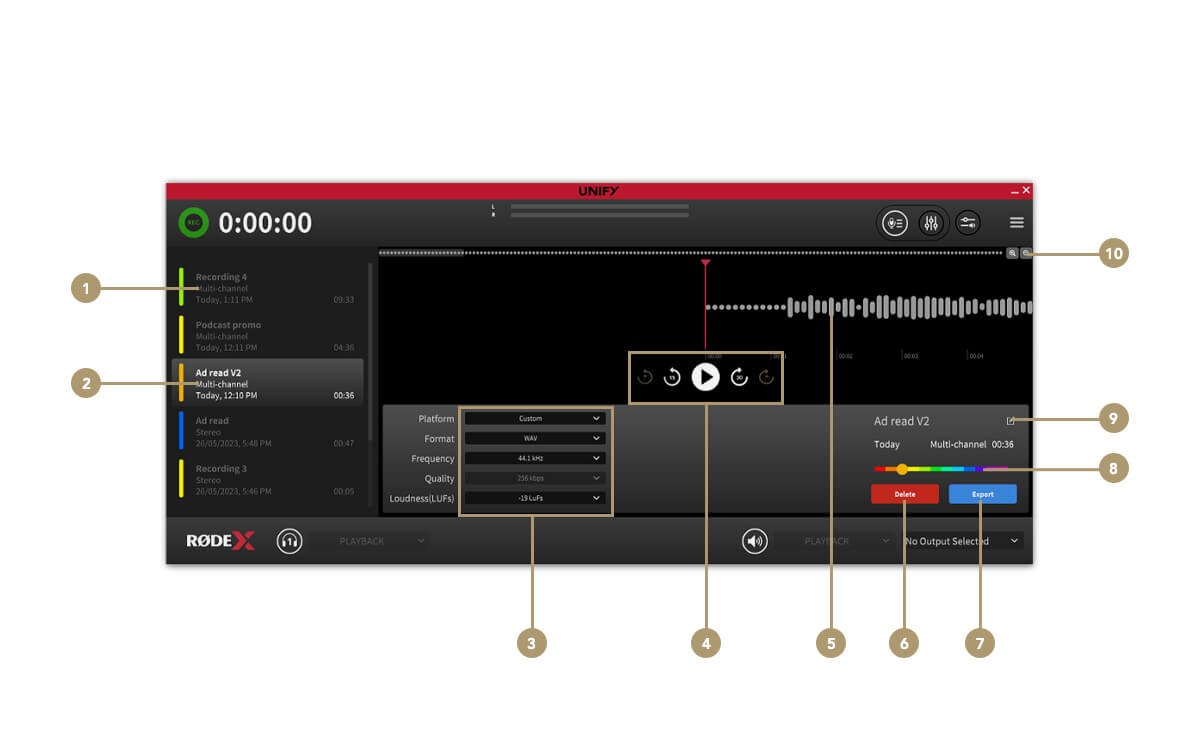
1Elenco delle registrazioni
2Registrazione selezionata
3Impostazioni di esportazione del file
4Controlli di trasporto
5Forma d’onda audio/riproduzione
6Elimina registrazione
7Esporta registrazione
8Selettore del colore
9Rinomina registrazione
10Controlli dello zoom