RØDECaster Pro
ポッドキャスト制作スタジオ
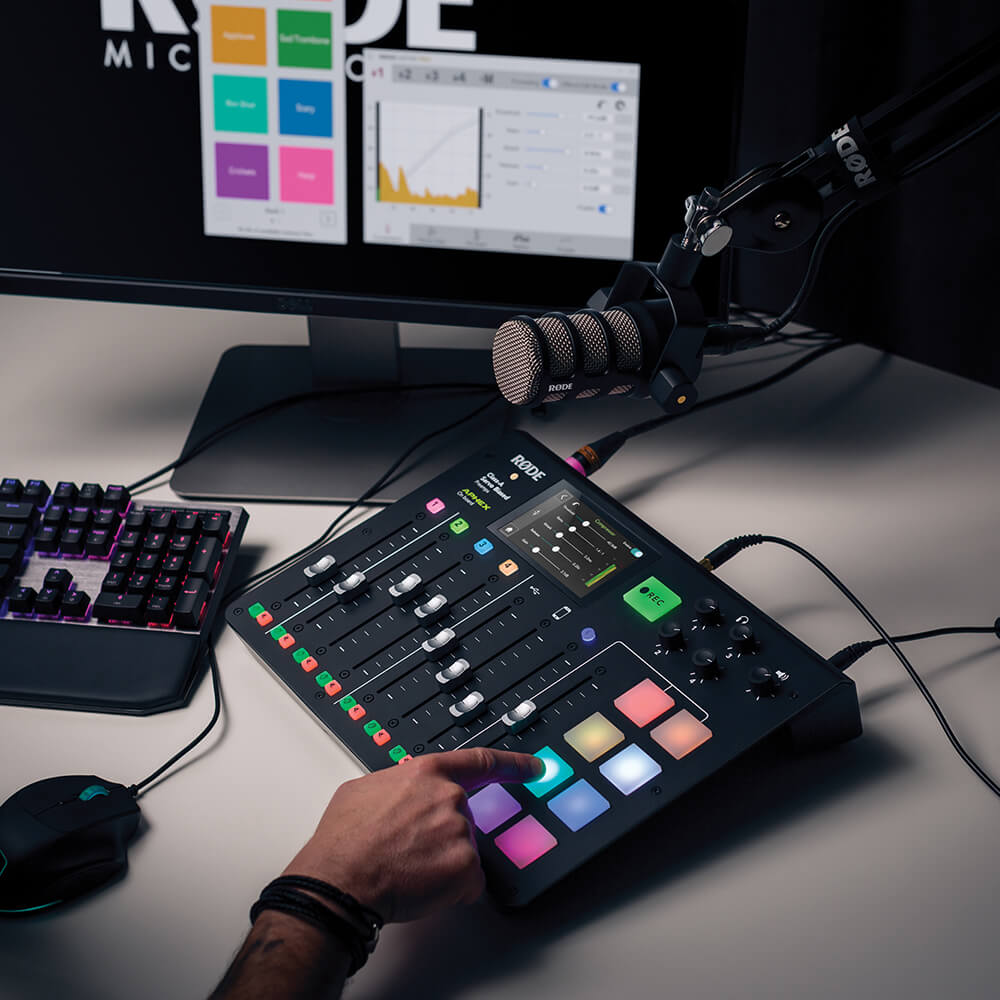
RØDECaster Pro™は、ポッドキャスト制作のための世界で最もパワフルなオールインワンソリューションです。卓越した音質と豊富な機能を備えながら、驚くほど簡単に使えるよう設計されており、初心者からプロフェッショナルまで、誰もが使える究極のツールです。スタジオグレードのプリアンプを搭載した4系統のマイクロフォン入力でクリアな音声を録音できるほか、リモートゲストをシームレスに参加させるためのスマートフォン、USB、Bluetoothチャンネル、音楽や効果音をトリガーできる8つのサウンドパッド、ボタンひとつで操作できるパワフルなオーディオ処理など、さらに多くの機能を備えています。RØDECaster Proがあれば、驚きに満ちたポッドキャストを制作するために必要なものがすべて揃います。
- ポッドキャスト制作に最適なオールインワンソリューション
- スタジオグレードのXLRマイク入力を4系統搭載
- リモート通話を統合できるスマートフォン、USB 、Bluetooth™チャンネル。エコーのない音声を実現する自動ミックスマイナス機能を搭載
- 8つのプログラム可能なサウンドパッドを搭載。8バンクを利用でき、合計64種類のサウンドをロード可能!
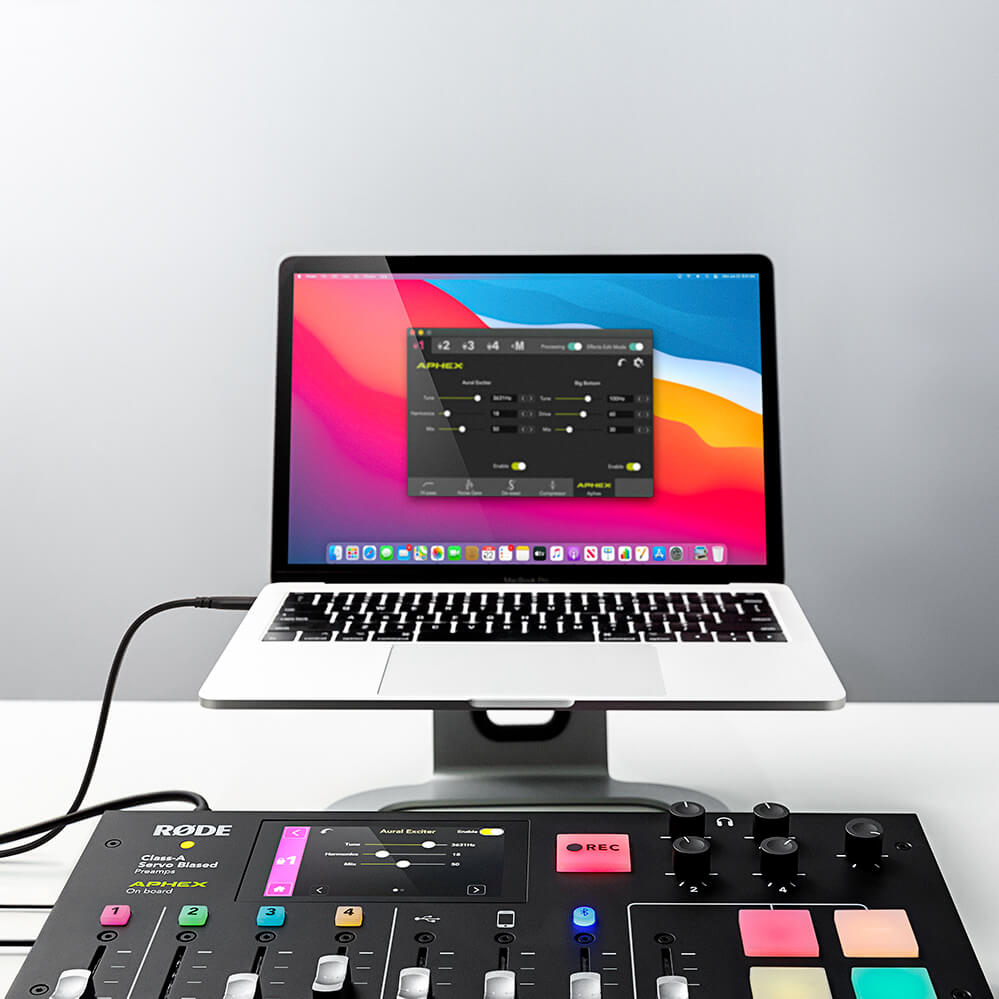
- 伝説的なAPHEX Aural Exciter™およびBig Bottom™エフェクトを含む、強力な内蔵オーディオプロセッシングにより、次世代の音質を実現
- microSD またはコンピューターに、ステレオまたはマルチトラックで録音可能。ポストプロダクションで無限に編集できます
- 驚くほど簡単に操作可能
- 英語、フランス語、ドイツ語、イタリア語、スペイン語、ポルトガル語、中国語、日本語、韓国語の9言語に対応
RØDECaster Pro™は、ポッドキャスト制作のための世界で最もパワフルなオールインワンソリューションです。卓越した音質と豊富な機能を備えながら、驚くほど簡単に使えるよう設計されており、初心者からプロフェッショナルまで、誰もが使える究極のツールです。スタジオグレードのプリアンプを搭載した4系統のマイクロフォン入力でクリアな音声を録音できるほか、リモートゲストをシームレスに参加させるためのスマートフォン、USB、Bluetoothチャンネル、音楽や効果音をトリガーできる8つのサウンドパッド、ボタンひとつで操作できるパワフルなオーディオ処理など、さらに多くの機能を備えています。RØDECaster Proがあれば、驚きに満ちたポッドキャストを制作するために必要なものがすべて揃います。
- ポッドキャスト制作に最適なオールインワンソリューション
- スタジオグレードのXLRマイク入力を4系統搭載
- リモート通話を統合できるスマートフォン、USB 、Bluetooth™チャンネル。エコーのない音声を実現する自動ミックスマイナス機能を搭載
- 8つのプログラム可能なサウンドパッドを搭載。8バンクを利用でき、合計64種類のサウンドをロード可能!
- 伝説的なAPHEX Aural Exciter™およびBig Bottom™エフェクトを含む、強力な内蔵オーディオプロセッシングにより、次世代の音質を実現
- microSD またはコンピューターに、ステレオまたはマルチトラックで録音可能。ポストプロダクションで無限に編集できます
- 驚くほど簡単に操作可能
- 英語、フランス語、ドイツ語、イタリア語、スペイン語、ポルトガル語、中国語、日本語、韓国語の9言語に対応
プロフェッショナルなポッドキャスト制作を、簡単に
RØDECaster Proなら、プロフェッショナルなポッドキャスト制作を簡単に始められます。スタジオ品質のXLRマイク入力を4系統、ヘッドホン出力を4系統搭載し、大型フルカラータッチスクリーンによる直感的な操作、自動レベル設定、ワンタッチのトーンコントロールを実現。箱から取り出してわずか数分で、驚くほど高音質なポッドキャストを制作できます。
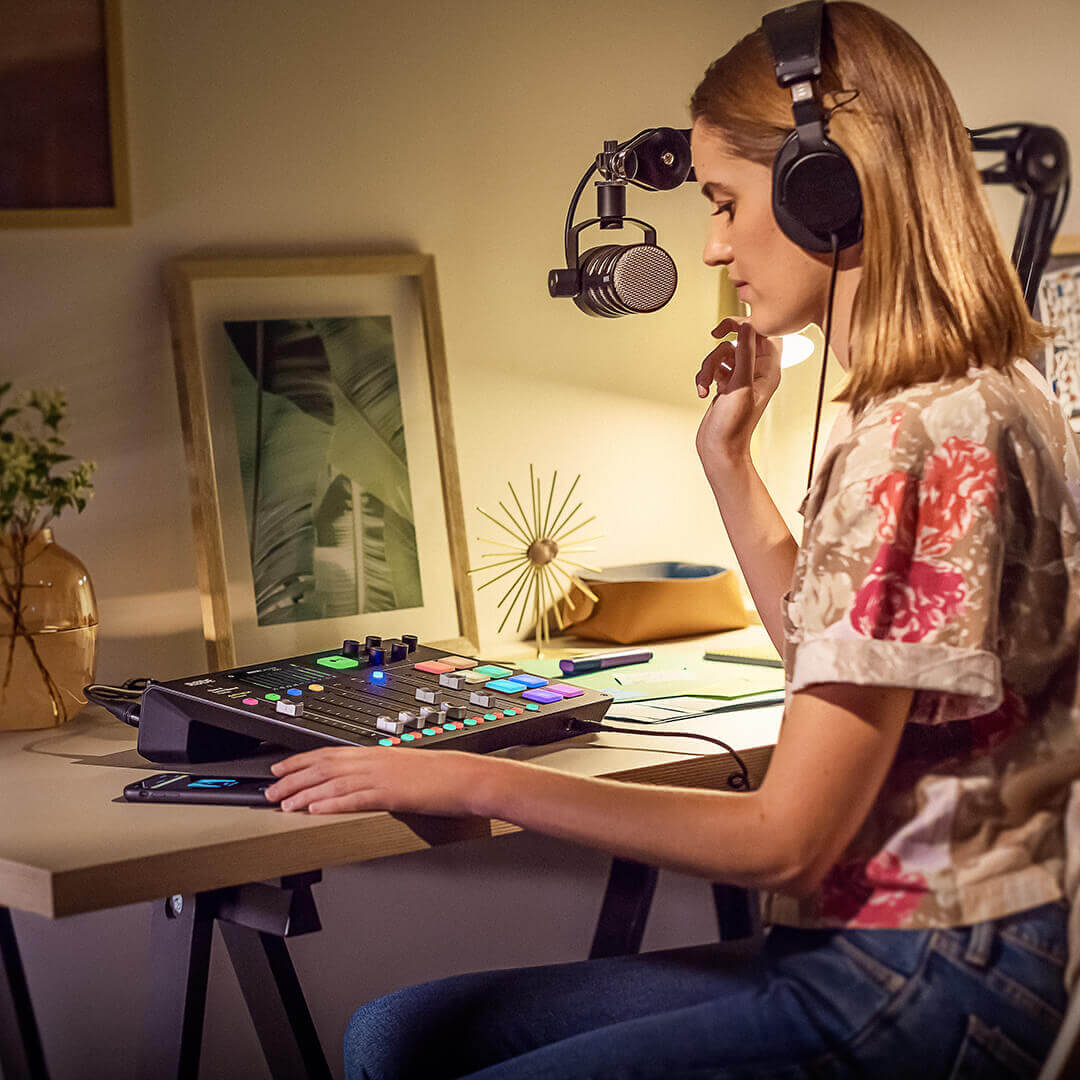
放送品質のピュアなオーディオ
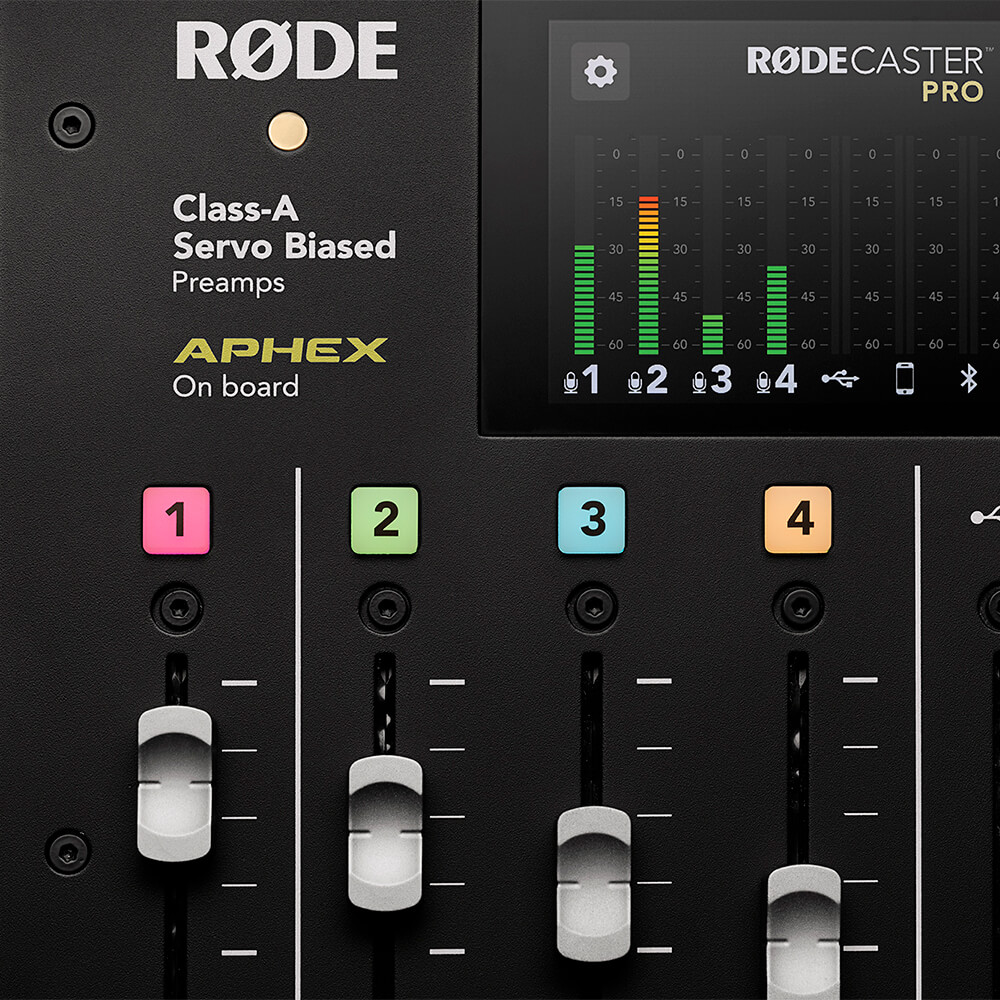
RØDECaster Proの高精度なClass Aサーボ・バイアス方式マイクプリアンプにより、驚異的なオーディオ品質を実現します。あらゆるマイクに対して、極めてクリアで低ノイズの信号を出力します。高品質なヘッドフォン出力とモニター出力により、あなた自身とゲストの声を余すところなく、明瞭にモニターできます。洗練されたプロフェッショナルサウンドを実現するRØDECaster Proには、コンプレッサー、ノイズゲート、ハイパスフィルター、そして伝説的なAPHEX Aural Exciter™とBig Bottom™の放送用エフェクトを含む、強力な内蔵オーディオプロセッシングを搭載。世界最高峰のスタジオと同様に、ボタンに触れるだけですべてにアクセスでき、各パラメーターを完全にコントロールできます。放送品質のピュアなオーディオ。
サウンドを自在に演出
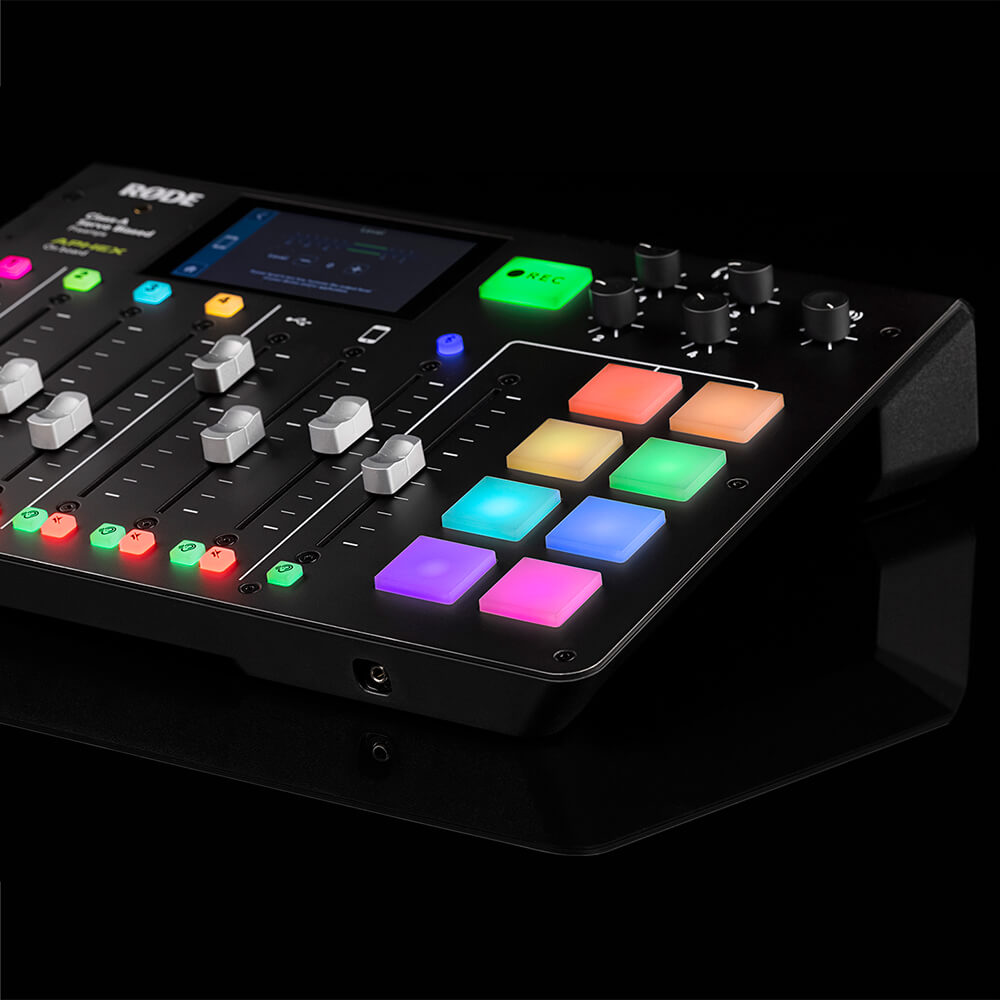
RØDECaster Proには、効果音、音楽、イントロやアウトロ、広告ロールを瞬時にトリガーできる、プログラム可能なサウンドエフェクトパッドを8基搭載しています。RØDECaster Proのいずれかの入力からパッドへ直接録音したり、コンピューターからオーディオを割り当てたりできます。各パッドは、再生モードやカラーコードなど、さまざまな項目を細かくカスタマイズできます。サウンドは最大8バンク、合計64種類まで保存可能です。
つながり続ける
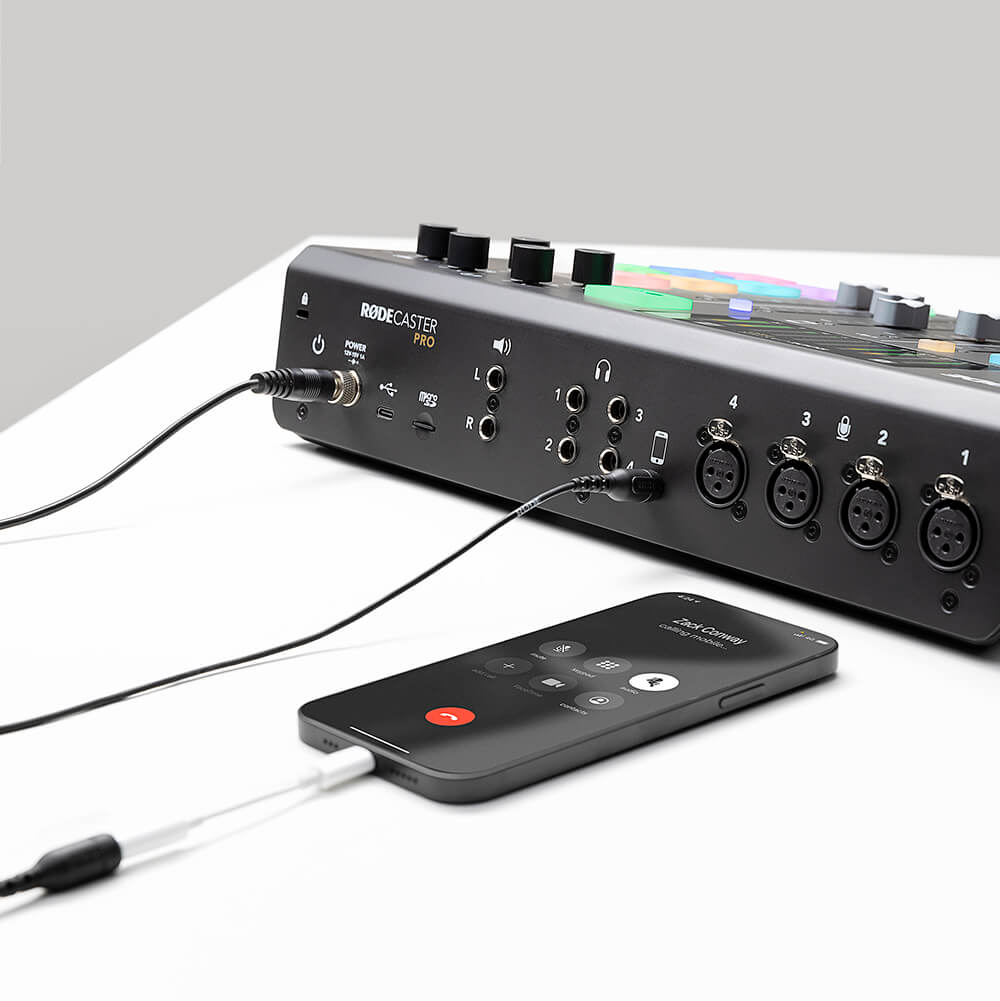
リモートのゲストと会話したいですか? 離れた場所にいるクルーとポッドキャストを収録していますか? お使いのスマートフォンをBluetooth™経由、またはTRRS ケーブルでRØDECaster Proに接続するだけです。RØDECaster Proは、通話相手にエコーが聞こえるのを防ぐ「ミックスマイナス」音声にも対応しているため、複雑な外部機器は必要ありません。リモートインタビューが、これほど高音質になることはありません!
比類のない柔軟性
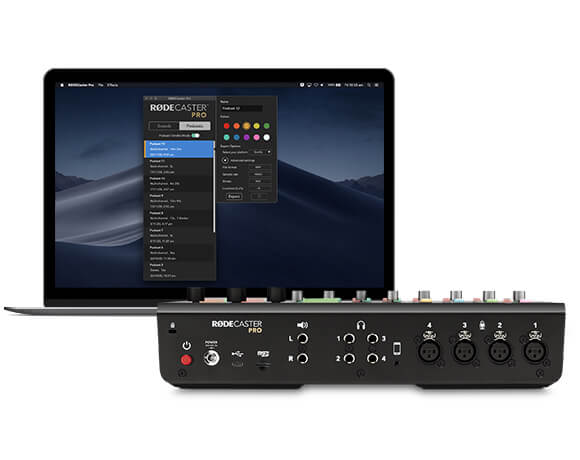
RØDECaster Proは、箱から出してすぐに単体で使用でき、ポッドキャストをmicroSD カードに直接録音できます(RØDE DC-USB1を使えば、外出先でもポッドキャストを収録できます)。USB 経由でコンピューターに接続すれば、RØDECaster Proを高性能なオーディオインターフェースとして使用し、お気に入りのオーディオソフトウェアに録音できます。多彩なマルチトラック録音機能により、ポストプロダクションでポッドキャストを思いのままに編集できるほか、ライブストリーミング用途にも無限の可能性が広がります。
RØDECaster Pro ユーザーガイド
RØDECaster Pro ユーザーガイドには、RØDECaster Proで素晴らしいポッドキャストを制作するために必要な情報がすべて詰まっています。この包括的なガイドでは、基本的な使い方からライブストリーミング、さらに高度なポッドキャスト制作まで、幅広く解説しています。初心者から経験豊富なポッドキャスターまで、RØDECaster Proに関する知識をさらに深めたいすべての方に役立つユーザーガイドです。