RØDE CallMeとは?
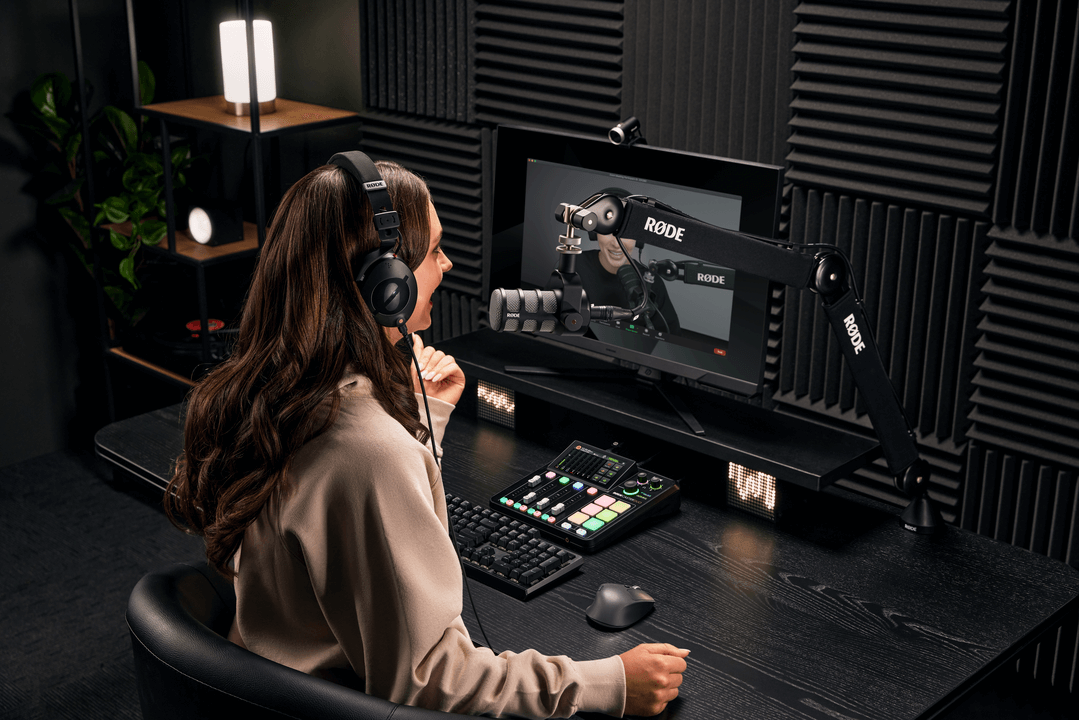
RØDE CallMeは、リモートでの音声コミュニケーションを実現するために設計された、RØDECaster Pro IIおよびRØDECaster Duoの新機能です。CallMeは、Wi-FiまたはEthernet経由で、ダイレクトかつ低遅延の音声接続を提供します。この機能により、ユーザーは他のRØDECaster ユニットまたはウェブブラウザーからリモートゲストに接続し、その音声をRØDECaster に直接取り込んで、放送や録音に利用できます。
Vortex Communicationsとのパートナーシップにより開発されたこの機能は、標準的なVoice over IPが抱える主な制約を解消するために設計されています。標準的なVoice over IPでは通常、音質が低く、大幅に圧縮された音声が伝送されるため、プロフェッショナルなワークフローにシームレスに統合することが困難です。
優れた音声忠実度: このシステムは、プロフェッショナルな放送やポッドキャスト制作に適した、音質の大幅な向上を実現するよう設計されています。すべてのプランで、標準的なVoIPを上回る顕著な改善が得られます。これにより、従来の「電話のような音質」を解消します。
シームレスなワークフロー統合: 個別のアプリケーションの管理を簡素化し、ワークフローを効率化するため、CallMeはRØDECaster interfaceを介して直接操作できます。これにより、制作プロセス全体が合理化されます。通話はフェーダーに割り当てられ、ローカルマイクと同様に、APHEXの全プロセッシングスイートを利用できます。
高度な通話機能: ネイティブ統合により、プロフェッショナルな通話処理を実現します。連絡先を保存できるRØDECasterからRØDECaster への直接発信(RC Call)、一方の通話がライブ中でも最大2名の発信者を待機させる機能、ブラウザーリンクからゲストが参加できるシンプルなWeb Callingなどを利用できます。
.png)
CallMeにはどのようにアクセスできますか?
RØDECaster Pro IIおよびRØDECaster Duoでこの新機能を利用するには、本体を最新のファームウェアに更新してください。本体が最新のファームウェアで動作していることを確認するには、RØDECaster Appを使用してください。
CallMeの機能を利用するには、RØDECaster Pro IIまたはRØDECaster Duoを当社のアカウントポータルで登録する必要があります。
注記
RØDECaster Pro IIまたはRØDECaster DuoでCallMe機能を利用するには、デバイスのファームウェアをバージョン1.6.5にアップデートし、RØDECaster Appをバージョン2.0.98以降にしてください。
サブスクリプション
登録すると、お使いの各デバイスについて、利用可能な3つのサブスクリプションプランからCallMeを選択できるようになります。
CallMeのセットアップ
CallMeをフェーダーに割り当てる
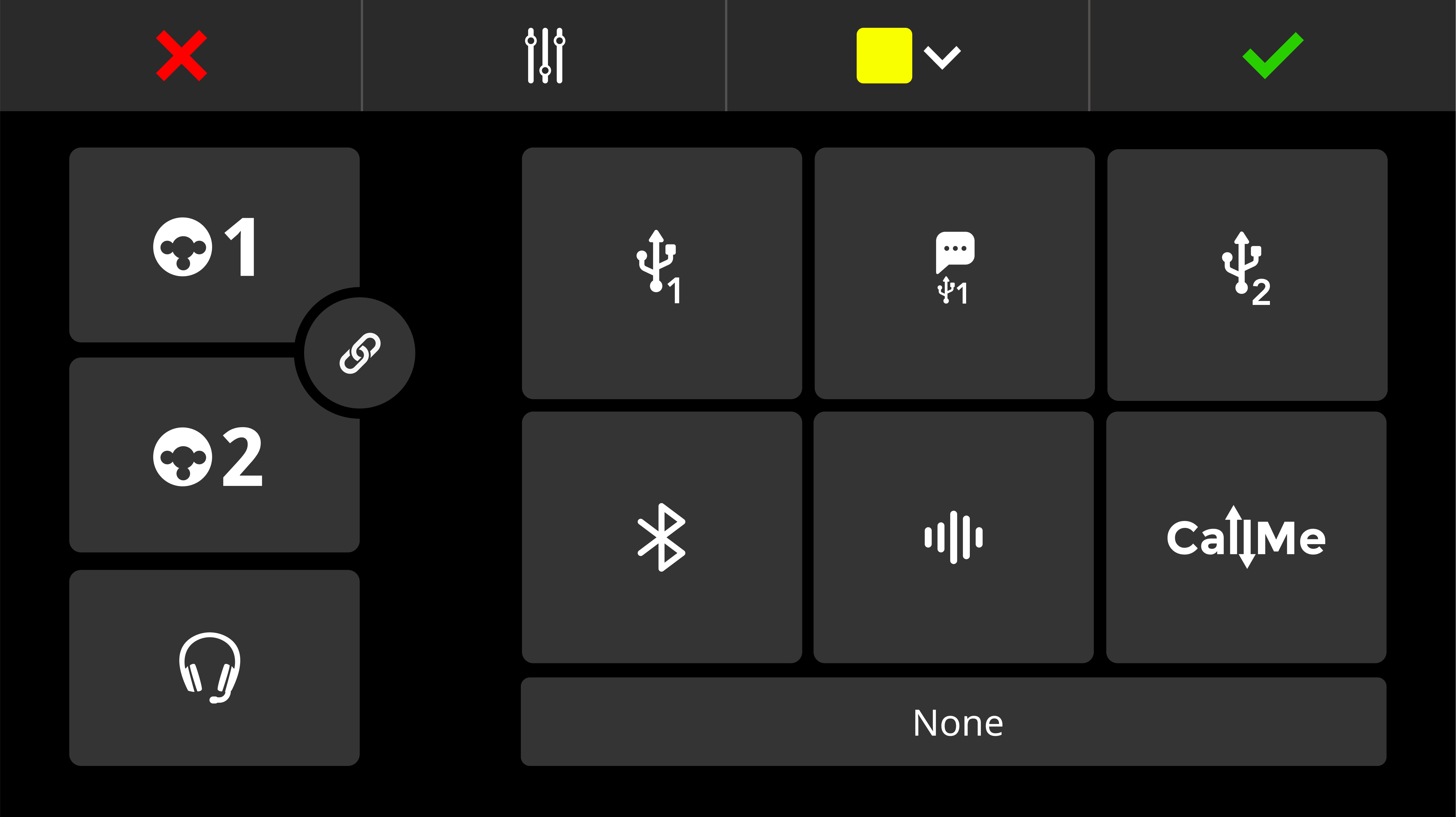
CallMeチャンネルをフェーダーに割り当てる手順は、マイクまたはUSB 入力を割り当てる場合と同じです。音声をコントロールするには、CallMeチャンネルをフェーダーチャンネルに割り当てる必要があります。
- 使用するフェーダーチャンネルをタップします。
- 設定アイコン(歯車)をタップします。
- ソース選択画面で「CallMe」を選択します。
- 緑色のチェックマークをタップして確定します。
インターネットに接続する
CallMe機能を使用するには、安定したインターネット接続が不可欠です。
次の方法でRØDECaster をインターネットに接続できます:
- Wi-Fi(RØDECasterから強力なWi-Fiネットワークに直接接続)
- Ethernet (Ethernet ケーブルをRØDECasterに直接接続)
.png)
CallMeでの通話オプション
CallMe機能を使用すると、RØDECaster Pro IIまたはRØDECaster Duoから直接電話をかけたり、これらの製品に直接電話をかけてもらったりできます。主な方法は2つあります。
RØDECasterからRØDECaster への通話
すべてのCallMeプランでは、固有の参加コードを使用して、別のRØDECaster ユニットに直接通話できます。これにより、2台のRØDECaster ユニット間に高品質で安定したオーディオ接続が確立されます。
この方法で接続するには:
- RØDECasterのメイン画面で「CallMe」チャンネルアイコンをタップします。
- 「Call a RØDECaster」をタップします。
- 相手ユーザーの固有の参加コードを入力します。相手が通話を承諾すると、RØDECaster が接続されます。
.png)
.png)
ウェブブラウザー通話
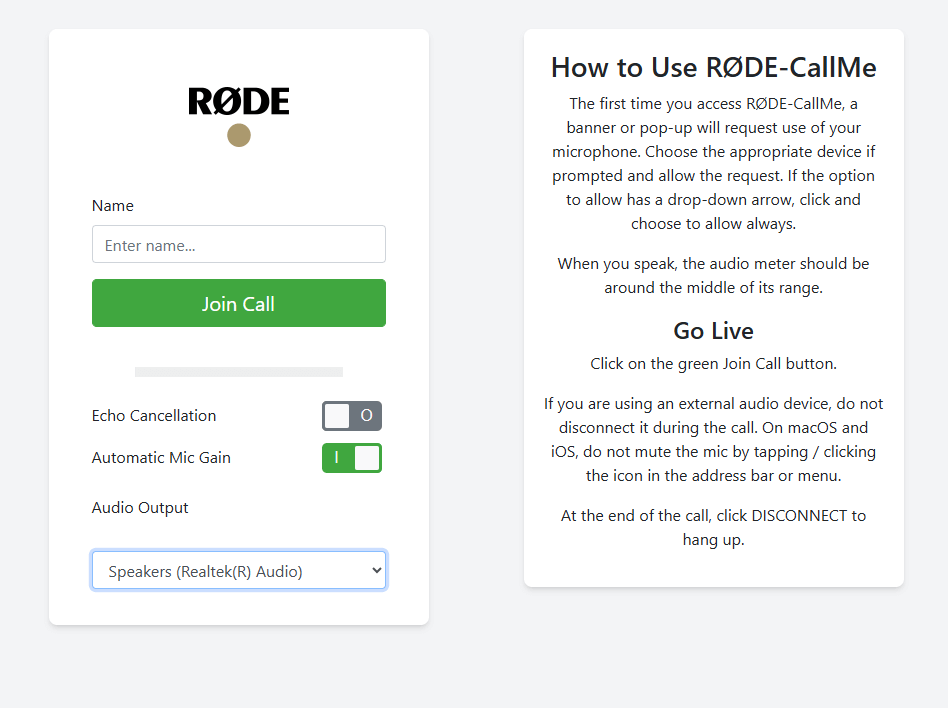
RØDE CallMeとRØDE CallMe Proでは、ウェブ通話にも無制限でアクセスできます。ゲストは、コンピューターに接続されているあらゆるデバイスから接続できます。
- 「CallMe」チャンネルアイコンをタップします。
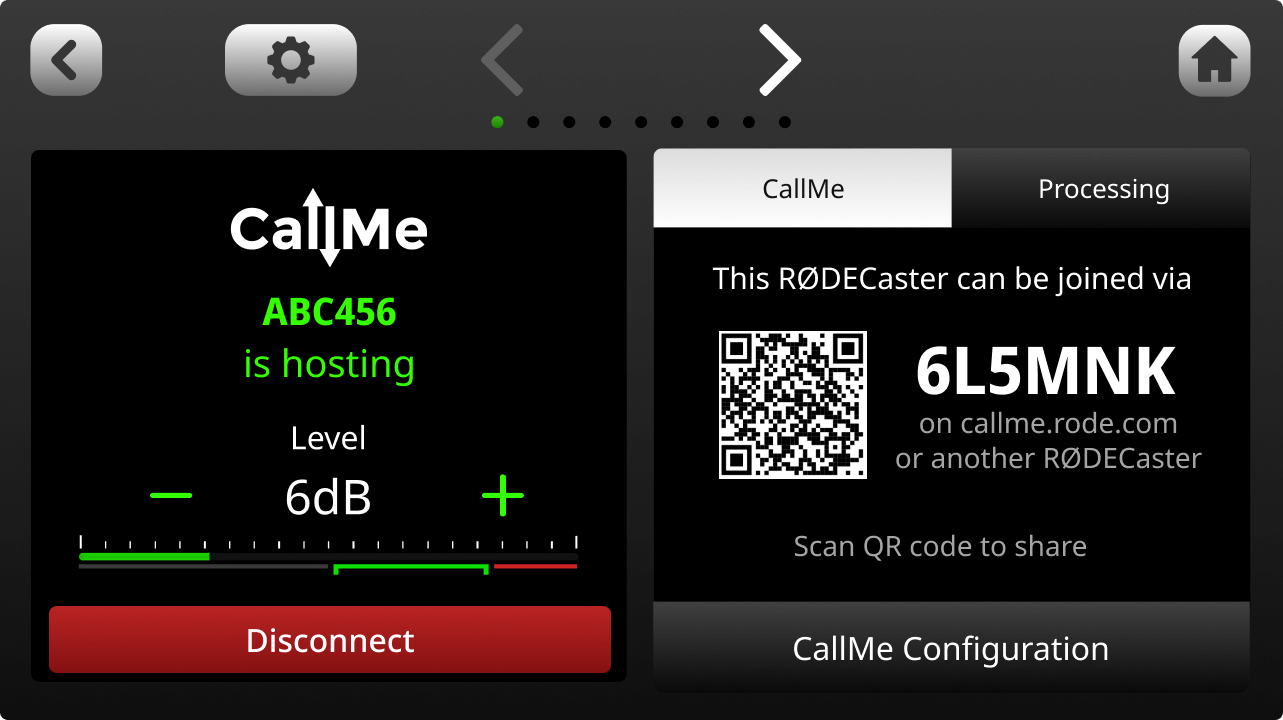
- 画面に表示された固有のURLとQRコードを確認します。
- 固有のURLとコード、またはQRコードをゲストと共有します。
- ゲストはウェブブラウザーでリンクを開き、名前を入力してマイクへのアクセスを許可すると、RØDECasterでライブ接続されます。
その他の通話オプション
CallMe Proでは、サードパーティ製SIP デバイスおよびシステムと組み合わせて設定できる、より高度な通話オプションを利用できます。追加機能は次のとおりです。
- 複数ゲスト対応(3つのCallMeチャンネル)
- すべてのRØDE CallMe機能に加え、プロフェッショナルな放送用ツールを多数搭載
- リモート放送に対応する、サードパーティ製品との相互運用性を備えた完全統合型IP オーディオコーデック
- UDP、TCP、TLS、自動応答、カスタマイズ可能な短縮ダイヤルに対応した高度なSIP 通話
- RFC7198準拠および外部4G/5G対応による、複数ネットワークでの高い耐障害性を備えたストリーミング
- Opus、G.722、G.711、PCM、調整可能なジッターバッファーに対応した、放送品質のオーディオコントロール
- タッチスクリーン、ローカルWeb UI、CallMe Hub、Zoom™連携、Click-&-Connectによる柔軟な操作
.png)
通話にCallMeを使用する
通話をホストする
ウェブ通話でもRØDECaster ダイレクト通話でも、CallMe設定で「ホスティング」機能を有効にすると、RØDECaster Pro IIおよびRØDECaster Duoで通話を受信できるようになります。
- CallMe設定に移動します。
- 「通話のホスティングを有効にする」がオンになっていることを確認します
.png)
着信があると、RØDECaster 画面にポップアップ通知が表示されます。
緑色のチェックマークをタップして通話を受けるか、赤色のバツ印をタップして拒否します。
続いて、着信を利用可能なCallMeチャンネルに割り当てるよう求められます。緑色のチャンネルは使用可能な状態を示します。CallMeチャンネルが割り当てられていない場合は、フェーダーに割り当てるよう求められます。
.png)
発信
発信には主に2つの方法があります。
別のRØDECaster に発信するか、SIP 通話に参加します(SIP 通話はProサブスクライバーのみご利用いただけます)。
別のRØDECasterに発信するには、「Call A RØDECaster」を選択し、相手の固有コードを入力します。相手が通話を承諾すると、チャンネル設定で通話のモニタリングや設定変更などを行えるようになります。
プロのヒント
CallMeの設定で「通話ホスティングを有効にする」のトグルをオフにすると、着信をすべてブロックできます。
CallMeチャンネルの処理と録音
プロセッシング
RØDECaster Pro IIやRØDECaster Duoの他の入力と同様に、CallMeチャンネルではRØDECasterのすべてのオーディオプロセッシングツールを利用できます。 これにより、リモートゲストの音声を処理し、ローカルのマイクと同等の品質に整えることで、プロフェッショナルで一貫したサウンドを実現できます。
以下が含まれます:
- ゲインコントロール
- イコライゼーション(EQ)
- ダイナミクス(コンプレッサー、ノイズゲート、ディエッサー)
- APHEXエキサイター
詳しくはこちらをご覧ください。
.png)
CallMeでのミックスマイナス
CallMeからの音声信号は双方向にルーティングされます。そのため、リモート通話者には、ホストのRØDECasterで有効になっているすべての入力のミックスが送られます。 すべてのCallMe接続では、デフォルトでミックスマイナスに設定されています。
この基本機能により、リモート通話者が自分の声のエコーを聞くことがなくなり、明瞭でエコーのない会話を実現できます。録音
他のすべてのチャンネルとともに、CallMeチャンネルはmicroSD カードのマルチトラック録音に含まれます。
USB マルチトラック録音には、CallMeチャンネルは含まれません。
CallMeでSMART Pads を使用する
CallMeでは、SMART Pads を短縮ダイヤルとして使用できます。ボタンを1つ押すだけで、別のデバイスにすぐに発信できます。
クイックダイヤルの設定
RØDECasterの設定を開いて「Faders」オプションを選択し、使用可能なフェーダーを選んで「Call ME」オプションを選択すると、フェーダーをすばやく割り当てられます。
- 割り当てたら、デバイスのホーム画面右上にある矢印アイコンをタップして、CallMeメニューを開きます。
- 使用可能なCallMeチャンネルで「Join a call」 ボタンを選択します。
- 使用可能なクイックダイヤルのスロットを選択し、接続したいRØDECaster の名前と固有コードを入力して、「Save」を押します。
.png)
スマートパッドに割り当てる
クイックダイヤルのスペースを設定したら、SMART Padに割り当てることができます:
- ホーム画面で、空いているSMART Pad スペースを選択します
- 新規SMART Pad メニューで、「クイックダイヤル」を選択します
- SMART Pad に割り当てるクイックダイヤルを選択し、右上の緑色のチェックマークを押します
.png)
CallMeの利用可能性とセキュリティ
CallMeの利用可能性
RØDE CallMeは、ほぼどこからでも接続できるよう設計されています。ただし、一部の国では、当社のようなサービスをブロックする現地のインターネット規制や政府のファイアウォールが存在し、パフォーマンスに影響を及ぼす場合があります。
お住まいの地域でCallMeを利用できるかどうかわからない場合は、利用を開始する前に、SIP およびVoIP サービスに関する現地の案内をご確認いただくことをおすすめします。その他のご質問については、親切なサポートチームまでお問い合わせください。
RØDECaster-RØDECaster およびWeb-RØDECaster 通話のセキュリティ
お客様の会話のセキュリティとプライバシーを最優先しています。そのため、通話を行う際、音声は発信者であるお客様とホストの間でエンドツーエンド暗号化されます。
つまり、会話に直接参加している人だけが、その音声を聞いたり録音したりできます。
ほとんどの場合、この暗号化された音声は、最速かつ最も安全な接続を実現するため、参加者間で直接(ピアツーピア)転送されます。制限の厳しいネットワークファイアウォールによって音声をサーバー経由で中継する必要がある場合でも、音声は完全に暗号化されたままであり、他の誰もアクセスしたり聞いたりすることはできません。
カスタマーサポートの提供とサービス品質の監視を目的として、通話に関する限定的な技術データ(メタデータ)を安全に保存しています。暗号化された音声が当社のサーバーによって録音または保存されることは決してありませんので、ご安心ください。