ファームウェアの更新
システムを最新の状態に保つには、次の簡単な手順に従ってください。
まず、RØDE CentralまたはRØDE Captureアプリを開いたコンピューターまたは電話に、レシーバー(RX)を接続します。ファームウェアのアップデートが必要な場合は、画面にポップアップが表示され、手順が案内されます。
次に、トランスミッター(TX)がケースから取り出され、電源がオンになっており、すべてをアップデートできるようレシーバー(RX)とペアリングされていることを確認します。トランスミッター(TX)のLEDが緑と赤に点滅します。これは、デバイスが現在、新しいファームウェアでアップデートされていることを示します。
ファームウェアのアップデート、工場出荷時設定へのリセット、各種設定は、RØDE CentralまたはRØDE Captureで行えます。これらのプログラムのいずれかを実行しているデバイスに、Wireless Micro Camera Receiver(RX)を接続するだけです。
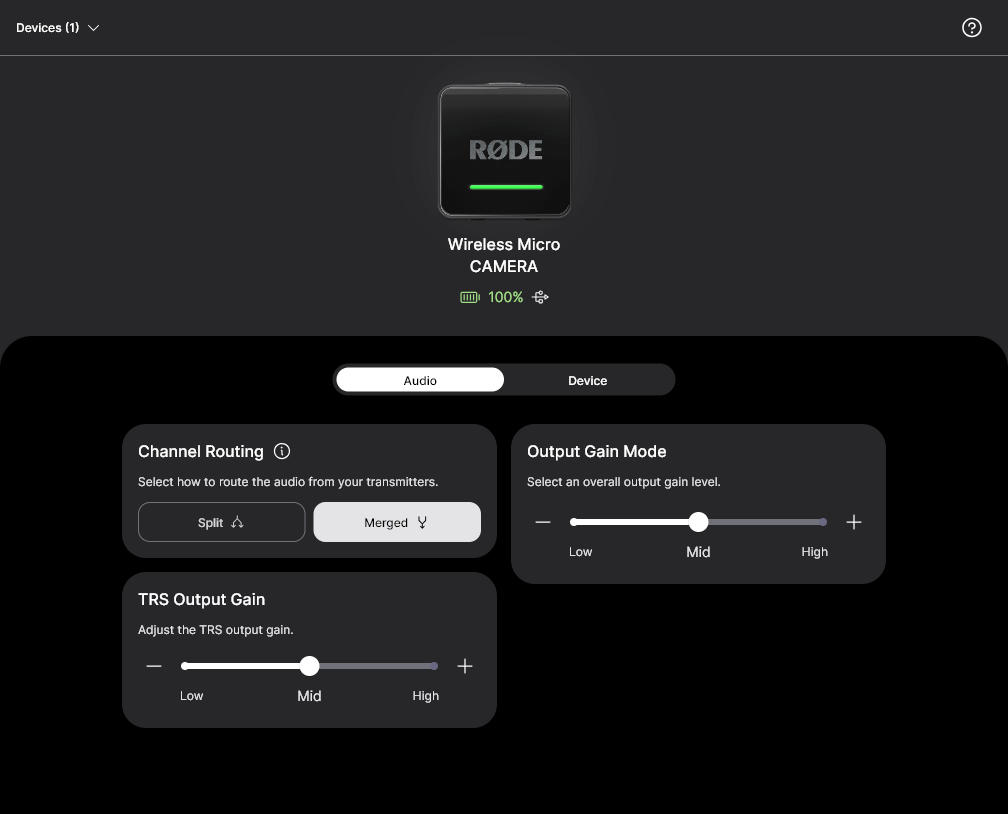
上記のRØDE ソフトウェアでは、以下の設定を構成できます:
- ルーティング: 分割 / 結合 –– 結合 [デフォルト]
- 出力ゲインモード: 中 / 高 / 低 –– 中 [デフォルト]
- TRS出力ゲイン: 中 / 高 / 低 –– 中 [デフォルト]
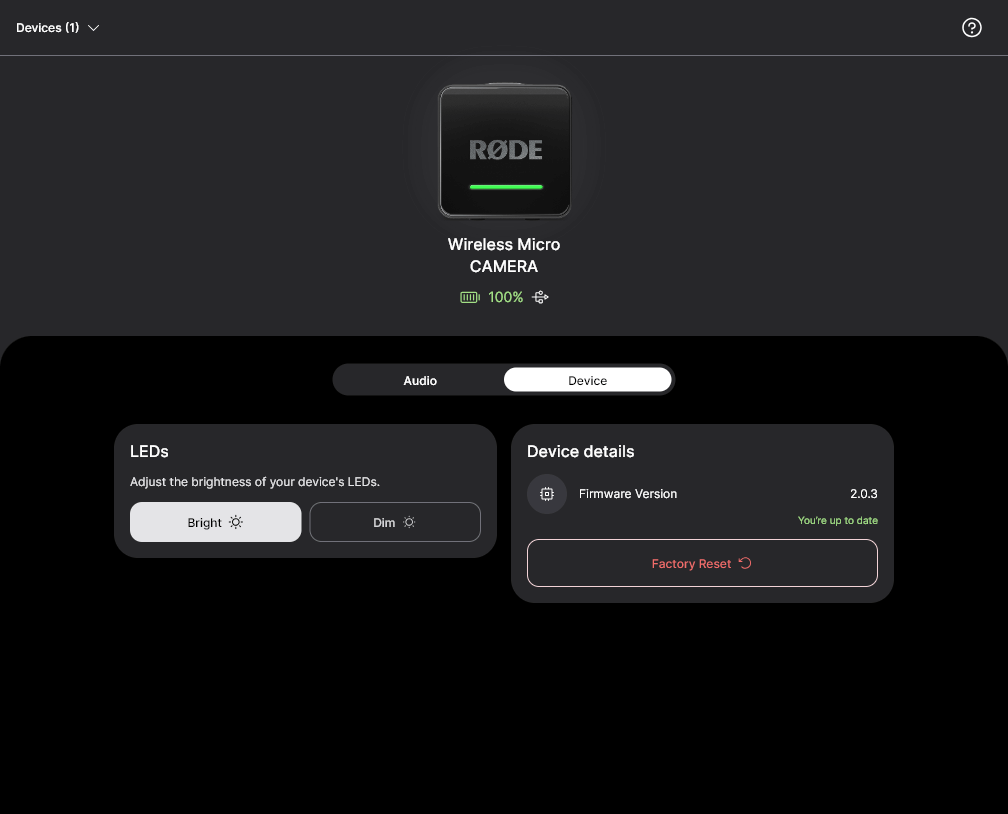
- LED: 明るい / 暗い –– 明るい [デフォルト]
RØDE Wireless Micro Camera Receiver (RX)を工場出荷時の状態にリセットすると、すべての設定が上記のデフォルト状態に戻ります。また、以前にペアリングした送信機(TX)はすべて保持されます。
注
Wireless Micro トランスミッターは、RØDE Wireless Micro Camera Receiver (RX)との互換性を確保するため、v2.0.3以降にアップデートする必要があります