Updating the Firmware

To keep your system up to date, follow these simple steps.


First, connect your receiver (RX) to a computer or phone that has the RØDE Central or RØDE Capture app open. If a firmware update is needed, a pop-up will appear on the screen to guide you.

Next, make sure that the transmitter(s) (TXs) are out of the case, powered on, and paired to the receiver (RX) so they can all be updated. The LEDs on the transmitters (TXs) will flash green and red. This confirms that the device is currently being updated with the new firmware.

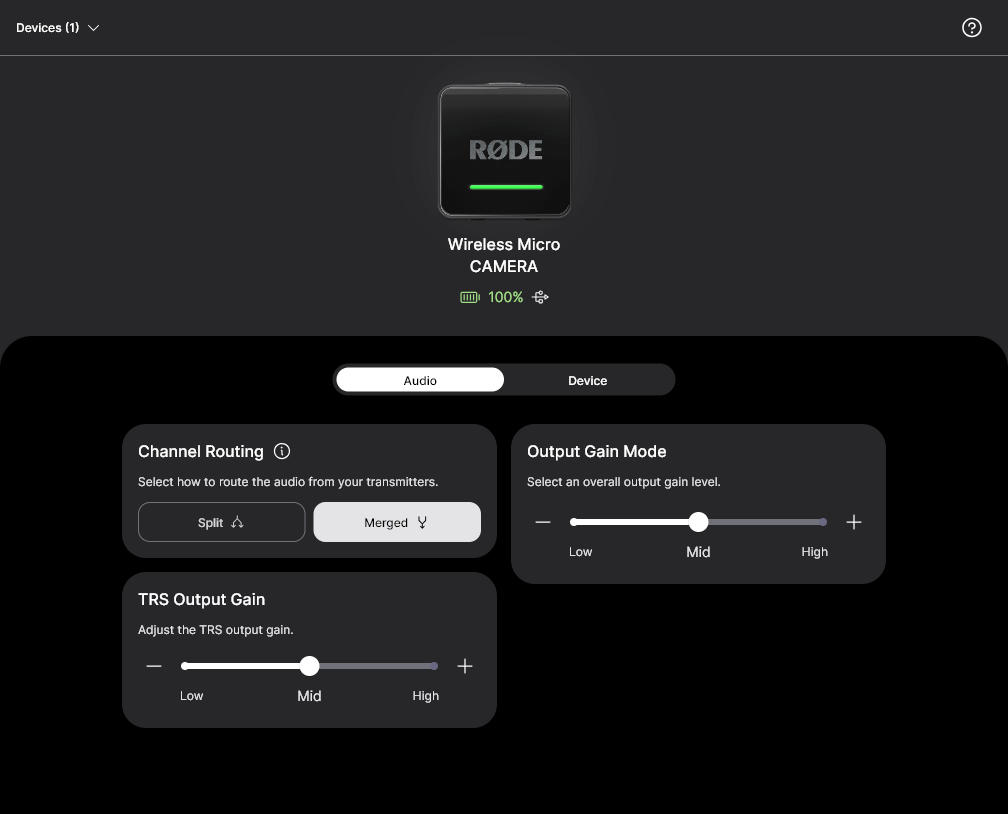
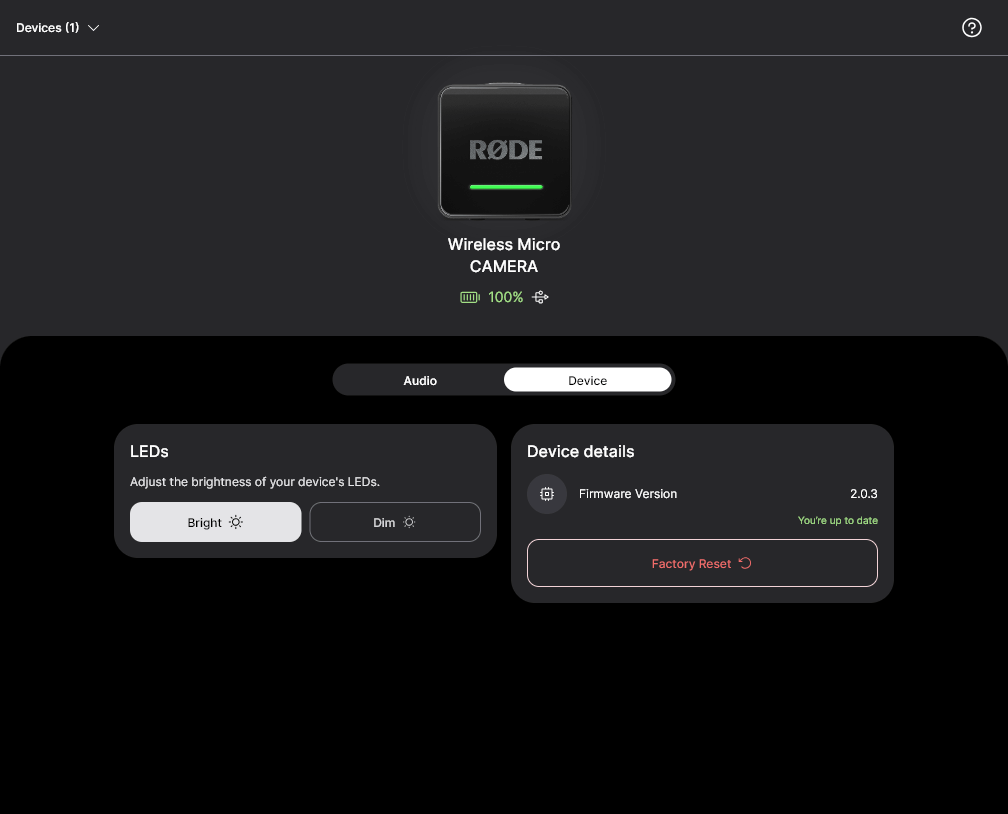
Firmware updates, factory reset, and settings may be configured in RØDE Central or RØDE Capture. Simply connect the Wireless Micro Camera Receiver (RX) to a device running one of these programs.

The following settings may be configured within RØDE software listed above:  


  • Routing: Split / Merged –– Merged [default]  
  • Output Gain Mode: Med / High / Low –– Medium [default]  
  • TRS Output Gain : Med / High / Low –– Medium [default]  
  • LEDs: Bright / Dim –– Bright [default]  


When the RØDE Wireless Micro Camera Receiver (RX) is factory reset, all settings will return to their default state as noted above. Also, any previously paired transmitter(s) (TXs) will be kept. 

注意

必须将Wireless Micro发射器更新至v2.0.3或更高版本,以确保与RØDE Wireless Micro摄像机接收器(RX)的兼容性