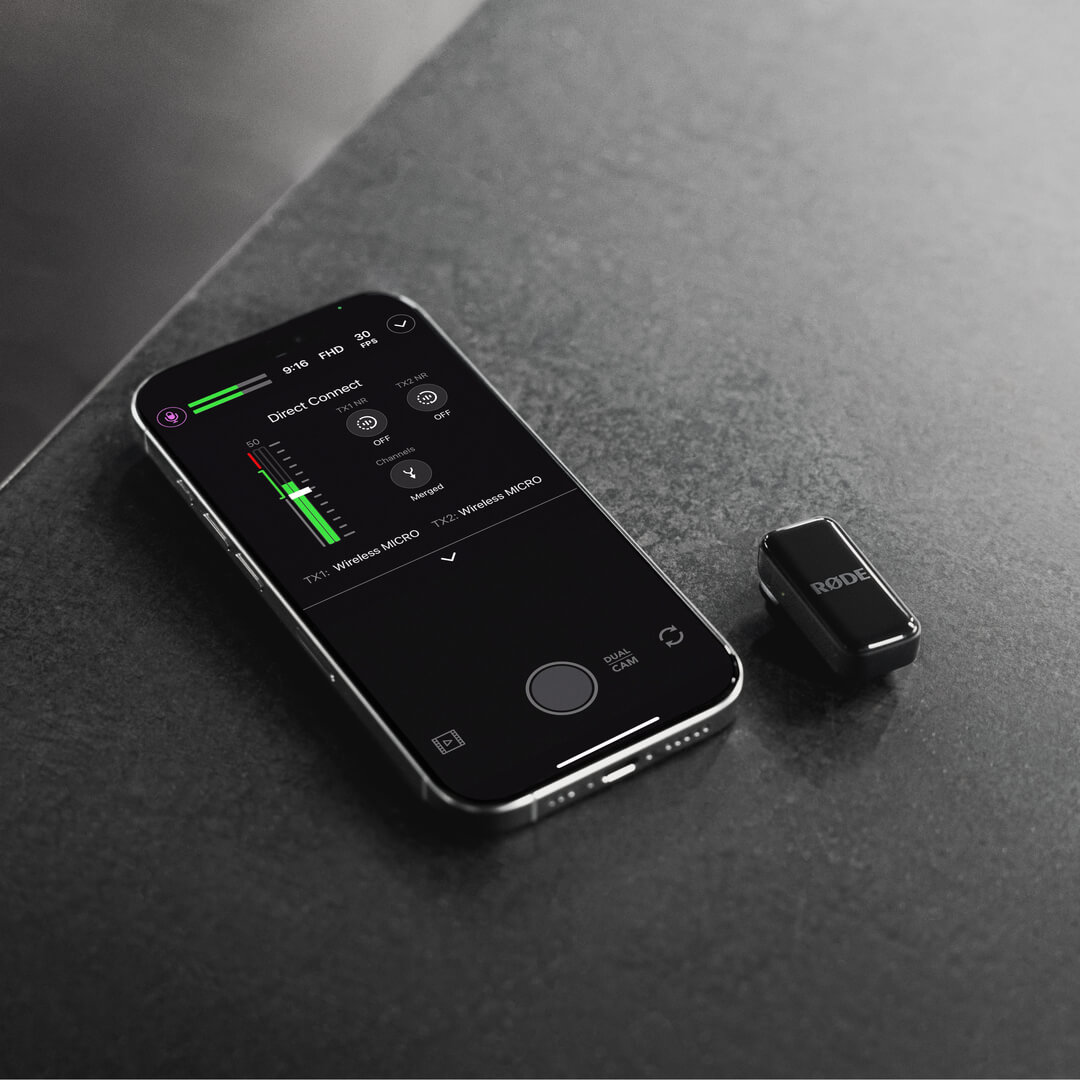
Wireless Micro
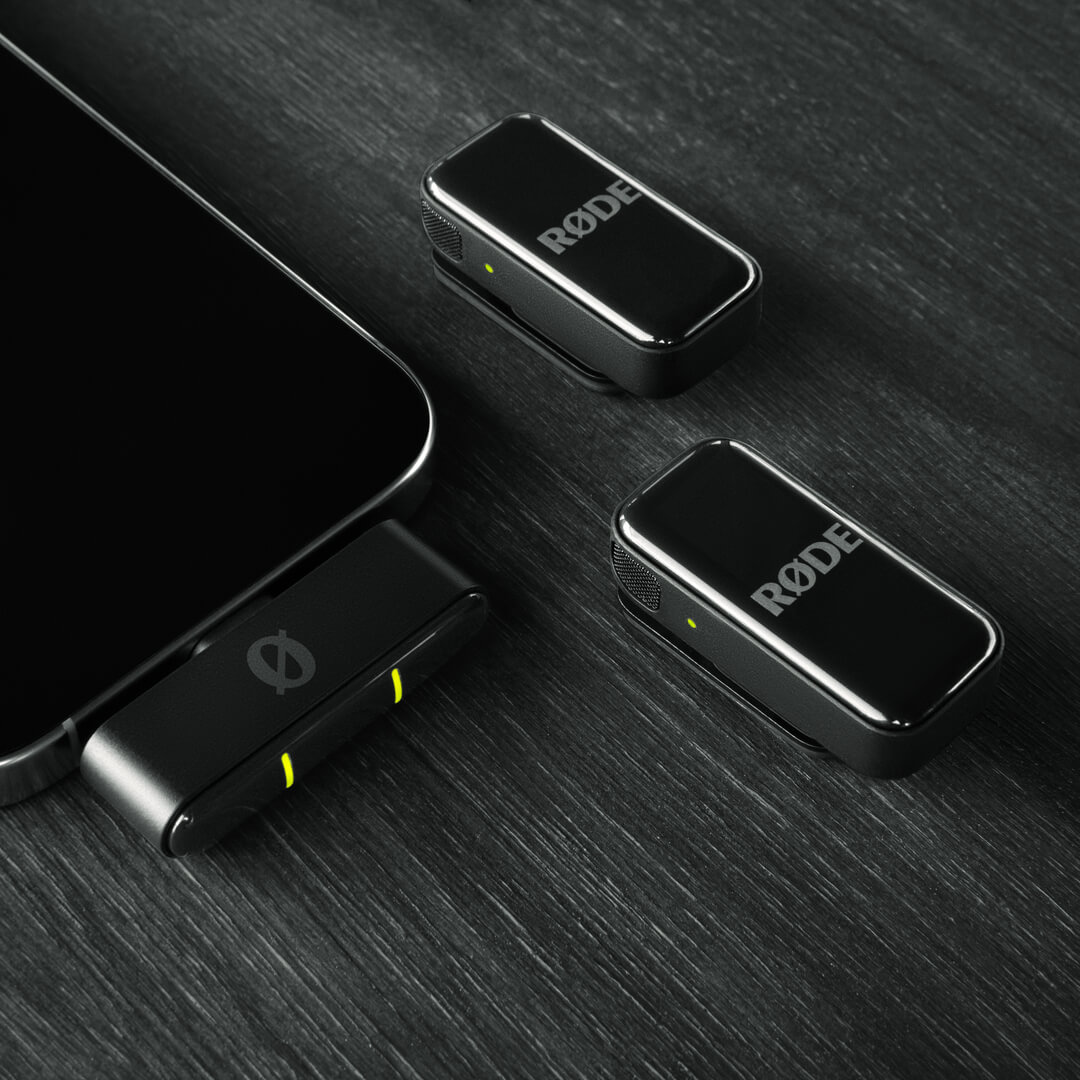
El Wireless Micro consta de dos transmisores (TX) y un receptor (RX). Los transmisores captan el audio con sus micrófonos integrados y lo transmiten de forma inalámbrica al receptor. El receptor se conecta directamente a tu teléfono y te permite utilizar tu Wireless Micro con cualquier aplicación de grabación de vídeo o audio compatible con audio USB .
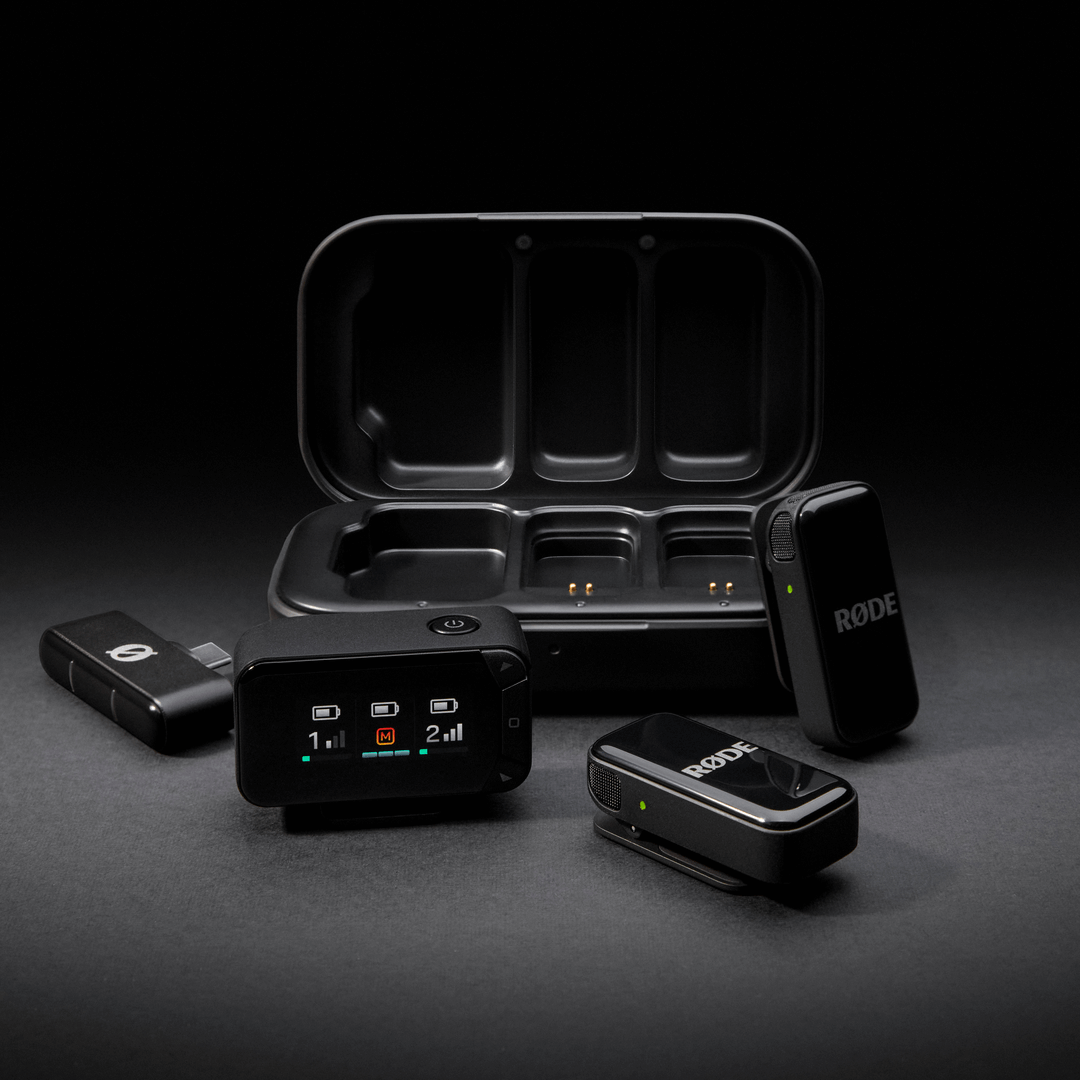
El Wireless Micro Camera Kit consta de dos transmisores y receptores intercambiables para cámara y smartphone. Los transmisores captan el audio con sus micrófonos integrados y lo transmiten de forma inalámbrica al receptor para cámara. El receptor para cámara se conecta directamente a tu cámara u otro dispositivo de grabación mediante su salida TRS de 3,5 mm o USB-C, lo que te permite grabar audio inalámbrico nítido con cualquier configuración compatible.
Primeros pasos
Wireless Micro
- Extrae ambos transmisores del estuche de carga, retira las pegatinas que cubren sus contactos de carga y vuelve a colocarlos en el estuche
- Extrae de nuevo ambos transmisores del estuche; sus LED parpadearán
- Conecta el receptor directamente a tu smartphone; sus LED parpadearán y después permanecerán encendidos cuando se haya emparejado con los transmisores
Tu Wireless Micro ya está encendido, emparejado y listo para grabar audio inalámbrico en tu teléfono.
Camera Kit
- Extrae ambos transmisores y el receptor del estuche de carga, retira las pegatinas que cubren sus contactos de carga y vuelve a colocarlos en el estuche para cargarlos.
- Extrae el receptor del estuche; se encenderá y mostrará la pantalla de inicio.
- Monta el receptor en tu cámara mediante la zapata fría y conéctalo con el cable TRS de 3,5 mm incluido.
- Extrae los transmisores del estuche; sus LED parpadearán hasta que se emparejen con el receptor.
Ya puedes empezar a grabar.
Uso de los clips y los imanes
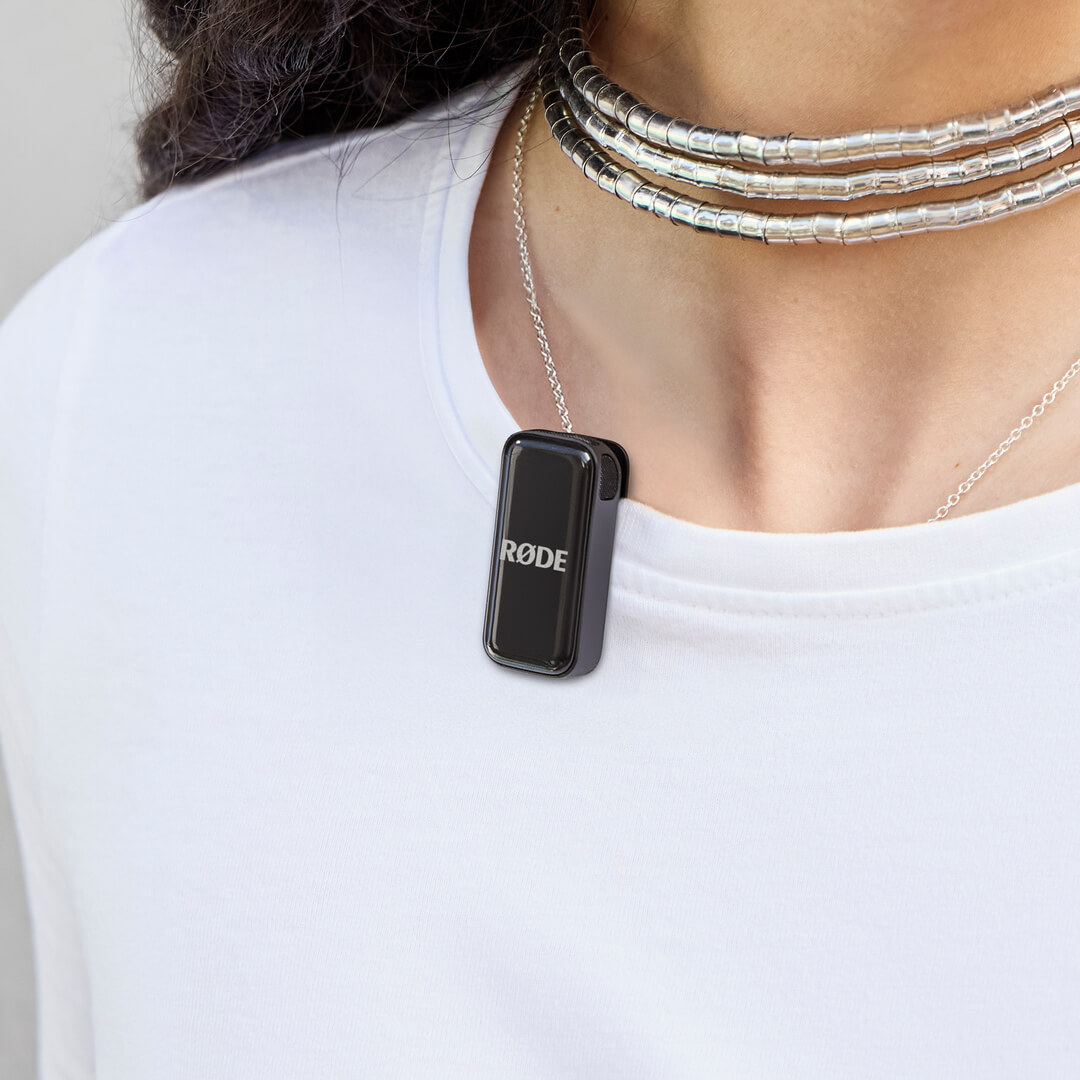
Los transmisores de Wireless Micro incorporan clips diseñados para fijarse directamente al borde de prendas u otros elementos, como el cuello de la camisa o la chaqueta.
Cada transmisor también incluye un accesorio magnético que puedes utilizar para colocarlo en cualquier parte de la ropa; solo tienes que interponer la prenda entre el accesorio magnético y el transmisor. Cuando no los utilices, puedes guardar los accesorios magnéticos en el estuche de carga.
Consejo profesional
Intenta colocar el transmisor Wireless Micro lo más cerca posible de la boca del sujeto, sin obstruir los micrófonos con demasiada ropa o cabello. Incluso puedes utilizar los accesorios magnéticos para colocar el transmisor dentro de la ropa y obtener protección adicional contra el ruido del viento.
Uso de los paravientos
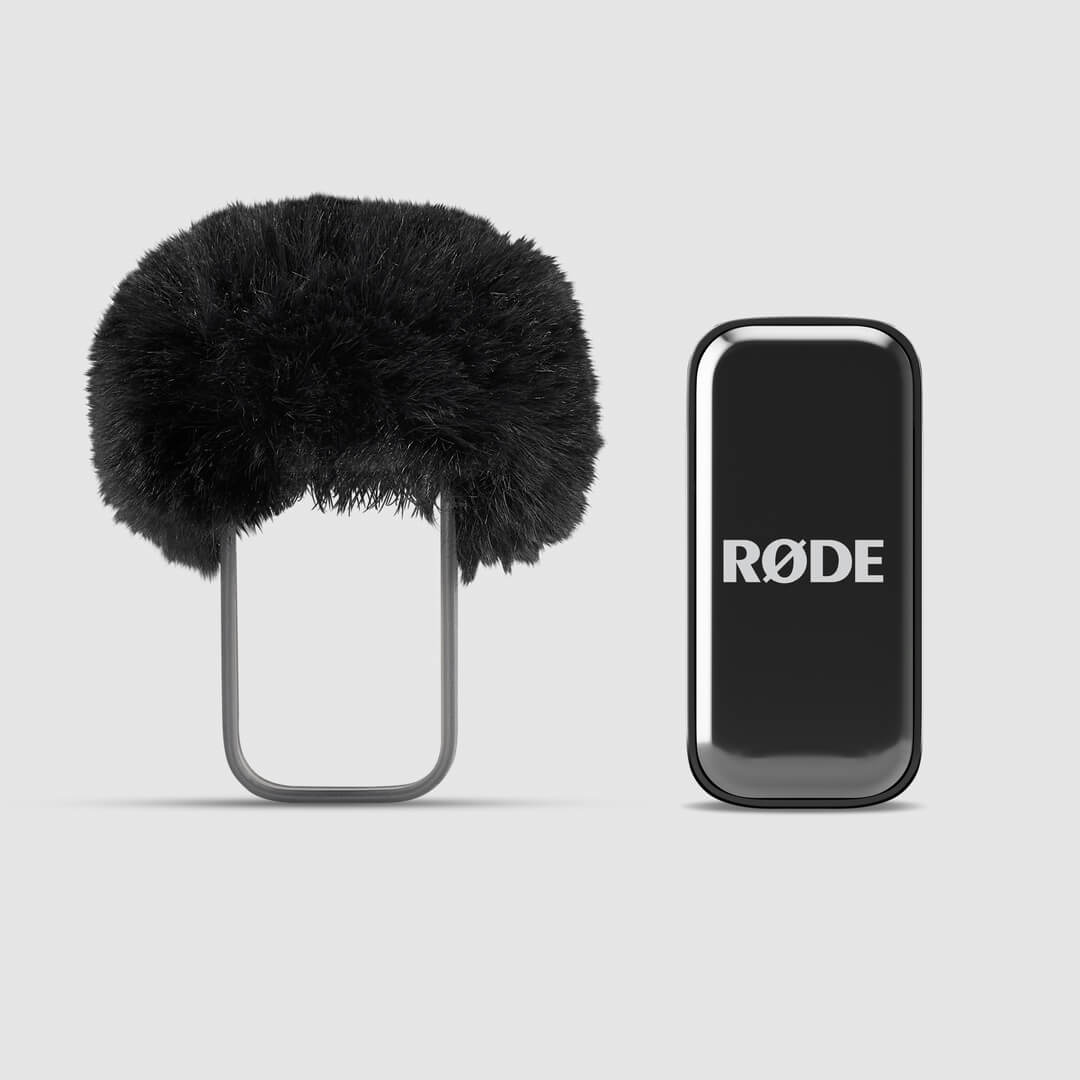
Los micrófonos integrados en los transmisores están alojados en una cámara acústica patentada, diseñada específicamente para reducir el impacto del ruido del viento y las oclusivas en el audio. Si estás al aire libre, puedes utilizar los paravientos de pelo adicionales para reducir aún más estos efectos, especialmente en condiciones de viento más intenso.
Solo tienes que deslizar el arnés del paravientos sobre el transmisor, de modo que el paravientos de pelo quede alineado con el micrófono del transmisor.
Uso del receptor del kit para cámara
El receptor del kit para cámara se empareja automáticamente con los transmisores nada más sacarlo de la caja: solo tienes que extraer el receptor y los transmisores del estuche de carga y estarás listo para grabar.
Con una brillante pantalla AMOLED, el receptor permite realizar la configuración y la monitorización de forma rápida y sencilla. Gracias a sus salidas TRS de 3,5 mm y USB-C, ofrece conectividad universal con cámaras y es compatible con una amplia variedad de dispositivos, desde cámaras DSLR y sin espejo hasta otros equipos de grabación.
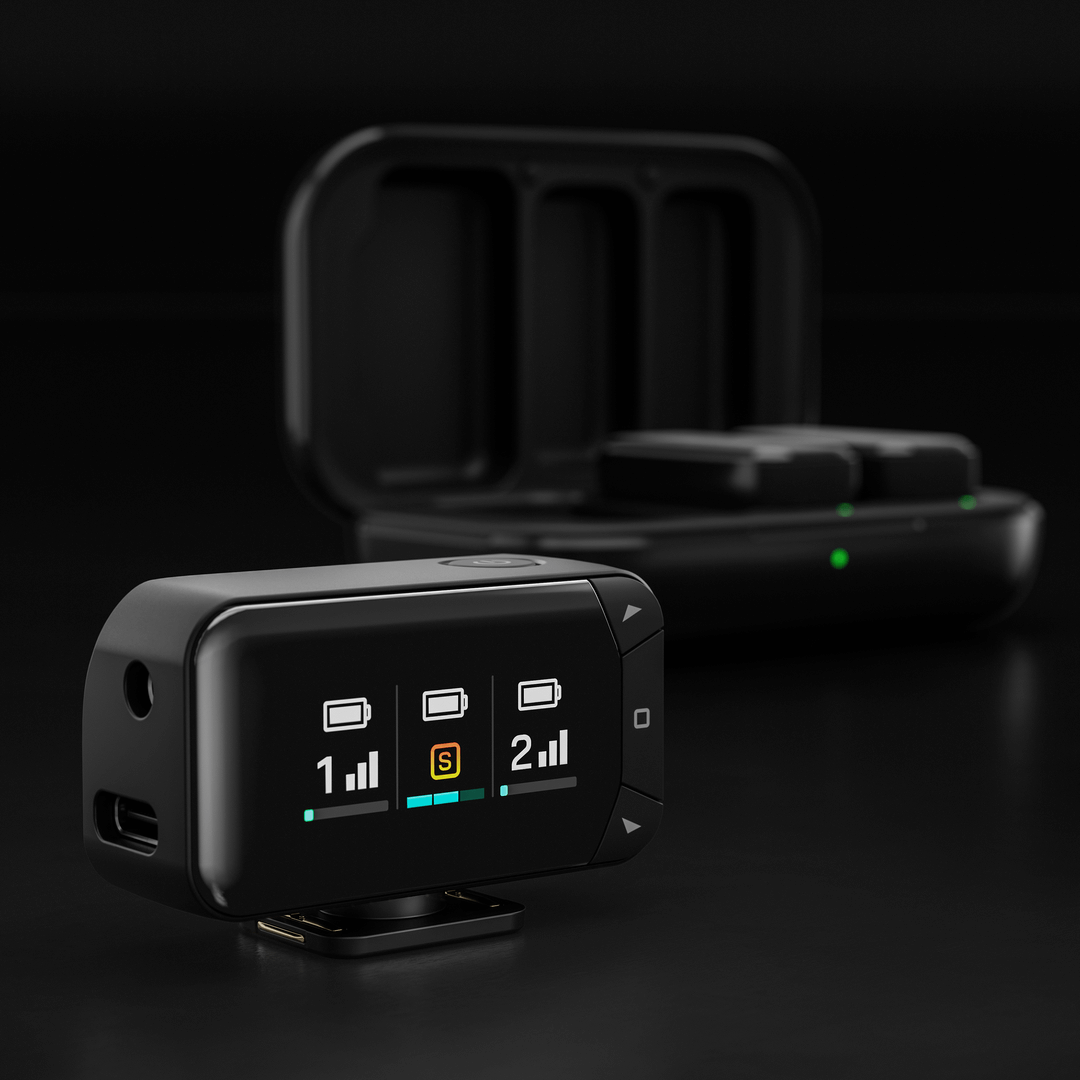
Puedes ajustar directamente en el receptor los ajustes principales, incluidos el modo de salida, la ganancia de salida y el brillo de la pantalla.
Modo de salida: Combina ambos transmisores en una única señal combinada o graba cada uno por separado en los canales izquierdo y derecho para disfrutar de un mayor control en la posproducción.
Ganancia de salida: Elige entre los ajustes de ganancia baja, media o alta para adaptarlos a tu configuración de grabación.
Brillo de la pantalla: Ajusta el brillo de la pantalla AMOLED según el entorno.
Para acceder a estos ajustes, pulsa el botón Home (icono cuadrado), desplázate hasta la opción que desees mediante las teclas de flecha y realiza los ajustes necesarios. Pulsa de nuevo el botón Home para confirmar la selección.
Transmisores
Cuando los transmisores están conectados al receptor para cámara, en la pantalla del receptor se iluminará una columna para cada transmisor. Las barras verticales indican la intensidad de la señal inalámbrica, mientras que la barra horizontal de la parte inferior muestra el nivel de entrada. El medidor de entrada pasa de verde a rojo; el rojo indica saturación.
Para un control aún mayor, todos los ajustes —incluidos el modo de salida, la ganancia y la reducción de ruido del transmisor— también pueden configurarse mediante la aplicación gratuita RØDE Central (más información a continuación).
Recarga de los transmisores y del estuche de carga
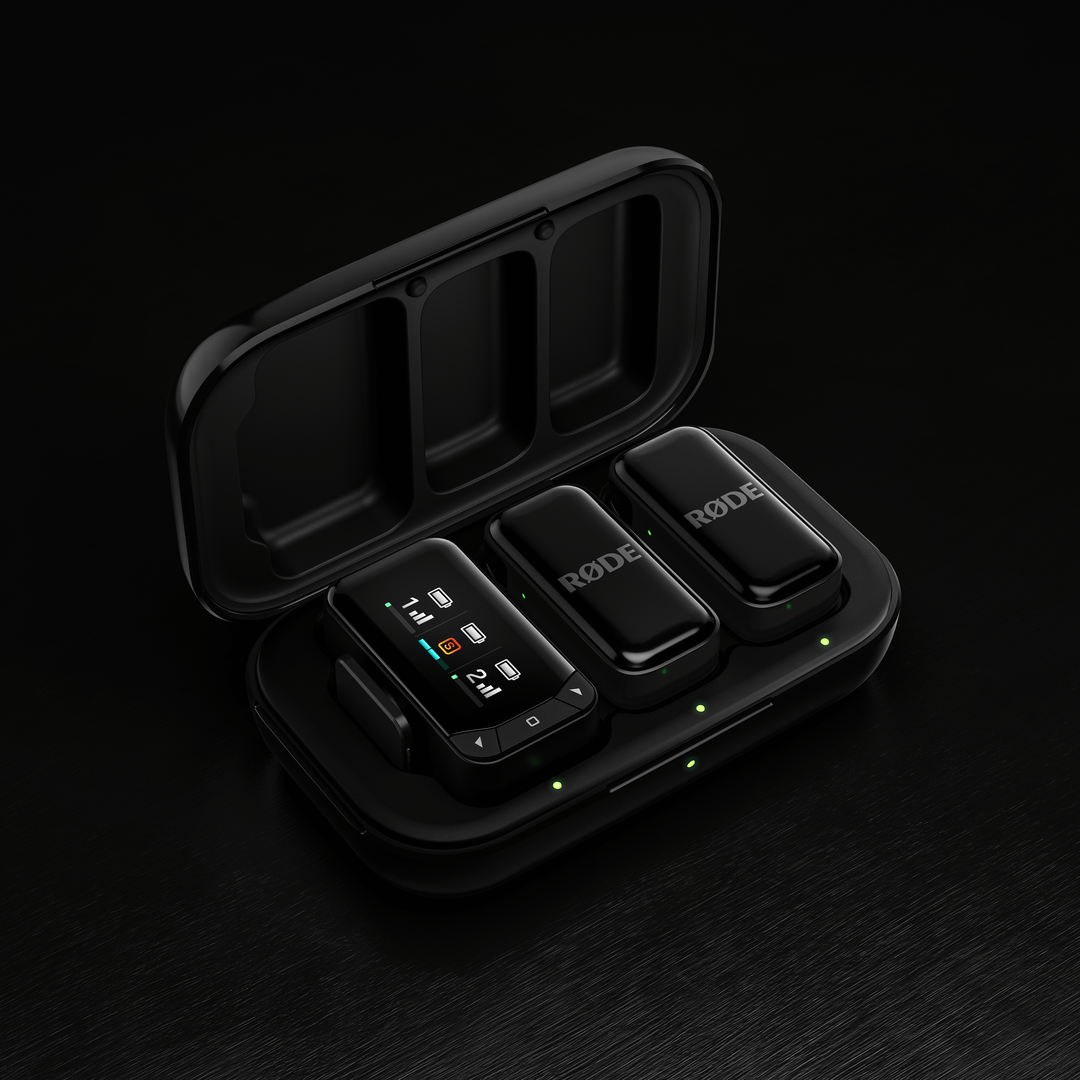
Los transmisores Wireless Micro tienen una autonomía de 7 horas, y puedes utilizar el estuche de carga incluido para recargarlos dos veces más (14 horas adicionales). Para cargarlos, solo tienes que colocar los transmisores en el estuche de carga, alineando los contactos de carga dorados.
Para recargar el estuche de carga, conéctalo a una fuente de alimentación mediante el cable USB-C incluido. El LED situado en la parte frontal del estuche de carga parpadeará en ámbar durante la carga y se iluminará en verde fijo cuando esté completamente cargado.
Niveles de batería y LED
Hay varios LED en el Wireless Micro que ayudan a indicar los niveles de batería de los transmisores y del estuche de carga, y todos siguen este sistema.
Verde = Más del 20 %
Ámbar = 10-20 %
Rojo = Menos del 10 %
Puede comprobar el nivel de batería del transmisor mediante los dos LED del receptor (cuando está conectado a un teléfono), los LED de los propios transmisores o los dos LED del interior del estuche de carga (cuando los transmisores están dentro del estuche; estos LED parpadearán durante la carga y permanecerán encendidos en verde cuando estén completamente cargados).
El LED situado en el exterior del estuche de carga representa el nivel de batería del propio estuche de carga.
Para el Wireless Micro Camera Kit, los niveles de batería de los transmisores se pueden comprobar de la misma manera que en el Wireless Micro estándar. El nivel de carga del receptor de cámara se muestra en la pantalla AMOLED cuando está en el estuche de carga: tres barras indican una carga completa. Cuando el receptor está fuera del estuche, una barra de batería en la parte superior de la columna de pantalla del receptor muestra el nivel de carga restante. Los niveles de batería de Transmitter se muestran de la misma manera.
El LED situado en el exterior del estuche de carga indica el nivel de batería del propio estuche de carga.
Ajuste de la configuración mediante las aplicaciones complementarias de RØDE
Wireless Micro ofrece varias funciones y opciones de configuración ajustables mediante las aplicaciones complementarias de RØDE . Hay dos formas principales de conectarse y ajustar la configuración:
Uso del receptor (RX):
Conecte el receptor a su ordenador o teléfono. Asegúrese de que los transmisores estén fuera de su estuche, encendidos y emparejados con el receptor. A continuación, puede utilizar RØDE Central (en ordenador o dispositivo móvil) o RØDE Capture (en dispositivo móvil) para acceder a diversos ajustes del sistema y de los transmisores y modificarlos.
Conexión directa (solo RØDE Capture):
Una nueva función llamada Conexión directa permite emparejar hasta dos transmisores directamente con su teléfono mediante conectividad Bluetooth® utilizando la aplicación RØDE Capture. Solo tiene que abrir la aplicación y seguir las indicaciones en pantalla para emparejar los transmisores. Una vez conectados, puede grabar directamente en la aplicación sin necesidad de un receptor y acceder a ajustes clave, como la reducción de ruido y el control de ganancia, para cada transmisor.
Ganancia de salida: Ajusta el nivel de volumen del Wireless Micro.
Modos dividido y combinado: En el modo combinado (predeterminado), el audio de ambos transmisores se combina y se graba en los canales izquierdo y derecho. El modo combinado es ideal para grabar vídeos pulidos y listos para publicar. En el modo dividido, puedes enviar el audio de un transmisor al canal izquierdo y el del otro al derecho. Utiliza el modo dividido si tienes previsto editar el audio después de la grabación, ya que te permitirá ajustar por separado los niveles de volumen de cada micrófono.
Reducción de ruido: Esta función, a la que se puede acceder a través de RØDE Capture, ayuda a minimizar el ruido de fondo y mejora la claridad del audio en función del entorno de grabación. Puede activarse o desactivarse individualmente para cada transmisor y cuenta con tres niveles: OFF (sin reducción de ruido), LOW (reducción de ruido mínima) y HIGH (reducción de ruido intensiva). Este ajuste puede configurarse mediante RØDE Central o RØDE Capture cuando el receptor está conectado, o mediante RØDE Capture cuando un transmisor está emparejado directamente.
Brillo de los LED: Ajusta si las luces LED tienen un brillo alto o bajo (se puede ajustar individualmente para cada transmisor y receptor).
Actualización del firmware: Si tu Wireless Micro necesita una actualización de firmware, recibirás un mensaje emergente al abrir RØDE Central o RØDE Capture que te guiará durante el proceso. Asegúrate de que ambos transmisores estén fuera del estuche, encendidos y emparejados con el receptor para que todos puedan actualizarse.