UNIFY
UNIFY es una potente solución de mezcla virtual para streaming y gaming que te permite controlar todo tu audio desde una única interfaz de software intuitiva, con opciones de enrutamiento flexibles, submezcla, procesamiento de audio profesional, grabación multipista y mucho más.
Cómo funciona
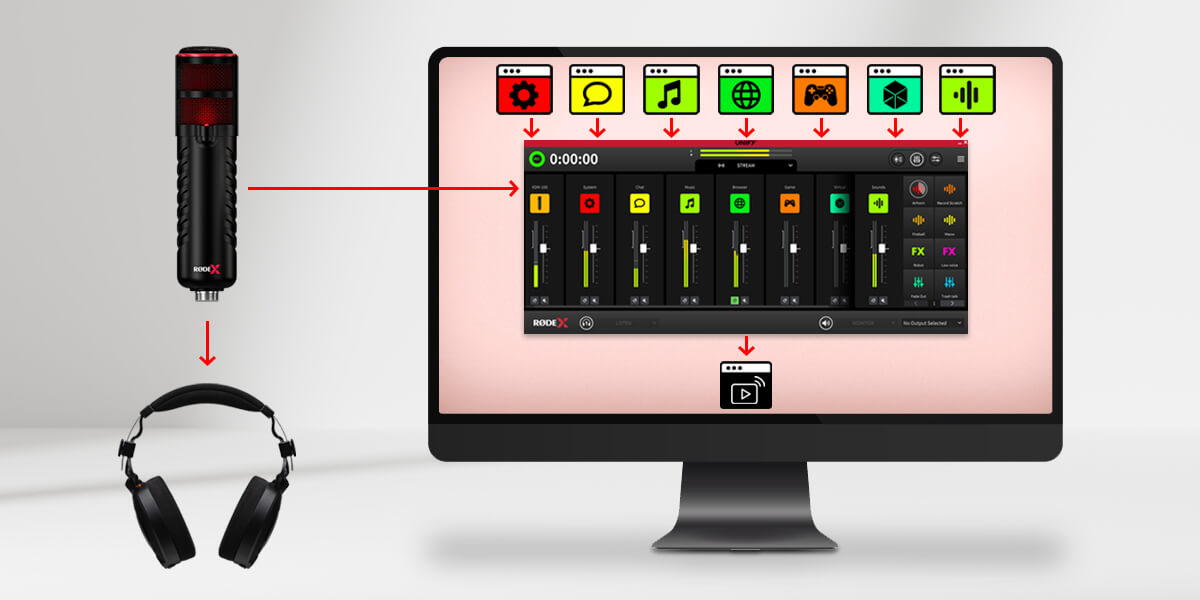
Antes de entrar en detalles, veamos algunos de los principios básicos de UNIFY y cómo utilizarlos. UNIFY es un software que reúne múltiples fuentes de audio. Es como un mezclador de audio que podrías tener en tu escritorio, pero en este caso es un software instalado en tu ordenador. Cada fuente de audio aparece en un deslizador de UNIFY, por lo que puedes ajustar el nivel de cada una. Por ejemplo, quizá quieras que la música suene más baja y que tu voz suene más alta. A continuación, la salida de UNIFY se envía a tu software de streaming.
¡Esto es importante! UNIFY se sitúa entre tus fuentes de audio y tu transmisión, de modo que el audio de tu micrófono, tu juego y demás entra en UNIFY, y la salida de UNIFY se envía a tu transmisión. No es necesario volver a seleccionar esos dispositivos de audio en tu software de streaming, ya que UNIFY ya los gestiona todos por ti.
Características
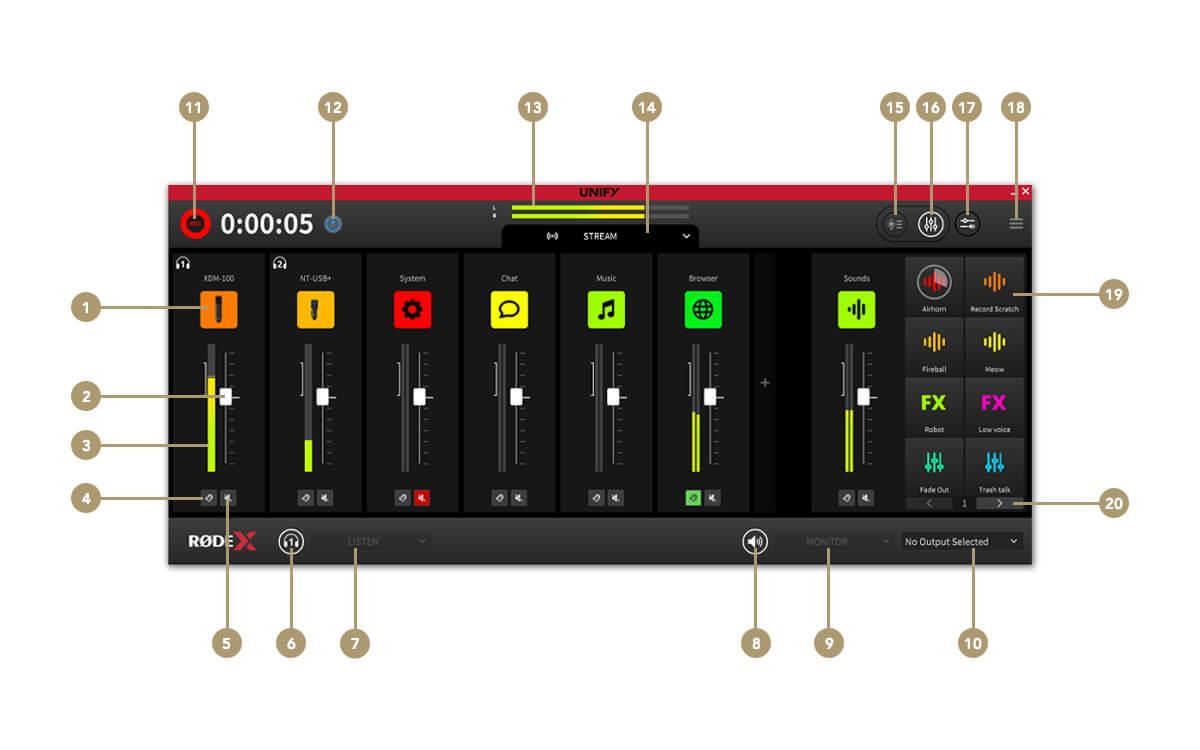
1Ajustes de la fuente del canal
2Fader del canal (nivel)
3Medidor de nivel del canal
4Escucha (cue)
5Silenciar canal
6Silenciar auriculares
7Selector de monitorización de auriculares
8Silenciar monitor externo
9Selector de fuente de monitorización
10Selector del dispositivo de monitorización
11Iniciar / detener la grabación
12Añadir marcador de grabación
13Nivel de salida de streaming
14Selector de submezcla
15Cambiar a la ventana de grabación
16Cambiar a la ventana del mezclador
17Enrutamiento de audio de aplicaciones (solo Windows )
18Menú de ajustes
19Pads SMART
20Selector y bancos
Los controles de submezcla
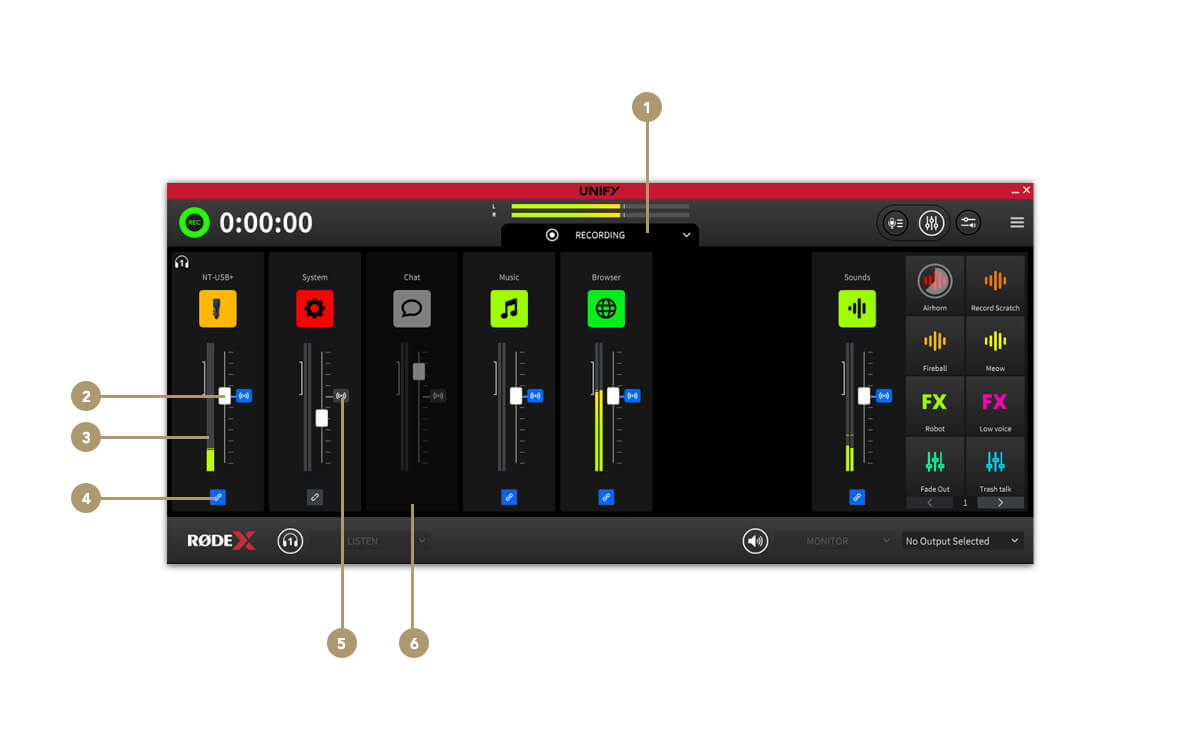
1Selector de submezcla
2Fader de nivel de submezcla
3Medidor de nivel de submezcla
4Vincular/desvincular el canal de la mezcla de streaming
5Indicador de nivel de audio de la mezcla de streaming
6Canal eliminado de la submezcla
La ventana de grabación
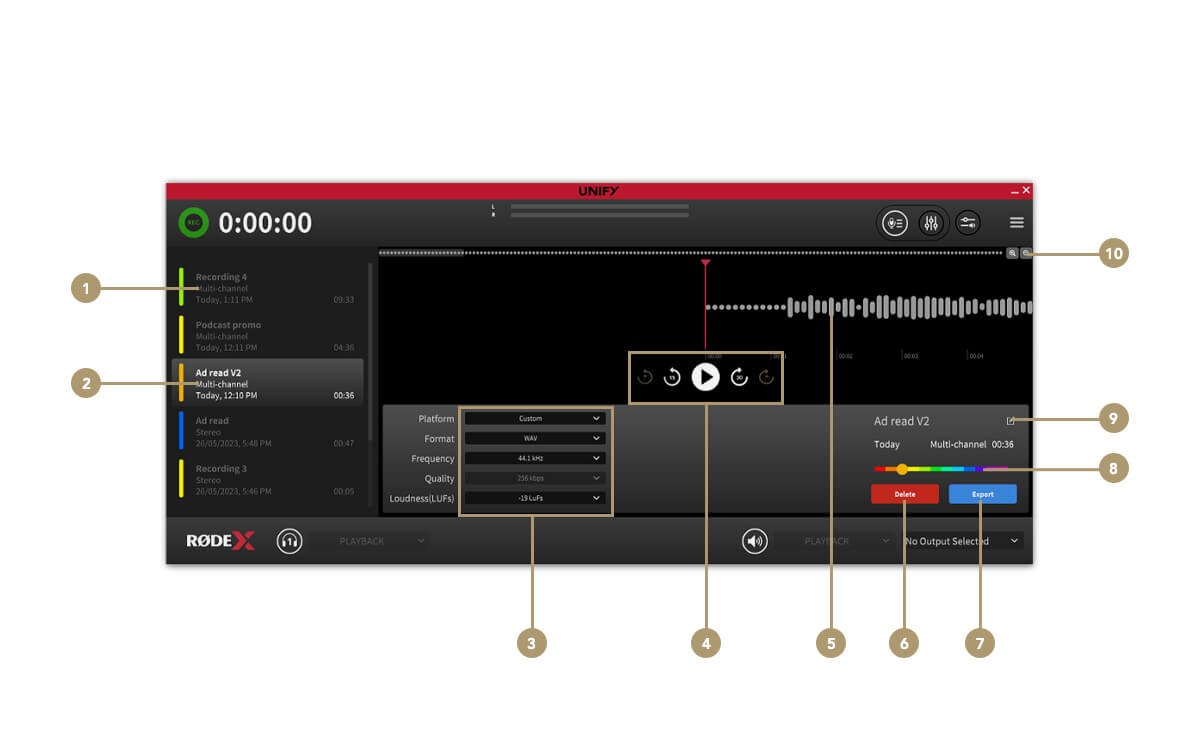
1Lista de grabaciones
2Grabación seleccionada
3Ajustes de exportación de archivos
4Controles de transporte
5Forma de onda/reproducción de audio
6Eliminar grabación
7Exportar grabación
8Selector de color
9Cambiar nombre de la grabación
10Controles de zoom