RØDECaster Pro
팟캐스트 제작 스튜디오
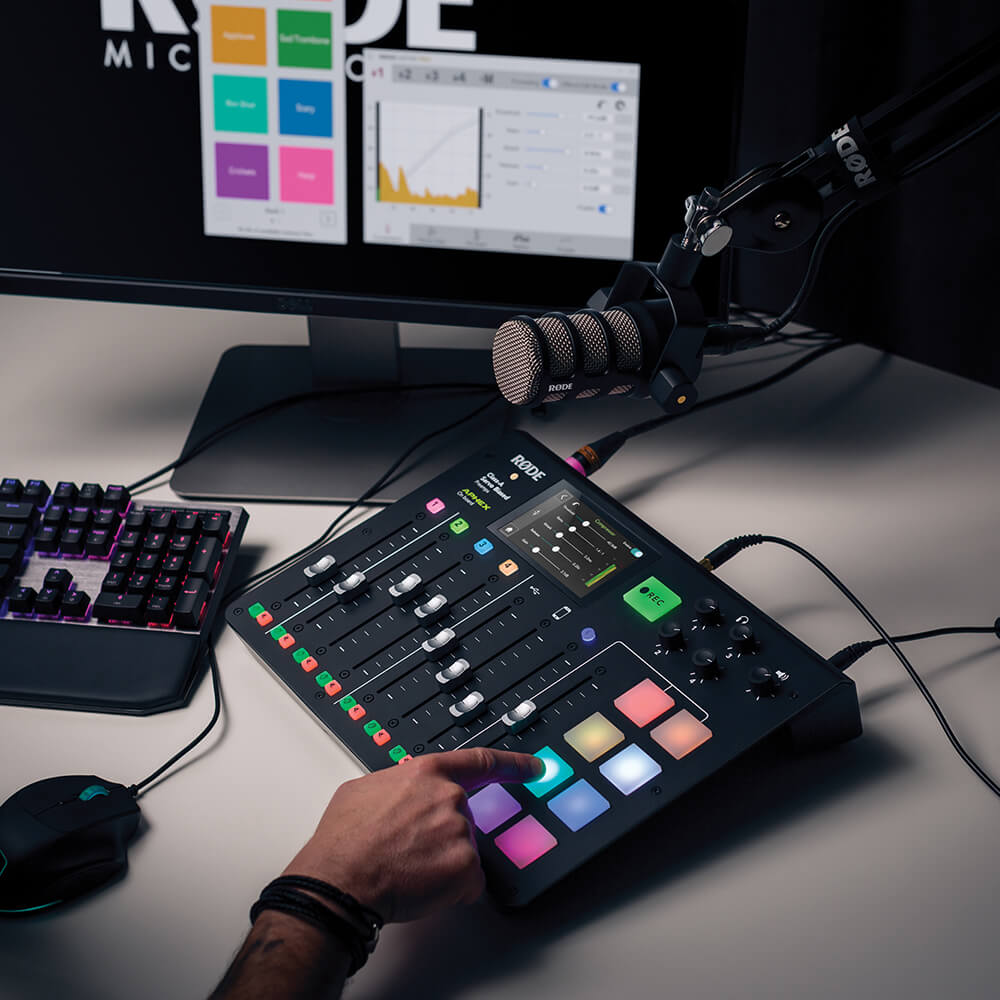
RØDECaster Pro™는 팟캐스트 제작을 위한 세계에서 가장 강력한 올인원 솔루션입니다. 놀라운 오디오 품질과 폭넓은 기능을 제공하면서도 매우 쉽게 사용할 수 있도록 설계되어, 초보자와 전문가 모두를 위한 최고의 도구입니다. 스튜디오급 프리앰프를 탑재한 4개의 마이크 입력으로 깨끗하고 선명한 오디오를 녹음하고, 스마트폰·USB·Bluetooth 채널로 원격 게스트를 매끄럽게 연결하며, 음악과 음향 효과를 실행할 수 있는 8개의 사운드 패드, 버튼 하나로 작동하는 강력한 오디오 프로세싱 등 다양한 기능을 제공합니다. RØDECaster Pro는 놀라운 팟캐스트를 제작하는 데 필요한 모든 것을 갖춘 제품입니다.
- 완벽한 올인원 팟캐스팅 솔루션
- 스튜디오급 XLR microphone 입력 4개
- 스마트폰, USB 및 Bluetooth™ 채널을 통한 원격 통화 연동과 에코 없는 오디오를 위한 자동 믹스-마이너스
- 프로그래밍 가능한 사운드 패드 8개와 8개의 뱅크 제공 - 총 64개의 사운드까지 로드 가능!
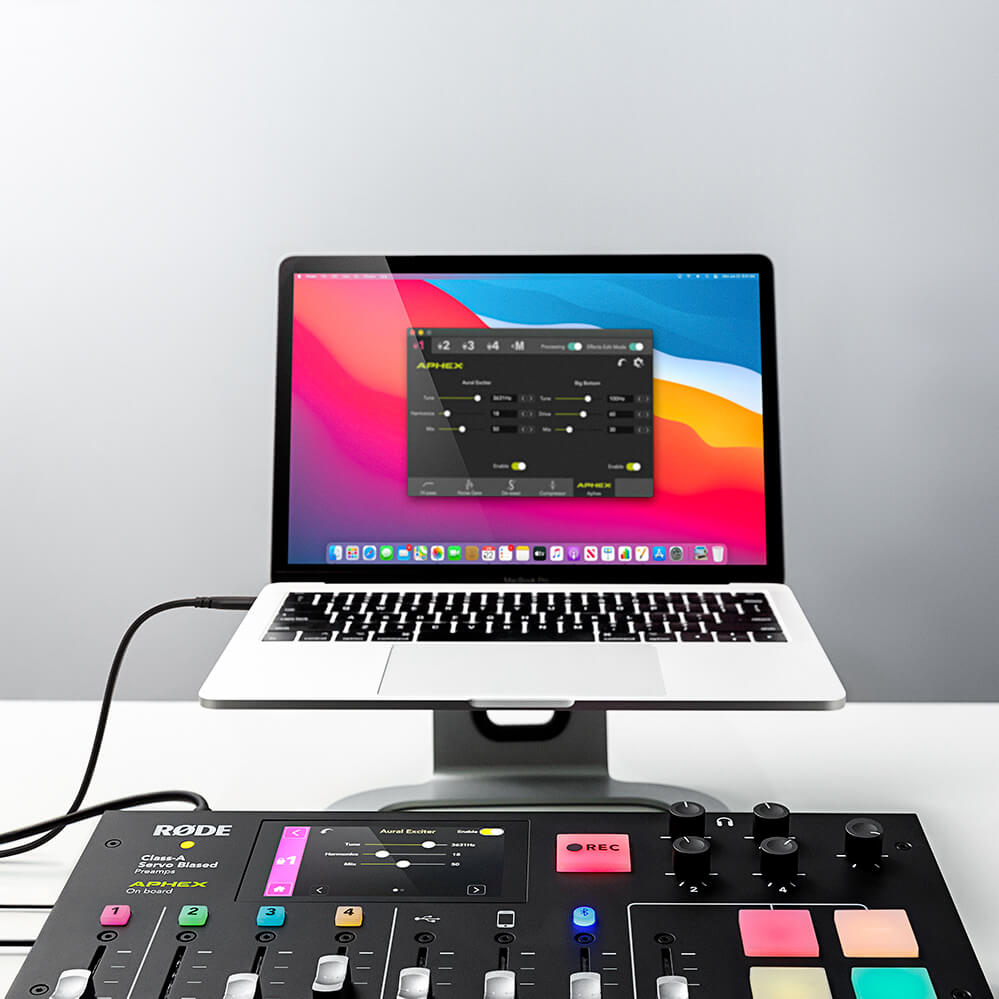
- 전설적인 APHEX Aural Exciter™ 및 Big Bottom™ 이펙트를 포함한 강력한 내장 오디오 프로세싱으로 한 차원 높은 오디오 품질 구현
- microSD 또는 컴퓨터에 스테레오 또는 멀티트랙으로 녹음하여 포스트 프로덕션에서 무한한 편집 가능
- 놀라울 정도로 간편한 사용
- 영어, 프랑스어, 독일어, 이탈리아어, 스페인어, 포르투갈어, 중국어, 일본어, 한국어를 포함한 9개 언어 옵션
RØDECaster Pro™는 팟캐스트 제작을 위한 세계에서 가장 강력한 올인원 솔루션입니다. 놀라운 오디오 품질과 폭넓은 기능을 제공하면서도 매우 쉽게 사용할 수 있도록 설계되어, 초보자와 전문가 모두를 위한 최고의 도구입니다. 스튜디오급 프리앰프를 탑재한 4개의 마이크 입력으로 깨끗하고 선명한 오디오를 녹음하고, 스마트폰·USB·Bluetooth 채널로 원격 게스트를 매끄럽게 연결하며, 음악과 음향 효과를 실행할 수 있는 8개의 사운드 패드, 버튼 하나로 작동하는 강력한 오디오 프로세싱 등 다양한 기능을 제공합니다. RØDECaster Pro는 놀라운 팟캐스트를 제작하는 데 필요한 모든 것을 갖춘 제품입니다.
- 완벽한 올인원 팟캐스팅 솔루션
- 스튜디오급 XLR microphone 입력 4개
- 스마트폰, USB 및 Bluetooth™ 채널을 통한 원격 통화 연동과 에코 없는 오디오를 위한 자동 믹스-마이너스
- 프로그래밍 가능한 사운드 패드 8개와 8개의 뱅크 제공 - 총 64개의 사운드까지 로드 가능!
- 전설적인 APHEX Aural Exciter™ 및 Big Bottom™ 이펙트를 포함한 강력한 내장 오디오 프로세싱으로 한 차원 높은 오디오 품질 구현
- microSD 또는 컴퓨터에 스테레오 또는 멀티트랙으로 녹음하여 포스트 프로덕션에서 무한한 편집 가능
- 놀라울 정도로 간편한 사용
- 영어, 프랑스어, 독일어, 이탈리아어, 스페인어, 포르투갈어, 중국어, 일본어, 한국어를 포함한 9개 언어 옵션
전문적인 팟캐스트 제작을 손쉽게
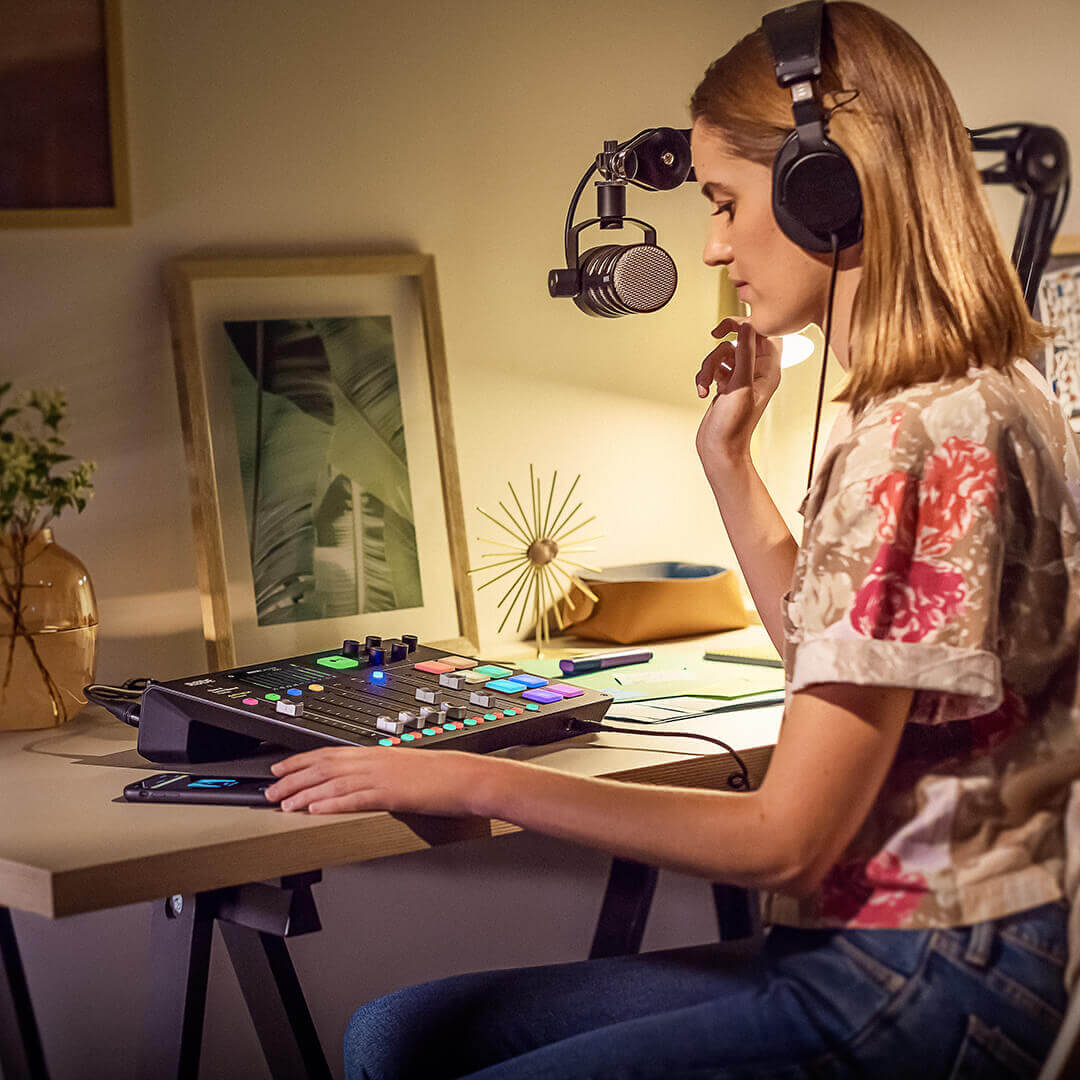
RØDECaster Pro는 전문적인 팟캐스트 제작을 손쉽게 해줍니다. 스튜디오급 XLR 마이크 입력 4개와 헤드폰 출력 4개, 대형 풀컬러 터치스크린을 통한 직관적인 컨트롤, 자동 레벨 설정 및 원터치 톤 컨트롤을 갖추어, 제품을 개봉한 후 몇 분 만에 놀라운 사운드의 팟캐스트를 제작할 수 있습니다.
방송급 순수 오디오
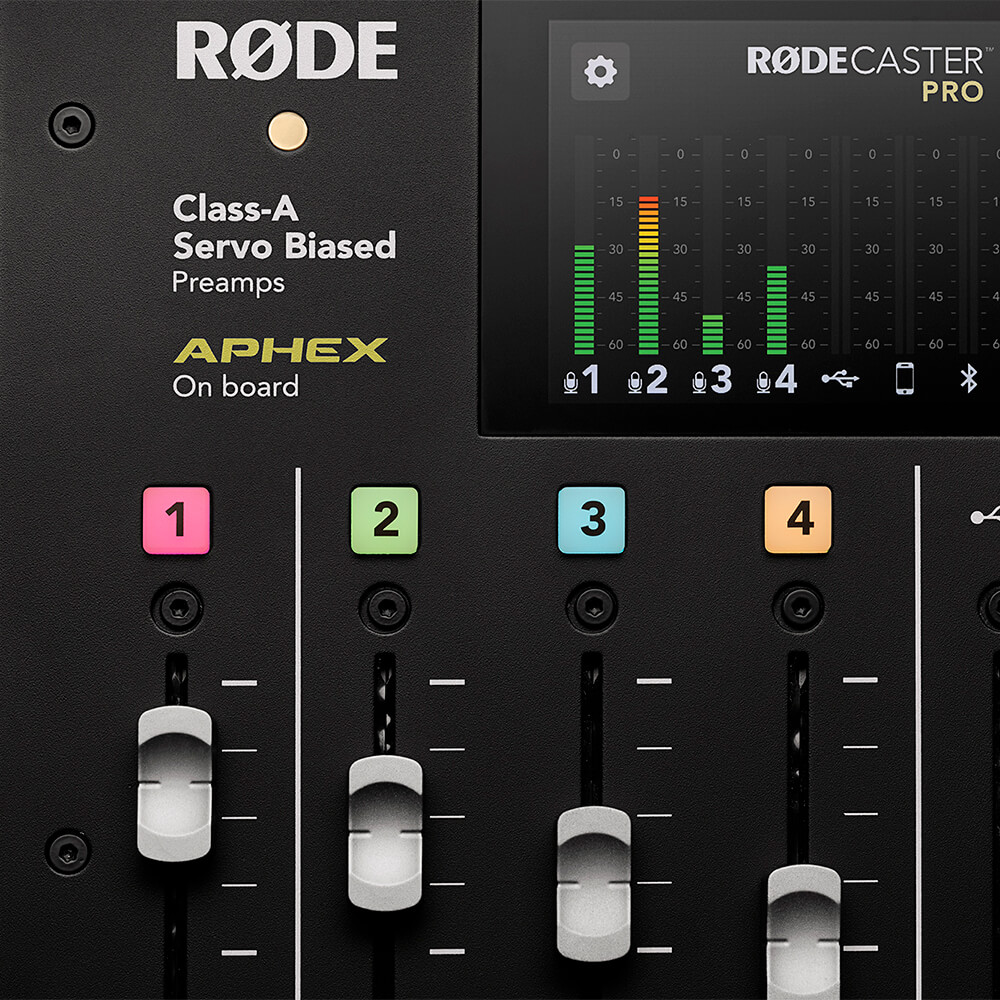
RØDECaster Pro의 깨끗한 Class A 서보 바이어스 마이크 프리앰프가 어떤 마이크와도 놀라울 정도로 선명하고 저노이즈의 신호를 제공하므로, 탁월한 오디오 품질이 보장됩니다. 고품질 헤드폰 및 모니터 출력으로 진행자와 게스트의 음성을 완벽한 해상도로 들을 수 있습니다. 세련되고 전문적인 사운드를 위해 RØDECaster Pro에는 컴프레서, 노이즈 게이트, 하이패스 필터, 전설적인 APHEX Aural Exciter™ 및 Big Bottom™ 방송 효과를 비롯한 강력한 내장 오디오 프로세싱 기능이 탑재되어 있습니다. 세계 최고의 스튜디오에서 사용하는 것처럼 모든 파라미터를 완벽하게 제어하면서 버튼 하나만 눌러 모든 기능에 액세스할 수 있습니다. 방송급 순수 오디오.
나만의 사운드를 만들어 보세요
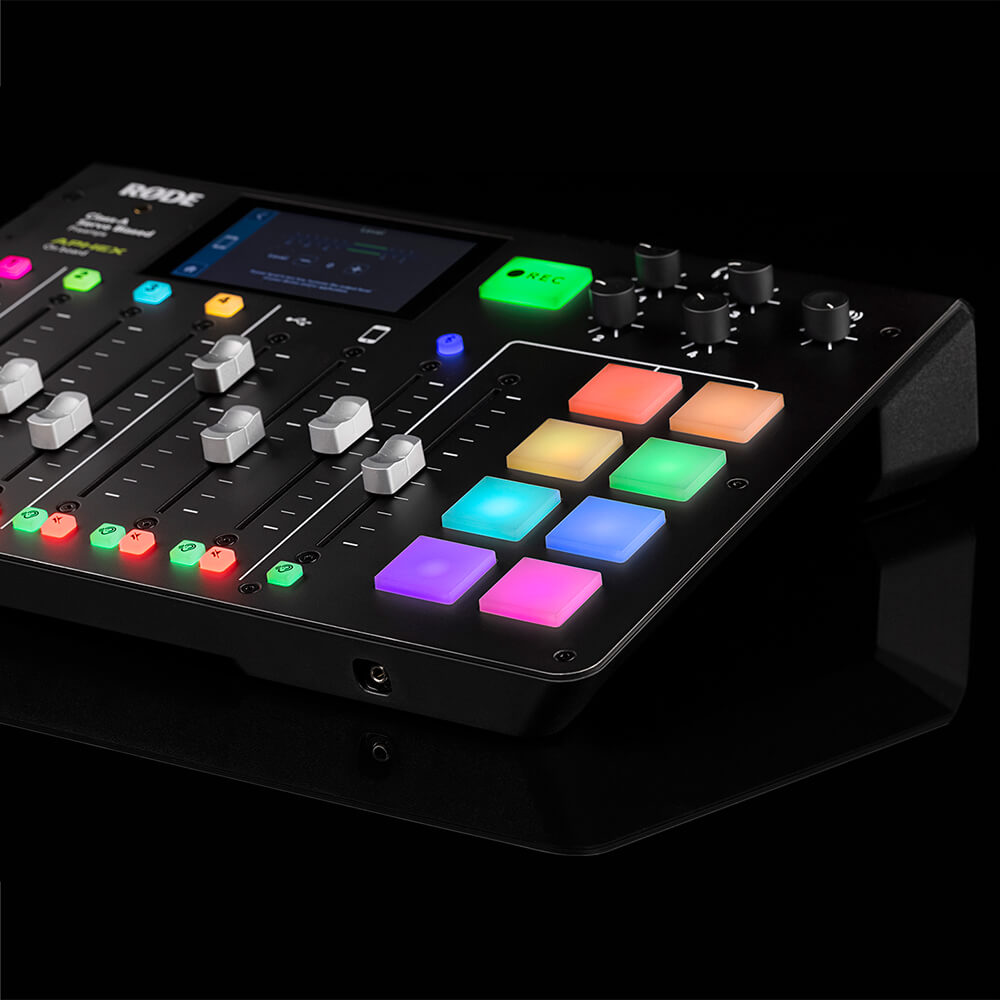
RØDECaster Pro에는 음향 효과, 음악, 인트로와 아웃트로 또는 광고 롤을 즉시 재생할 수 있는 프로그래밍 가능한 사운드 효과 패드 8개가 탑재되어 있습니다. RØDECaster Pro의 모든 입력에서 패드로 직접 녹음하거나 컴퓨터의 오디오를 간단히 할당할 수 있습니다. 각 패드는 재생 모드, 색상 지정 등 다양한 옵션으로 세밀하게 사용자 설정할 수 있으며, 최대 8개의 사운드 뱅크, 총 64개의 사운드를 저장할 수 있습니다!
연결 상태 유지
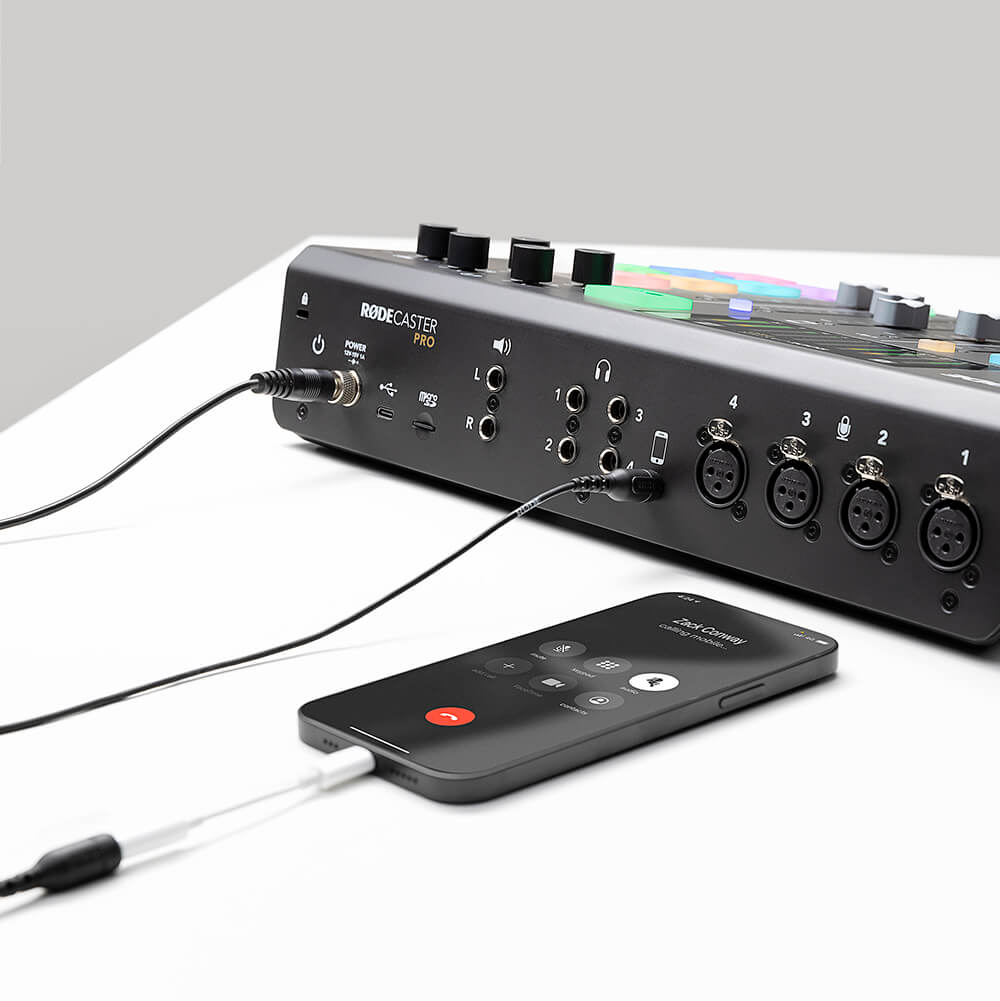
대화를 나누고 싶은 원격 게스트가 있나요? 멀리 떨어진 팀원들과 팟캐스트를 녹음하고 있나요? 휴대폰을 Bluetooth™로 또는 TRRS 케이블로 RØDECaster Pro에 간단히 연결하세요. RØDECaster Pro는 통화 상대방에게 에코가 들리지 않도록 “믹스-마이너스” 오디오도 제공합니다(복잡한 외부 하드웨어가 필요하지 않습니다). 원격 인터뷰가 이렇게 훌륭하게 들린 적은 없었습니다!
비할 데 없는 유연성
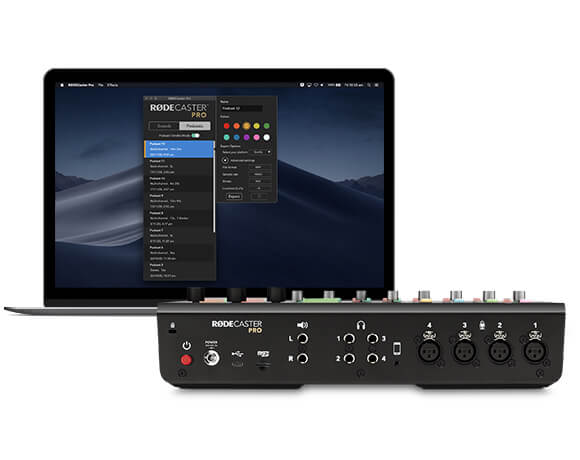
RØDECaster Pro는 개봉 즉시 독립형 장치로 사용할 수 있으며, 팟캐스트를 microSD 카드에 직접 녹음할 수 있습니다(RØDE DC-USB1을 사용하면 이동 중에도 팟캐스트를 제작할 수 있습니다). USB 를 통해 컴퓨터에 연결하면 RØDECaster Pro를 강력한 오디오 인터페이스로 사용하여 즐겨 사용하는 오디오 소프트웨어에 녹음할 수 있습니다. 다채로운 멀티트랙 녹음 기능을 활용하면 후반 작업에서 팟캐스트를 원하는 만큼 편집할 수 있으며, 라이브 스트리밍 애플리케이션에도 무한한 가능성을 열어 줍니다.
RØDECaster Pro 사용자 가이드
RØDECaster Pro 사용자 가이드에는 RØDECaster Pro로 놀라운 팟캐스트를 제작하는 데 필요한 모든 정보가 담겨 있습니다! 이 종합 가이드는 시작하기부터 라이브 스트리밍, 고급 팟캐스트 제작까지 모든 내용을 다룹니다. 초보자부터 숙련된 팟캐스터까지 누구나 활용할 수 있도록 구성된 이 사용자 가이드는 RØDECaster Pro에 대한 지식을 한 단계 더 발전시키고 싶은 모든 분을 위한 안내서입니다.