UNIFY
UNIFY 은(는) 스트리밍과 게이밍을 위한 강력한 가상 믹싱 솔루션으로, 직관적인 하나의 소프트웨어 인터페이스에서 모든 오디오를 제어할 수 있습니다. 유연한 라우팅 옵션, 서브 믹싱, 전문 오디오 프로세싱, 멀티트랙 레코딩 등을 제공합니다.
작동 방식
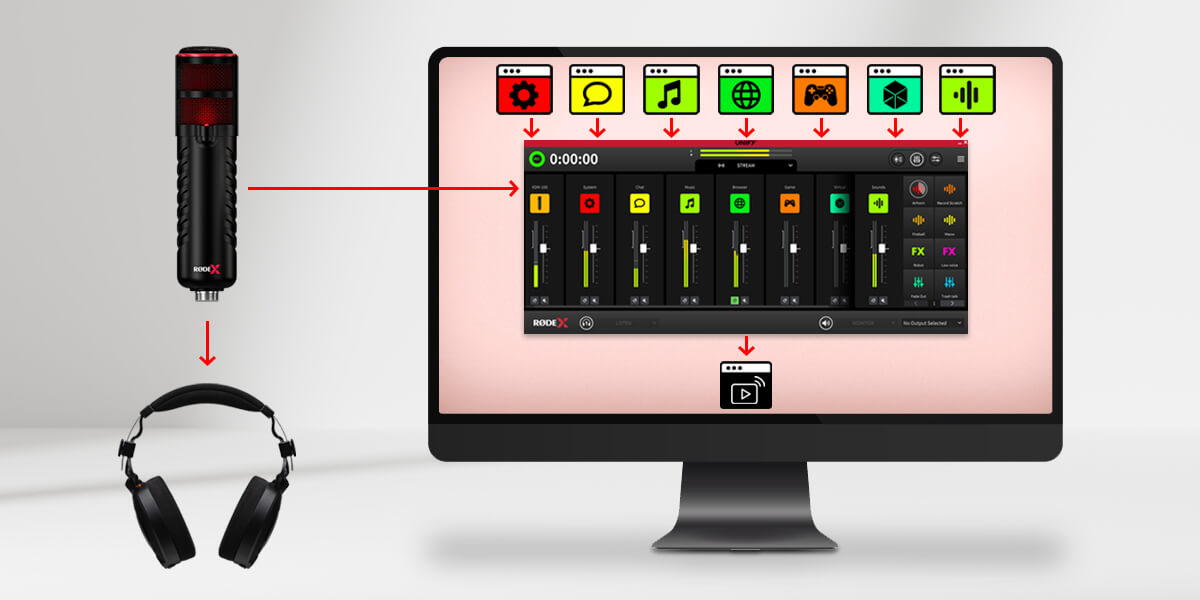
세부적인 내용에 들어가기 전에 UNIFY의 기본 원리와 사용 방법을 살펴보겠습니다. UNIFY 은(는) 여러 오디오 소스를 하나로 모아주는 소프트웨어입니다. 책상 위에 두고 사용하는 오디오 믹서와 같은 역할을 하지만, 컴퓨터에서 실행되는 소프트웨어라는 점이 다릅니다. 각 오디오 소스는 UNIFY의 슬라이더에 표시되므로 각각의 레벨을 조절할 수 있습니다. 예를 들어 음악은 더 작게, 음성은 더 크게 설정할 수 있습니다. 그런 다음 UNIFY 의 출력이 스트리밍 소프트웨어로 전달됩니다.
이 점이 중요합니다! UNIFY 은(는) 오디오 소스와 스트림 사이에서 작동하므로, microphone과 게임 등의 오디오가 UNIFY로 들어가고 UNIFY 의 출력이 스트림으로 전달됩니다. UNIFY 이(가) 모든 오디오 장치를 이미 관리하고 있으므로 스트리밍 소프트웨어에서 해당 장치를 다시 선택할 필요가 없습니다.
특징
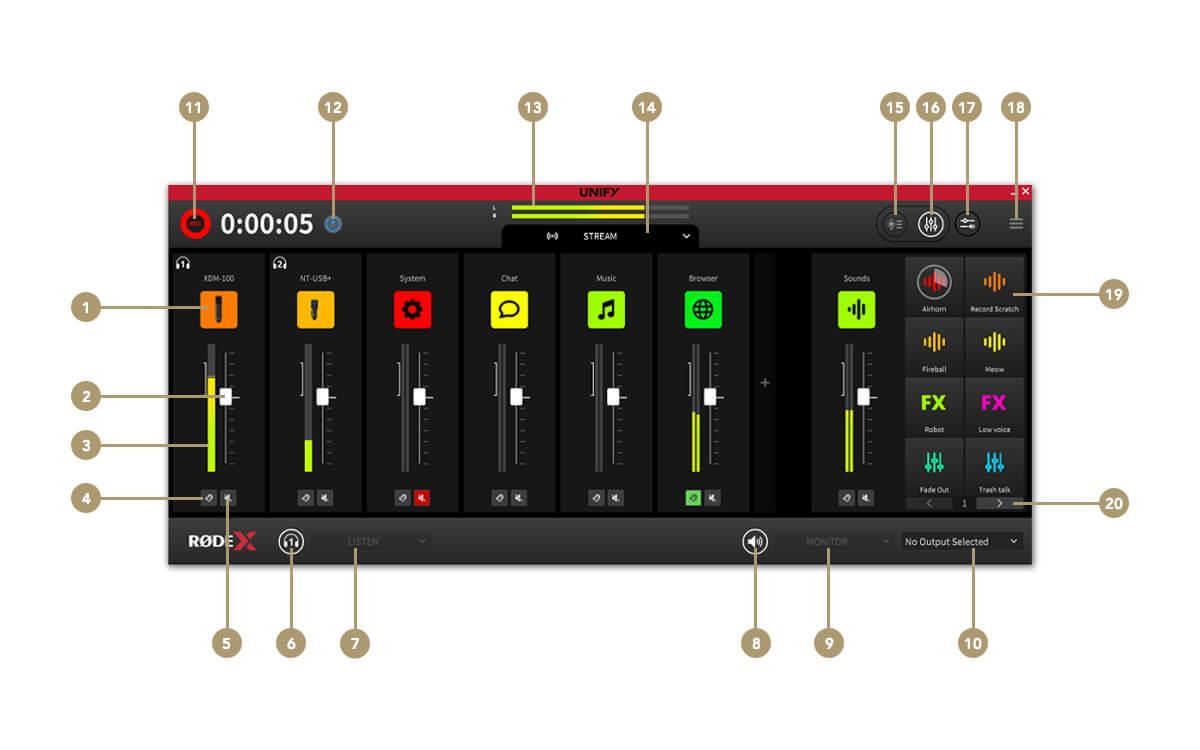
1채널 소스 설정
2채널 페이더(레벨)
3채널 레벨 미터
4청취(큐)
5채널 음소거
6헤드폰 음소거
7헤드폰 모니터 선택기
8외부 모니터 음소거
9모니터 소스 선택기
10모니터 장치 선택기
11녹음 시작 / 중지
12녹음 마커 추가
13스트림 출력 레벨
14서브믹스 선택기
15녹음 창으로 전환
16믹서 창으로 전환
17앱 오디오 라우팅(Windows 전용)
18설정 메뉴
19SMART 패드
20스위치 및 뱅크
서브믹스 컨트롤
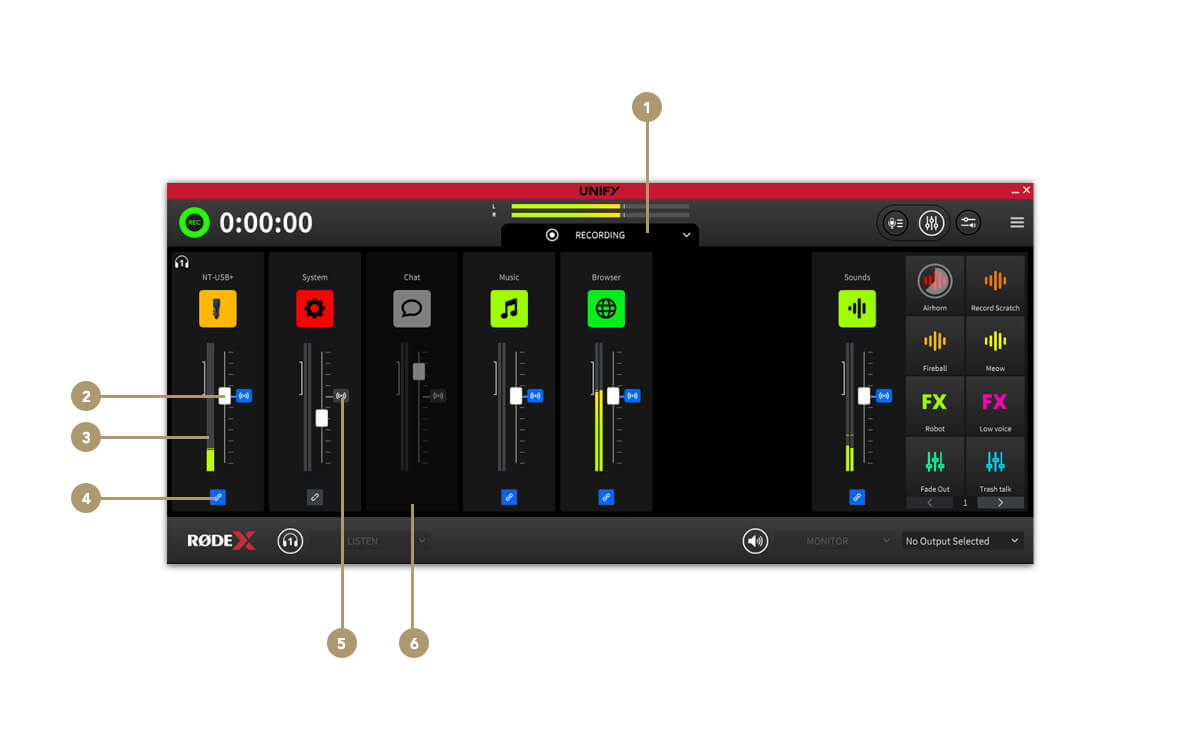
1서브믹스 선택기
2서브믹스 레벨 페이더
3서브믹스 레벨 미터
4Stream 믹스에서 채널 연결/연결 해제
5Stream 믹스 오디오 레벨 표시기
6서브믹스에서 제거된 채널
녹음 창
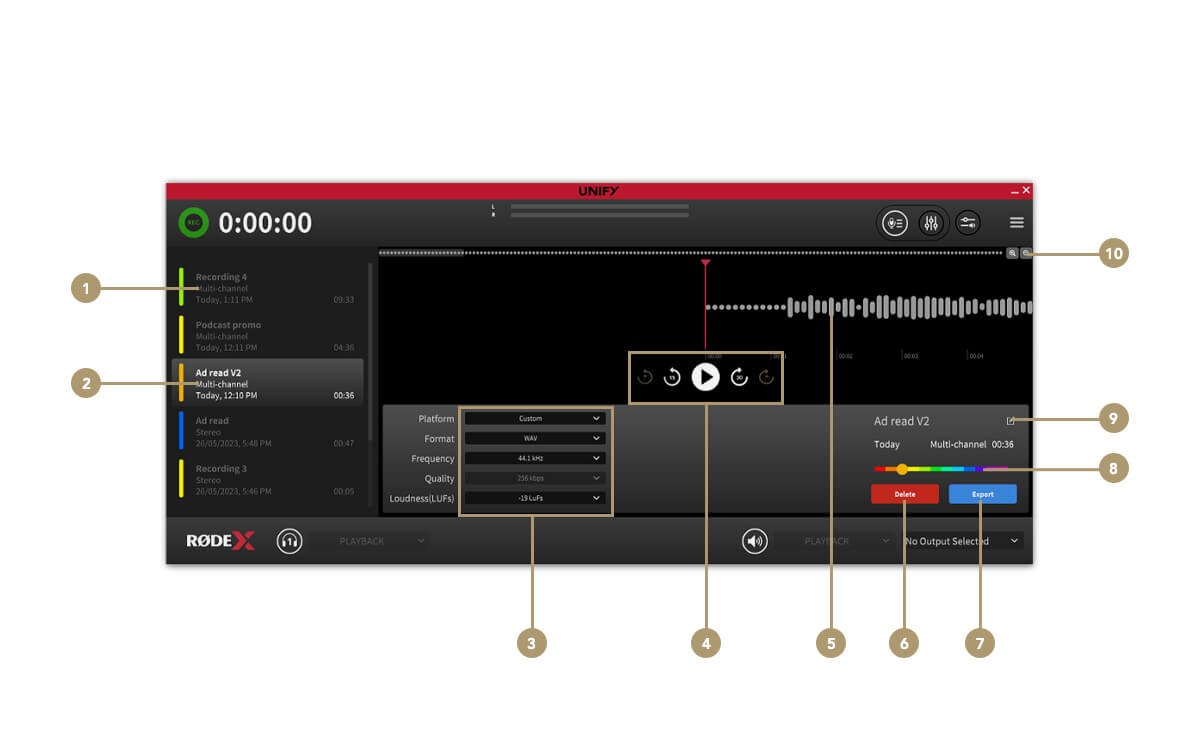
1녹음 목록
2선택한 녹음
3파일 내보내기 설정
4재생 제어
5오디오 파형/재생
6녹음 삭제
7녹음 내보내기
8색상 선택기
9녹음 이름 변경
10확대/축소 제어