What is RØDE CallMe?
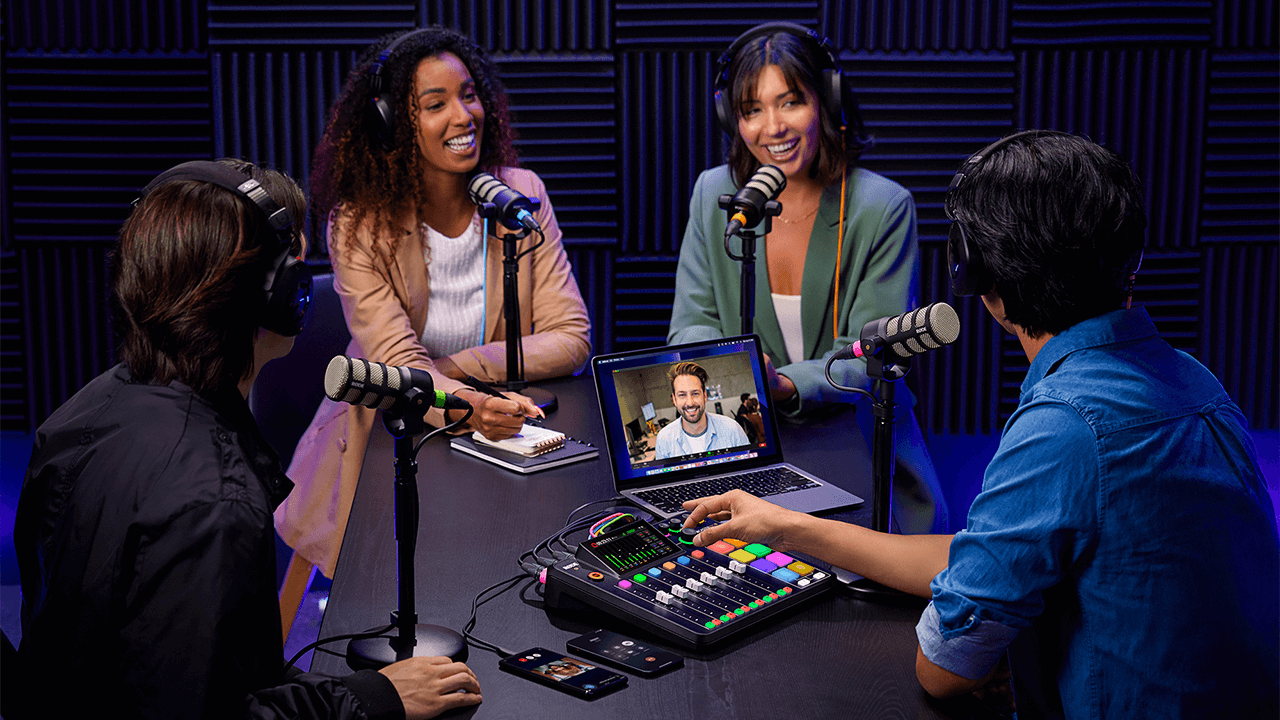
RØDE CallMe is a new feature for the RØDECaster Pro II and RØDECaster Duo, designed to facilitate remote audio communication. CallMe provides direct, low-latency audio connections over Wi-Fi or Ethernet. This functionality allows users to connect to remote guests from other RØDECaster units or via a web browser, integrating their audio directly into the RØDECaster for broadcasting or recording.
Developed in partnership with Vortex Communications, it is designed to overcome the core limitations of standard Voice over IP, which typically delivers low-quality, heavily compressed audio that doesn’t integrate as seamlessly into professional workflows.
Superior Audio Fidelity: The system is designed to provide significantly enhanced audio quality, suitable for professional broadcasting and podcasting. All plans offer notable improvements over standard VoIP. This eliminates the conventional "telephone sound."
Seamless Workflow Integration: To refine the workflow and reduce management of separate applications, CallMe is operated directly through the RØDECaster interface. This streamlines the entire production process. Calls are assigned to a fader and benefit from the complete suite of APHEX processing, just like a local microphone.
Advanced Calling Features: The native integration facilitates a professional call-handling experience. Features include direct RØDECaster-to-RØDECaster calling (RC Call) with options to save contacts, the capability to queue up to two callers while one is live, and straightforward Web Calling for guests to join via a browser link.
.png)
CallMe에 어떻게 접근하나요?
RØDECaster Pro II 및 RØDECaster Duo의 이 새로운 기능에 접근하려면 장치가 최신 펌웨어로 업데이트되어 있는지 확인해야 합니다. 장치가 최신 펌웨어를 실행하고 있는지 확인하려면 RØDECaster App을 사용하세요.
CallMe 기능에 접근하려면 RØDECaster Pro II 또는 RØDECaster Duo를 우리 계정 포털에 등록해야 합니다.
Note
You can access the CallMe feature on your RØDECaster Pro II or RØDECaster Duo by updating your device to firmware version 1.6.5 and ensuring your RØDECaster App is version 2.0.98 or newer.
Subscriptions
Once registered, you'll be able to select CallMe from the three available subscription plans for each of your devices.
Setting up CallMe
CallMe를 페이더에 할당하기
CallMe 채널을 페이더에 할당하려면, 마이크 또는 USB 입력을 할당하는 것과 같은 과정입니다. CallMe 채널을 페이더 채널에 할당하여 오디오를 제어해야 합니다.
- 사용할 페이더 채널을 탭합니다.
- 설정 아이콘(톱니바퀴)을 탭합니다.
- 소스 선택 화면에서 'CallMe'를 선택합니다.
- 확인을 위해 초록색 체크 표시를 탭합니다.
.png)
Connect to the Internet
To use the CallMe functions, a stable internet connection is essential.
You can connect your RØDECaster to the internet in the following ways:
- Wi-Fi (connecting to a strong Wi-Fi network directly from your RØDECaster)
- Ethernet (connecting an Ethernet cable directly to your RØDECaster)
.png)
Call options with CallMe
The CallMe feature allows you to make direct calls to and from your RØDECaster Pro II or RØDECaster Duo. There are two main ways to do this:
RØDECaster-to-RØDECaster calls.
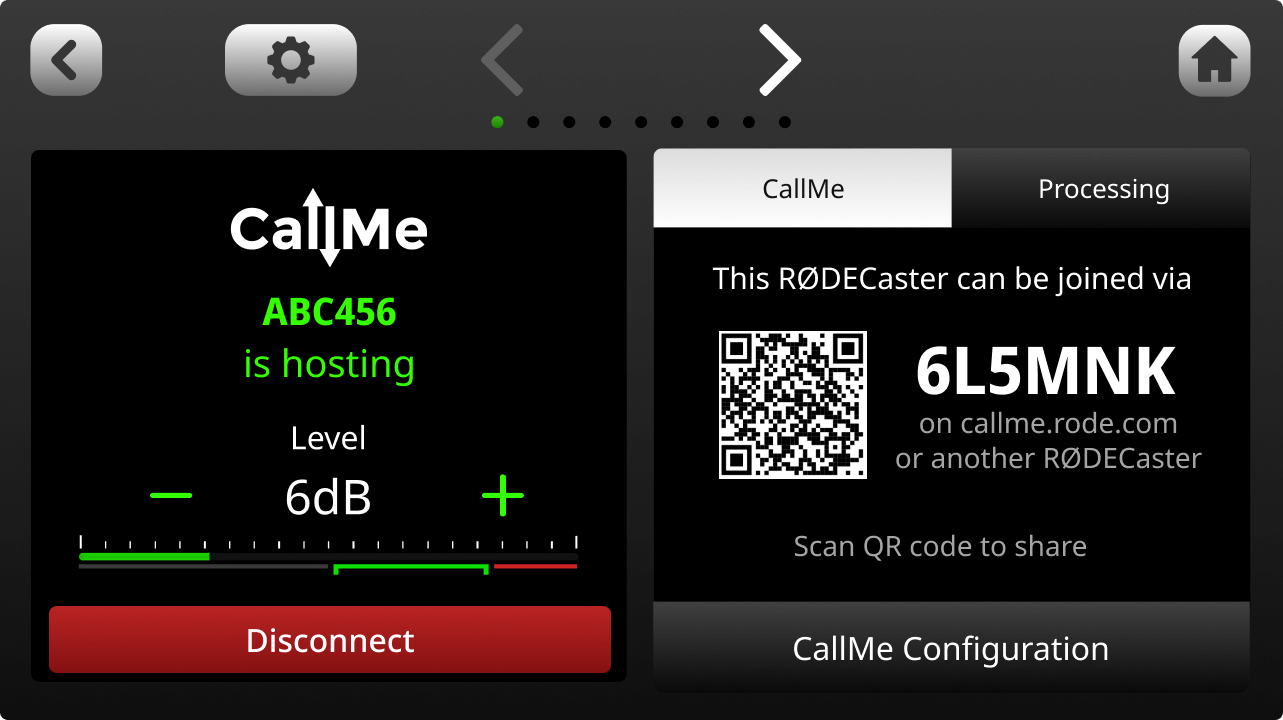
In all the CallMe Plans, you can directly call another RØDECaster unit by using a unique joining code. This establishes a high-quality, stable audio link between the two RØDECaster units.
To make a connection in this way:
- Tap the 'CallMe' channel icon on your RØDECaster's main screen.
- Tap 'Call a RØDECaster'.
- Enter the other user's unique joining code. Your RØDECaster will connect once the recipient accepts the call.
.png)
.png)
Web Browser calls
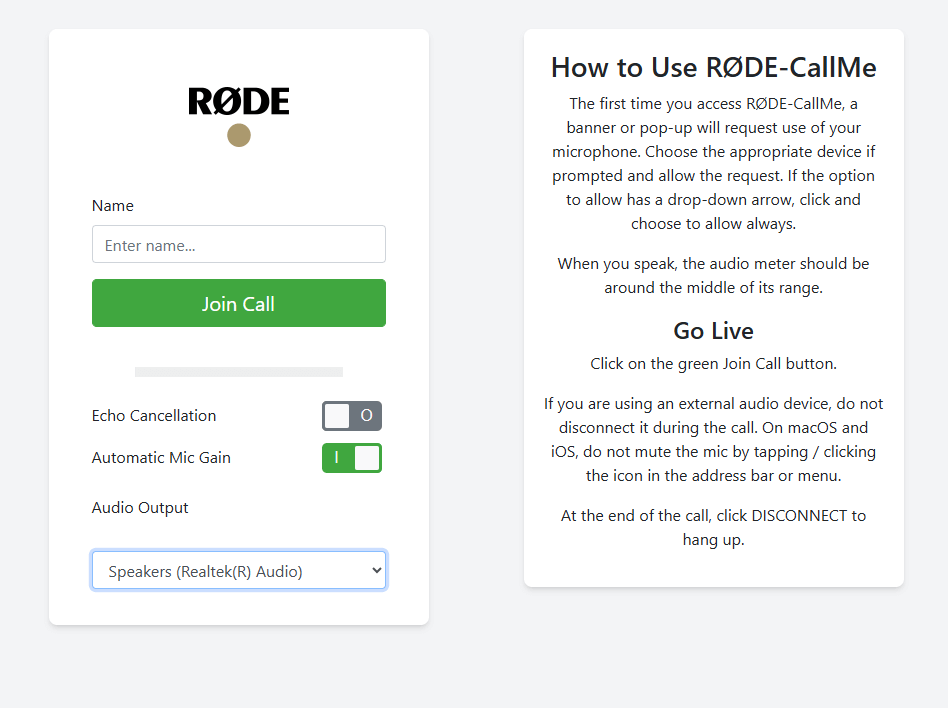
The RØDE CallMe and the RØDE CallMe Pro also have unlimited access to Web calls, so that your guest can connect with any device that is connected to their computer.
- Tap the 'CallMe' channel icon.
- Locate the unique URL and QR code displayed on the screen.
- Share the unique URL and Code or the QR code with your guest.
- Your guest will open the link in their web browser, enter their name, grant microphone access, and they will be live on your RØDECaster.
Other call options
CallMe Pro gives you more advanced calling options to configure with third party SIP devices and systems. Additional features include:
- Multi-guest support (3 CallMe Channels)
- Includes all RØDE CallMe features, plus a host of professional broadcasting tools
- Fully integrated IP audio codec with third-party interoperability for remote broadcasting
- Advanced SIP calling with support for UDP, TCP, TLS, auto-answer, and customizable quick dials
- Resilient multi-network streaming with RFC7198 compliance and external 4G/5G support
- Broadcast-grade audio control with support for Opus, G.722, G.711, PCM, and adjustable jitter buffer
- Flexible control via touchscreen, local web UI, CallMe Hub, Zoom™ integration, and Click-&-Connect
.png)
Using CallMe for calls
Hosting calls
For either web or RØDECaster direct calls, you can set up your RØDECaster Pro II and RØDECaster Duo, to receive calls by enabling the "Hosting" function in the CallMe settings.
- Navigate to the CallMe settings.
- Ensure 'Enable call hosting' is toggled on
.png)
When someone calls you, a pop-up notification will appear on your RØDECaster screen.
Tap the green tick to accept the call or the red cross to decline.
You will then be prompted to assign the incoming call to an available CallMe channel. Green channels indicate readiness. If no CallMe channel is assigned, you'll be prompted to assign one to a fader.
.png)
Outbound Calls
There are two primary ways to make an outbound call.
Calling another RØDECaster or joining a SIP call (SIP calls are only available to Pro subscribers).
To call another RØDECaster, simply select "Call A RØDECaster" and enter their unique code. If the other user accepts the call, you will then be able to monitor the call, change settings and more all in the channel settings.
Pro Tip
You can block all incoming calls by disabling the "Enable call hosting" toggle in the CallMe settings.
Processing and Recording the CallMe Channel
처리
RØDECaster Pro II 또는 RØDECaster Duo의 다른 입력과 마찬가지로, CallMe 채널은 RØDECaster의 전체 오디오 처리 도구를 사용할 수 있습니다. 이를 통해 원격 게스트의 오디오를 처리하고 로컬 마이크의 품질에 맞출 수 있어 전문적이고 일관된 사운드를 보장합니다.
여기에는 다음이 포함됩니다:
- 게인 컨트롤
- 이퀄라이제이션 (EQ)
- 다이내믹스 (컴프레서, 노이즈 게이트, 디-에서)
- APHEX 익사이터
자세한 정보는 여기에서 확인할 수 있습니다.
.png)
Mix-Minus with CallMe
The audio signal from CallMe is routed bi-directionally. So, the remote caller receives a mix of all active inputs on the host's RØDECaster. This is set to mix-minus by default for every CallMe connection.
This core feature prevents the remote caller from hearing an echo of their own voice, which is essential for clear, echo-free conversation.녹음
모든 다른 채널과 함께, CallMe 채널은 microSD 카드 다중 트랙 녹음에 포함됩니다.
USB 다중 트랙 녹음의 경우, CallMe 채널은 포함되지 않습니다.
Using the SMART Pads with CallMe
With CallMe, you can use the SMART Pads as a quick dial - so you can instantly call another device with the press of a single button.
빠른 다이얼 설정
RØDECaster의 설정으로 들어가 "페이더" 옵션을 선택하고 사용 가능한 페이더를 선택한 후 Call ME 옵션을 선택하여 페이더를 빠르게 할당할 수 있습니다.
- 할당이 완료되면, 기기 홈 화면의 오른쪽 상단에 있는 화살표 아이콘을 탭하여 CallMe 메뉴를 엽니다.
- 사용 가능한 CallMe 채널에서 "통화 참여" 버튼을 선택합니다.
- 사용 가능한 빠른 다이얼 공간을 선택하고 연결하고자 하는 RØDECaster의 이름과 고유 코드를 입력한 후 저장을 누릅니다.
.png)
스마트 패드에 할당
퀵 다이얼 공간이 구성되면, 이를 SMART Pad에 할당할 수 있습니다:
- 홈 화면에서 빈 SMART Pad 공간을 선택합니다.
- 새 SMART Pad 메뉴에서 '퀵 다이얼'을 선택합니다.
- SMART Pad에 할당할 퀵 다이얼을 선택하고 오른쪽 상단의 초록색 체크 마크를 누릅니다.
.png)
CallMe 가용성 및 보안
CallMe 가용성
RØDE CallMe는 거의 모든 곳에서 연결할 수 있도록 설계되었습니다. 그러나 일부 국가에서는 지역 인터넷 규정이나 정부 방화벽이 있어 우리의 서비스와 같은 서비스를 차단할 수 있으며, 이는 성능에 영향을 미칠 수 있습니다.
귀하의 지역에서 CallMe 사용에 대해 확신이 없다면, 시작하기 전에 SIP 및 VoIP 서비스에 대한 지역 조언을 확인하는 것이 좋습니다. 기타 질문이 있으시면, 저희 친절한 지원 팀에 문의해 주십시오.
RØDECaster-RØDECaster 및 Web-RØDECaster 통화의 보안
우리는 귀하의 대화의 보안과 프라이버시를 최우선으로 생각합니다. 따라서 통화를 할 때, 모든 오디오는 귀하(발신자)와 호스트 간에 종단 간 암호화됩니다.
이는 대화에 직접 참여하는 사람만이 오디오를 듣거나 녹음할 수 있음을 의미합니다.
대부분의 경우, 이 암호화된 오디오는 참가자 간에 직접 전송(피어 투 피어)되어 가장 빠르고 안전한 연결을 제공합니다. 제한적인 네트워크 방화벽이 오디오를 서버를 통해 중계해야 하는 경우에도, 오디오는 완전히 암호화된 상태로 유지되며 다른 누구도 접근하거나 들을 수 없습니다.
고객 지원을 돕고 서비스 품질을 모니터링하기 위해, 우리는 통화에서 제한된 기술 데이터(메타데이터)를 안전하게 저장합니다. 귀하의 암호화된 오디오는 절대 우리 서버에 의해 녹음되거나 저장되지 않음을 확신할 수 있습니다.