RØDECaster Video S
The RØDECaster Video S is a revolutionary all-in-one video and audio production console that provides intuitive control over every element of your content – from video switching, recording and production to audio mixing and streaming.
Discover everything you need to know about using your RØDECaster Video S here.
Front
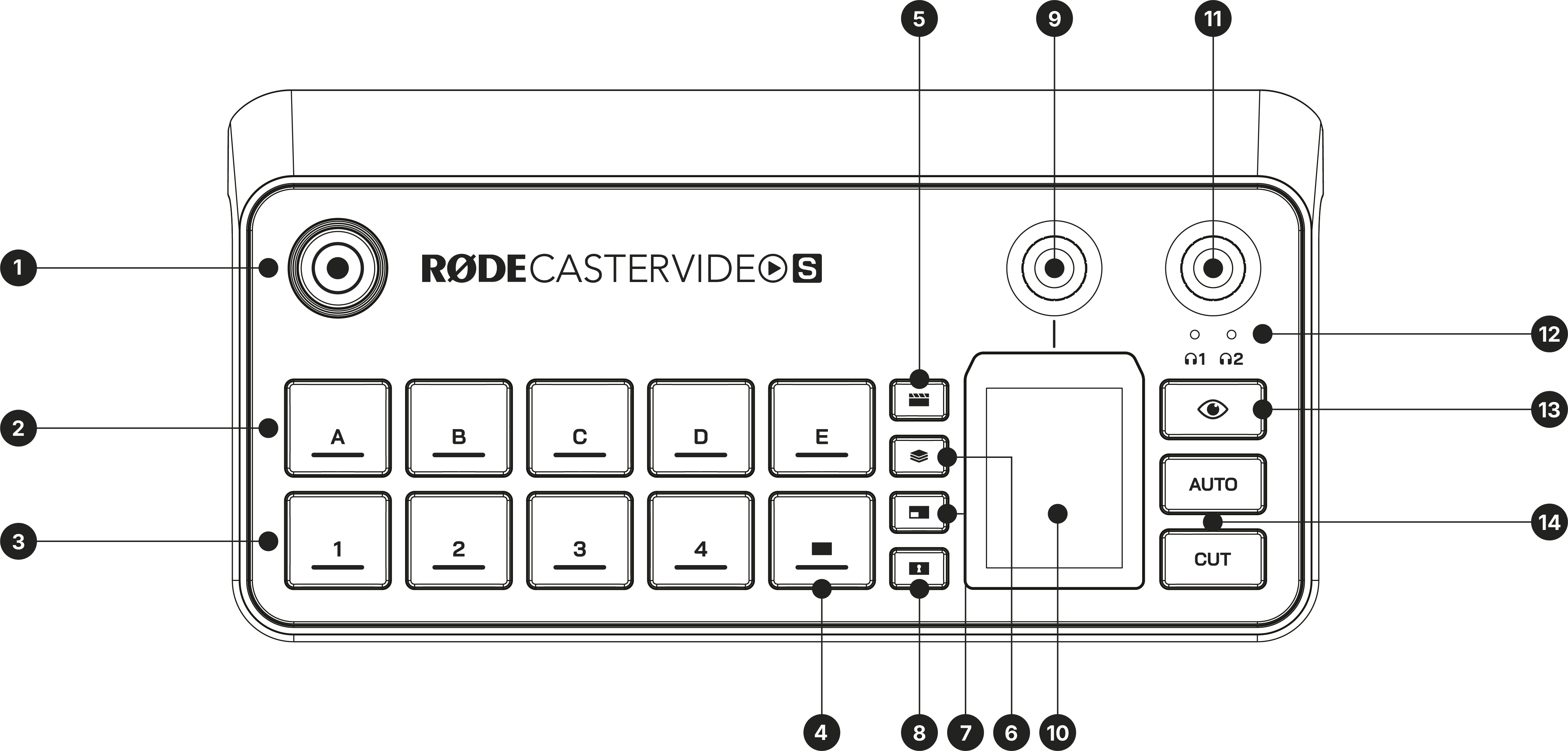
1Record Button
2Scene Buttons
3Input Buttons
4Fade to Black Button
5Media Button
6Overlay Button
7Multisource Button
8Keying Button
9Primary Encoder
10Touchscreen
11Audio Encoder
12Audio Output Indicators
13Inspect Button
14Auto and Cut Buttons
Back
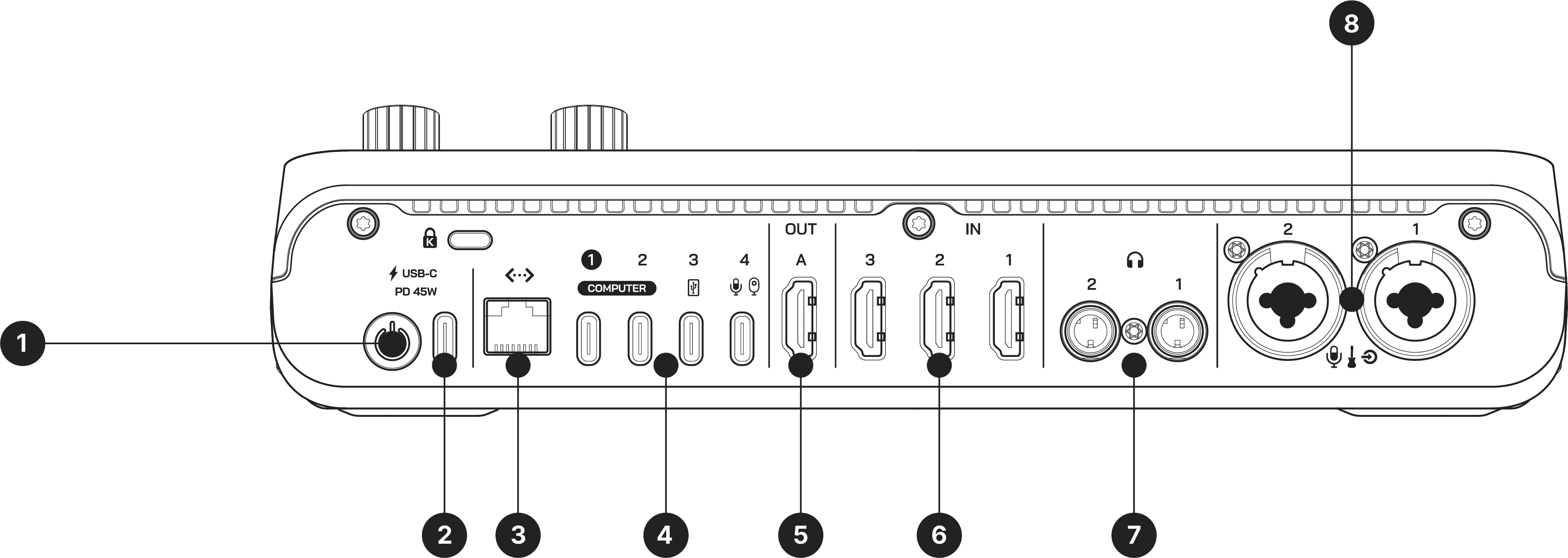
1Power Button
2USB-C Power Input
3Ethernet Connection
4USB-C Ports (1-4)
5HDMI Output (A)
6HDMI Inputs (1-3)
7Headphone Outputs (1 & 2)
8Combo Inputs (1 & 2)