O que é o RØDE CallMe?
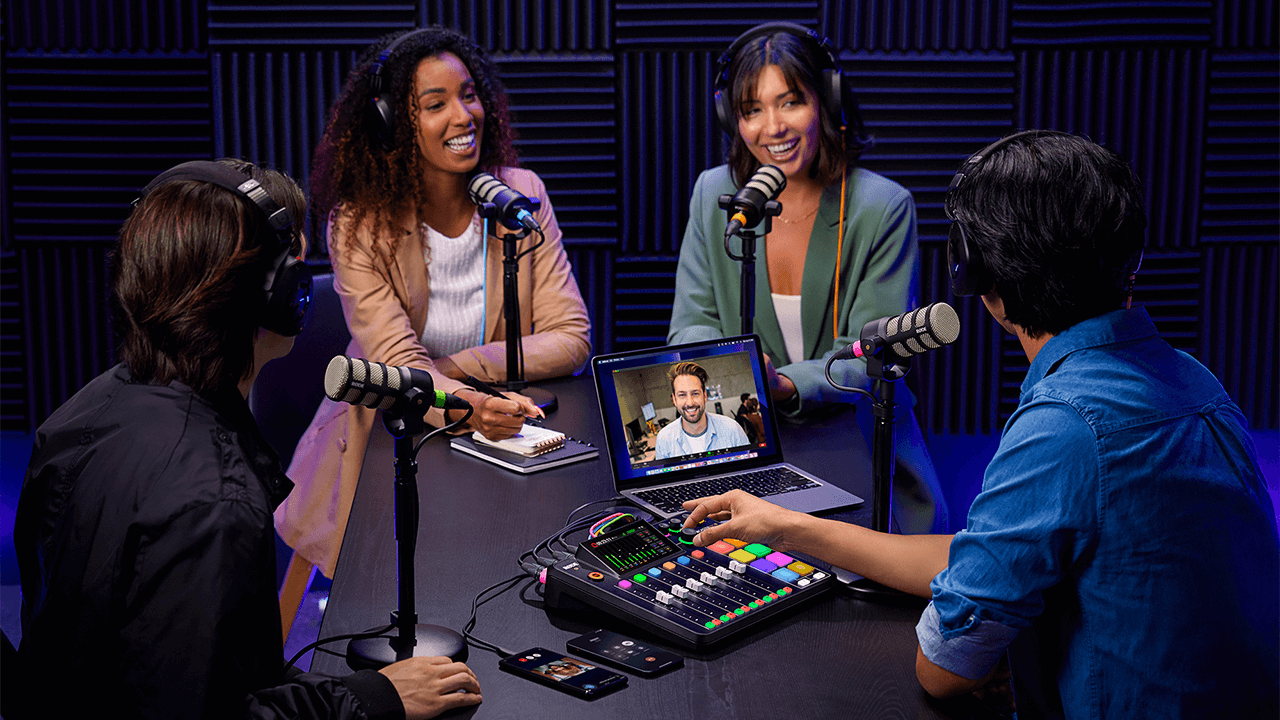
O RØDE CallMe é um novo recurso para o RØDECaster Pro II e o RØDECaster Duo, desenvolvido para facilitar a comunicação de áudio remota. O CallMe fornece conexões de áudio diretas e de baixa latência por Wi-Fi ou Ethernet. Essa funcionalidade permite que os usuários se conectem a convidados remotos a partir de outras unidades RØDECaster ou por meio de um navegador da web, integrando o áudio diretamente ao RØDECaster para transmissão ou gravação.
Desenvolvido em parceria com a Vortex Communications, ele foi projetado para superar as principais limitações da tecnologia padrão de Voz sobre IP, que normalmente oferece áudio de baixa qualidade e altamente comprimido, sem uma integração tão fluida aos fluxos de trabalho profissionais.
Fidelidade de áudio superior: O sistema foi desenvolvido para proporcionar uma qualidade de áudio significativamente aprimorada, adequada para transmissões profissionais e podcasts. Todos os planos oferecem melhorias notáveis em relação ao VoIP padrão. Isso elimina o tradicional "som de telefone".
Integração perfeita ao fluxo de trabalho: Para aperfeiçoar o fluxo de trabalho e reduzir a necessidade de gerenciar aplicativos separados, o CallMe é operado diretamente pela RØDECaster interface. Isso simplifica todo o processo de produção. As chamadas são atribuídas a um fader e contam com o conjunto completo de processamento APHEX, assim como um microfone local.
Recursos avançados de chamadas: A integração nativa proporciona uma experiência profissional de gerenciamento de chamadas. Os recursos incluem chamadas diretas do RØDECaster para RØDECaster (RC Call), com opções para salvar contatos; a possibilidade de colocar até dois interlocutores em espera enquanto um está ao vivo; e o Web Calling simplificado, para que convidados participem por meio de um link no navegador.
.png)
Como acessar o CallMe?
Você pode acessar este novo recurso no RØDECaster Pro II e no RØDECaster Duo garantindo que sua unidade esteja atualizada com o firmware mais recente. Para garantir que sua unidade esteja executando o firmware mais recente, use o RØDECaster App.
Você precisa registrar seu RØDECaster Pro II ou RØDECaster Duo em nosso portal de contas para acessar os recursos do CallMe.
Nota
Você pode acessar o recurso CallMe no seu RØDECaster Pro II ou RØDECaster Duo atualizando seu dispositivo para a versão de firmware 1.6.5 e garantindo que o RØDECaster App esteja na versão 2.0.98 ou mais recente.
Assinaturas
Após o cadastro, você poderá selecionar o CallMe entre os três planos de assinatura disponíveis para cada um dos seus dispositivos.
Configurando o CallMe
Atribuir o CallMe a um fader
Para atribuir o canal CallMe a um fader, o processo é igual ao de atribuir um microfone ou uma entrada USB ; é necessário atribuir o canal CallMe a um canal de fader para controlar o respetivo áudio.
- Toque no canal de fader que pretende utilizar.
- Toque no ícone de definições (roda dentada).
- No ecrã de seleção da fonte, escolha «CallMe».
- Toque no visto verde para confirmar.
.png)
Conecte-se à Internet
Para usar as funções CallMe, é essencial ter uma conexão estável com a Internet.
Você pode conectar seu RØDECaster à Internet das seguintes maneiras:
- Wi-Fi (conectando-se diretamente a uma rede Wi-Fi forte pelo seu RØDECaster)
- Ethernet (conectando um cabo Ethernet diretamente ao seu RØDECaster)
.png)
Opções de chamada com o CallMe
O recurso CallMe permite fazer chamadas diretas de e para o seu RØDECaster Pro II ou RØDECaster Duo. Há duas maneiras principais de fazer isso:
Chamadas de RØDECaster para RØDECaster .
Em todos os planos CallMe, você pode ligar diretamente para outra unidade RØDECaster usando um código exclusivo de conexão. Isso estabelece um link de áudio estável e de alta qualidade entre as duas unidades RØDECaster .
Para estabelecer uma conexão dessa forma:
- Toque no ícone do canal “CallMe” na tela principal do seu RØDECaster.
- Toque em “Ligar para um RØDECaster”.
- Insira o código exclusivo de conexão do outro usuário. Seu RØDECaster se conectará assim que o destinatário aceitar a chamada.
.png)
.png)
Chamadas pelo navegador da Web
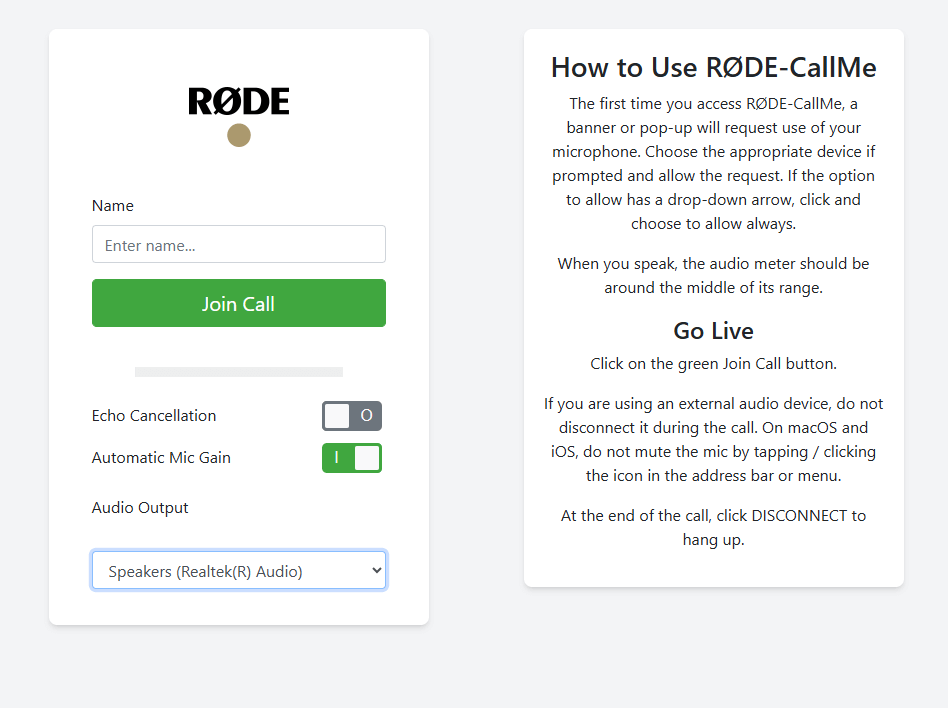
O RØDE CallMe e o RØDE CallMe Pro também oferecem acesso ilimitado a chamadas pela Web, para que seu convidado possa se conectar usando qualquer dispositivo conectado ao computador dele.
- Toque no ícone do canal “CallMe”.
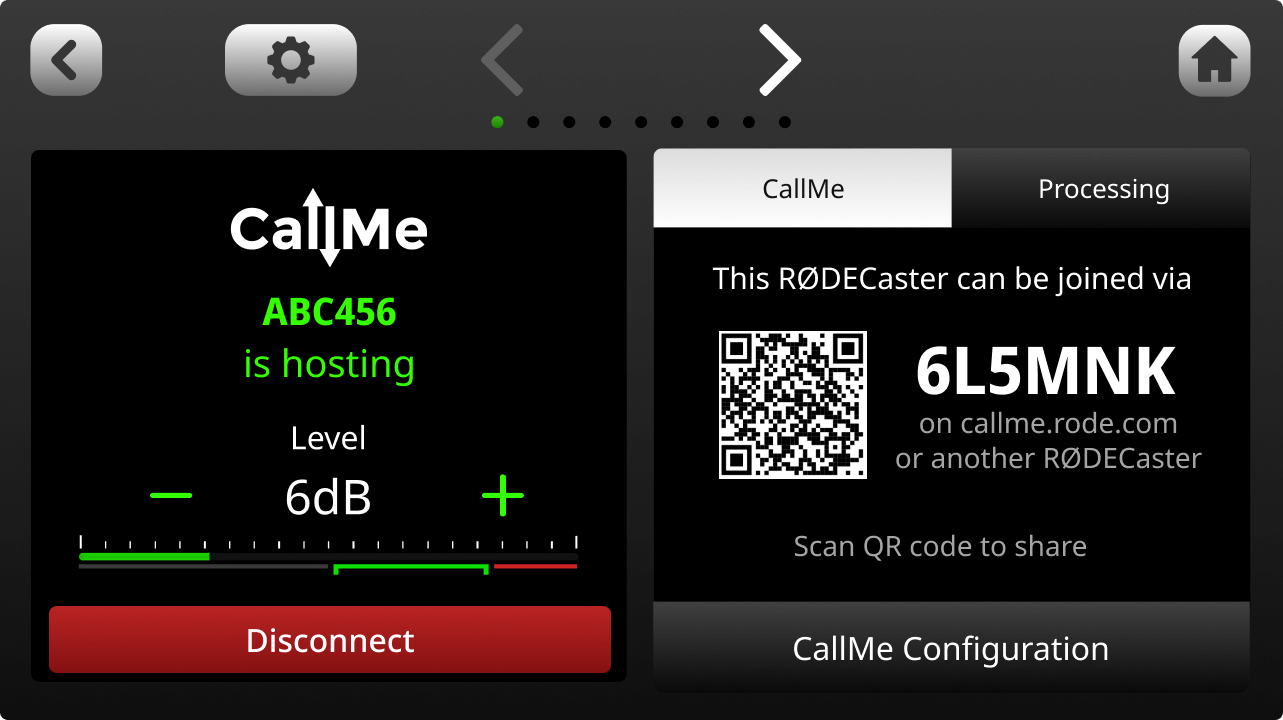
- Localize a URL exclusiva e o código QR exibidos na tela.
- Compartilhe a URL e o código exclusivos ou o código QR com seu convidado.
- Seu convidado abrirá o link no navegador da Web, inserirá o nome, concederá acesso ao microfone e estará ao vivo no seu RØDECaster.
Outras opções de chamada
O CallMe Pro oferece opções de chamada mais avançadas para configurar com dispositivos e sistemas SIP de terceiros. Os recursos adicionais incluem:
- Suporte a vários convidados (3 canais CallMe)
- Inclui todos os recursos do RØDE CallMe, além de uma ampla variedade de ferramentas profissionais de transmissão
- Codec de áudio SIP totalmente integrado, com interoperabilidade com sistemas de terceiros para transmissão remota
- Chamadas SIP avançadas, com suporte a UDP, TCP, TLS, atendimento automático e discagens rápidas personalizáveis
- Streaming resiliente em várias redes, em conformidade com a RFC7198 e com suporte externo a 4G/5G
- Controle de áudio com qualidade de transmissão, com suporte a Opus, G.722, G.711, PCM e buffer de jitter ajustável
- Controle flexível via tela sensível ao toque, interface web local, CallMe Hub, integração com Zoom™ e Click-&-Connect
.png)
Usando o CallMe para chamadas
Hospedagem de chamadas
Para chamadas pela web ou chamadas diretas RØDECaster , você pode configurar seu RØDECaster Pro II e RØDECaster Duo para receber chamadas ativando a função "Hospedagem" nas configurações do CallMe.
- Acesse as configurações do CallMe.
- Certifique-se de que a opção 'Ativar hospedagem de chamadas' esteja ativada
.png)
Quando alguém ligar para você, uma notificação pop-up aparecerá na tela do seu RØDECaster .
Toque na marca de seleção verde para aceitar a chamada ou no X vermelho para recusá-la.
Em seguida, você será solicitado a atribuir a chamada recebida a um canal CallMe disponível. Os canais verdes indicam que estão prontos. Se nenhum canal CallMe estiver atribuído, você será solicitado a atribuir um a um fader.
.png)
Chamadas efetuadas
Há duas formas principais de fazer uma chamada efetuada.
Ligar para outro RØDECaster ou participar de uma chamada SIP (as chamadas SIP estão disponíveis apenas para assinantes Pro).
Para ligar para outro RØDECaster, basta selecionar "Ligar para um RØDECaster" e inserir o código exclusivo dele. Se o outro usuário aceitar a chamada, você poderá monitorá-la, alterar configurações e muito mais, tudo nas configurações do canal.
Dica profissional
Você pode bloquear todas as chamadas recebidas desativando a opção "Ativar hospedagem de chamadas" nas configurações do CallMe.
Processamento e gravação do canal CallMe
Processamento
Tal como as outras entradas do RØDECaster Pro II ou RØDECaster Duo, um canal CallMe tem acesso ao conjunto completo de ferramentas de processamento de áudio do RØDECaster. Isto permite processar o áudio de um convidado remoto e equipará-lo à qualidade dos microfones locais, garantindo um som profissional e consistente.
Isto inclui:
- Controlo de ganho
- Equalização (EQ)
- Dinâmica (compressor, noise gate, de-esser)
- Excitadores APHEX
Pode encontrar mais informações sobre isto aqui.
.png)
Mix-Minus com o CallMe
O sinal de áudio do CallMe é roteado bidirecionalmente. Assim, o interlocutor remoto recebe uma mixagem de todas as entradas ativas no RØDECaster do anfitrião. Por padrão, todas as conexões CallMe são configuradas como mix-minus.
Esse recurso essencial impede que o interlocutor remoto ouça um eco da própria voz, algo fundamental para uma conversa clara e sem eco.Gravação
Juntamente com todos os outros canais, os canais CallMe serão incluídos nas gravações multipista da placa microSD .
Nas gravações multipista USB , os canais CallMe não são incluídos.
Usando o SMART Pads com o CallMe
Com o CallMe, você pode usar o SMART Pads como discagem rápida — assim, pode ligar instantaneamente para outro dispositivo pressionando um único botão.
Configuração da Discagem Rápida
Você pode atribuir rapidamente um fader acessando as configurações do seu RØDECaster, selecionando a opção "Faders", escolhendo um fader disponível e selecionando a opção Call ME.
- Depois de atribuído, abra o menu CallMe tocando no ícone de setas no canto superior direito da tela inicial do seu dispositivo.
- Selecione o botão "Participar de uma chamada" em um canal CallMe disponível.
- Selecione um espaço de Discagem Rápida disponível, insira o Nome e o código exclusivo do RØDECaster ao qual deseja se conectar e pressione Salvar.
.png)
Atribuir a um Smart Pad
Depois de configurar o espaço Quick Dial, ele pode ser atribuído a um SMART Pad:
- No ecrã inicial, selecione um espaço SMART Pad vazio
- No menu Novo SMART Pad , selecione «Quick Dials»
- Escolha o Quick Dial a atribuir ao SMART Pad e prima a marca de verificação verde no canto superior direito
.png)
Disponibilidade e segurança do CallMe
Disponibilidade do CallMe
RØDE O CallMe foi desenvolvido para conectar você de praticamente qualquer lugar. No entanto, alguns países têm regras locais de internet ou firewalls governamentais que podem bloquear serviços como o nosso, o que pode afetar o desempenho.
Se você não tiver certeza sobre o uso do CallMe na sua região, recomendamos consultar as orientações locais sobre serviços de SIP e VoIP antes de começar. Para qualquer outra dúvida, entre em contato com nossa equipe de suporte prestativa.
Segurança no RØDECaster-RØDECaster e em chamadas pela Web-RØDECaster
Priorizamos a segurança e a privacidade das suas conversas. Por isso, quando você faz uma chamada, todo o áudio é criptografado de ponta a ponta entre você (a pessoa que faz a chamada) e o anfitrião.
Isso significa que somente as pessoas diretamente envolvidas na conversa podem ouvir ou gravar o áudio.
Na maioria dos casos, esse áudio criptografado é transferido diretamente entre os participantes (ponto a ponto), proporcionando a conexão mais rápida e segura possível. Mesmo que um firewall de rede restritivo exija que o áudio seja retransmitido por um servidor, ele permanece totalmente criptografado e não pode ser acessado nem ouvido por qualquer outra pessoa.
Para nos ajudar no suporte ao cliente e monitorar a qualidade do nosso serviço, armazenamos com segurança dados técnicos limitados (metadados) da chamada. Você pode ter certeza de que nossos servidores nunca gravam nem armazenam seu áudio criptografado.