¿Qué es RØDE CallMe?
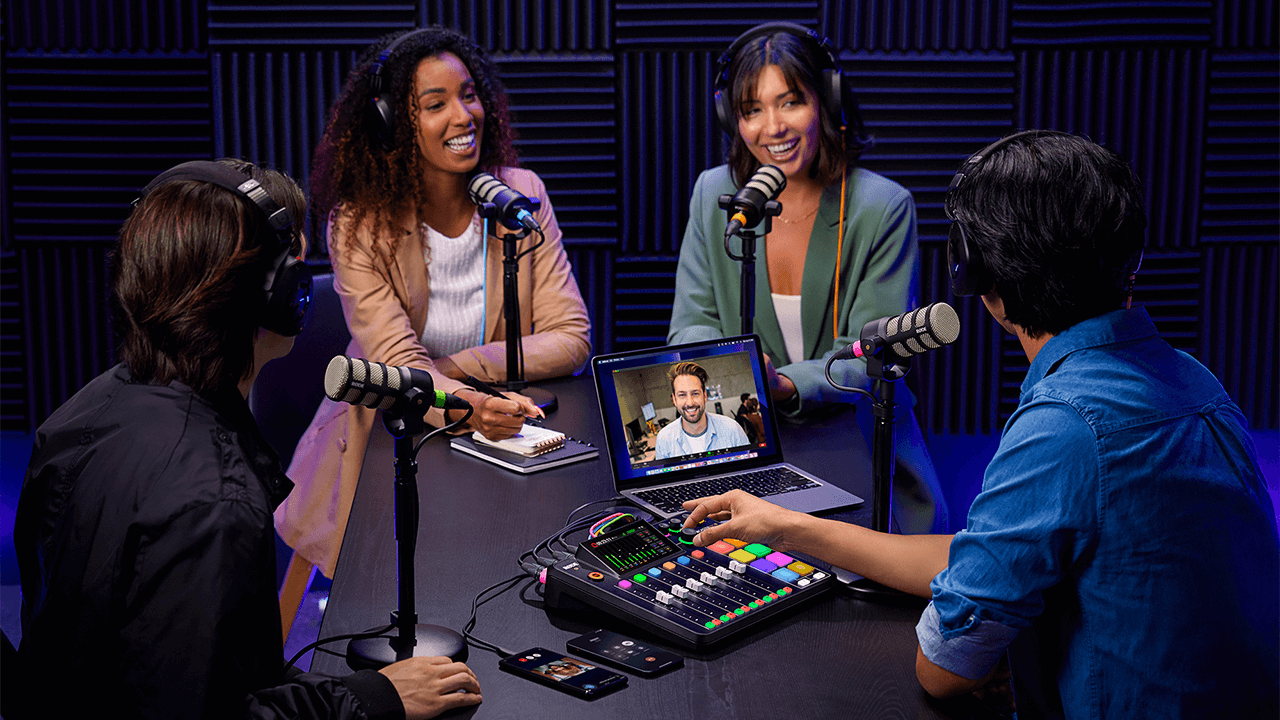
RØDE CallMe es una nueva función para RØDECaster Pro II y RØDECaster Duo, diseñada para facilitar la comunicación de audio remota. CallMe proporciona conexiones de audio directas y de baja latencia a través de Wi-Fi o Ethernet. Esta funcionalidad permite a los usuarios conectarse con invitados remotos desde otras RØDECaster unidades o mediante un navegador web, integrando su audio directamente en RØDECaster para su emisión o grabación.
Desarrollada en colaboración con Vortex Communications, está diseñada para superar las principales limitaciones de la Voz sobre IP estándar, que normalmente ofrece un audio de baja calidad y muy comprimido, y no se integra de forma tan fluida en los flujos de trabajo profesionales.
Fidelidad de audio superior: El sistema está diseñado para ofrecer una calidad de audio significativamente mejorada, adecuada para la radiodifusión y el podcasting profesionales. Todos los planes ofrecen mejoras notables con respecto a la VoIP estándar. Esto elimina el tradicional «sonido telefónico».
Integración fluida del flujo de trabajo: Para perfeccionar el flujo de trabajo y reducir la gestión de aplicaciones independientes, CallMe se utiliza directamente a través de la RØDECaster interface. Esto agiliza todo el proceso de producción. Las llamadas se asignan a un fader y se benefician del conjunto completo de procesamiento APHEX, igual que un micrófono local.
Funciones avanzadas de llamadas: La integración nativa facilita una gestión profesional de las llamadas. Entre sus funciones se incluyen las llamadas directas de RØDECaster a RØDECaster (RC Call), con opciones para guardar contactos; la posibilidad de poner en cola hasta dos interlocutores mientras uno está en directo; y una sencilla función de llamadas web para que los invitados se unan mediante un enlace del navegador.
.png)
¿Cómo se accede a CallMe?
Puedes acceder a esta nueva función para RØDECaster Pro II y RØDECaster Duo asegurándote de que tu unidad esté actualizada con el firmware más reciente. Para asegurarte de que tu unidad utiliza el firmware más reciente, usa la RØDECaster App.
Debes registrar tu RØDECaster Pro II o RØDECaster Duo en nuestro portal de cuentas para acceder a las funciones de CallMe.
Nota
Puedes acceder a la función CallMe en tu RØDECaster Pro II o RØDECaster Duo actualizando tu dispositivo a la versión de firmware 1.6.5 y asegurándote de que tu RØDECaster App sea la versión 2.0.98 o posterior.
Suscripciones
Una vez registrado, podrás seleccionar CallMe entre los tres planes de suscripción disponibles para cada uno de tus dispositivos.
Configuración de CallMe
Asignación de CallMe a un fader
Para asignar el canal CallMe a un fader, el proceso es igual que al asignar un micrófono o una entrada USB ; debes asignar el canal CallMe a un canal de fader para controlar su audio.
- Toca el canal de fader que deseas utilizar.
- Toca el icono de ajustes (rueda dentada).
- En la pantalla de selección de fuente, elige «CallMe».
- Toca la marca de verificación verde para confirmar.
.png)
Conéctate a Internet
Para utilizar las funciones de CallMe, es esencial contar con una conexión a Internet estable.
Puedes conectar tu RØDECaster a Internet de las siguientes maneras:
- Wi-Fi (conectándote directamente desde tu RØDECaster a una red Wi-Fi potente)
- Ethernet (conectando directamente un cable Ethernet a tu RØDECaster)
.png)
Opciones de llamada con CallMe
La función CallMe te permite realizar llamadas directas desde y hacia tu RØDECaster Pro II o RØDECaster Duo. Hay dos formas principales de hacerlo:
Llamadas de RØDECaster a RØDECaster .
En todos los planes CallMe, puedes llamar directamente a otra unidad RØDECaster mediante un código de conexión único. Esto establece un enlace de audio estable y de alta calidad entre las dos unidades RØDECaster .
Para establecer una conexión de esta manera:
- Toca el icono del canal «CallMe» en la pantalla principal de tu RØDECaster.
- Toca «Llamar a un RØDECaster».
- Introduce el código de conexión único del otro usuario. Tu RØDECaster se conectará cuando el destinatario acepte la llamada.
.png)
.png)
Llamadas desde el navegador web
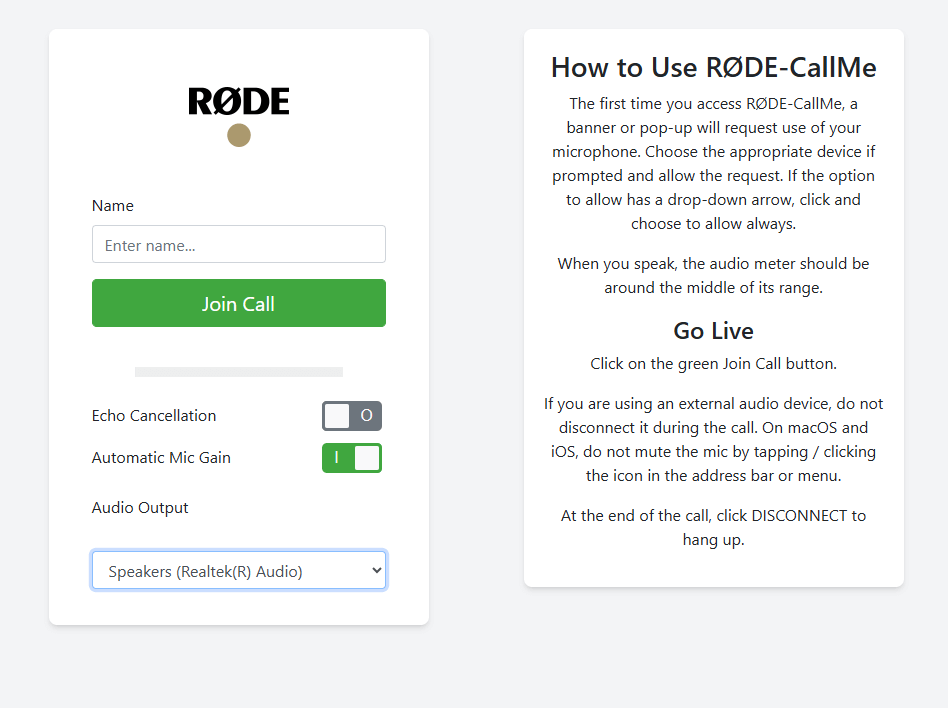
RØDE CallMe y RØDE CallMe Pro también ofrecen acceso ilimitado a las llamadas web, para que tu invitado pueda conectarse desde cualquier dispositivo conectado a su ordenador.
- Toca el icono del canal «CallMe».
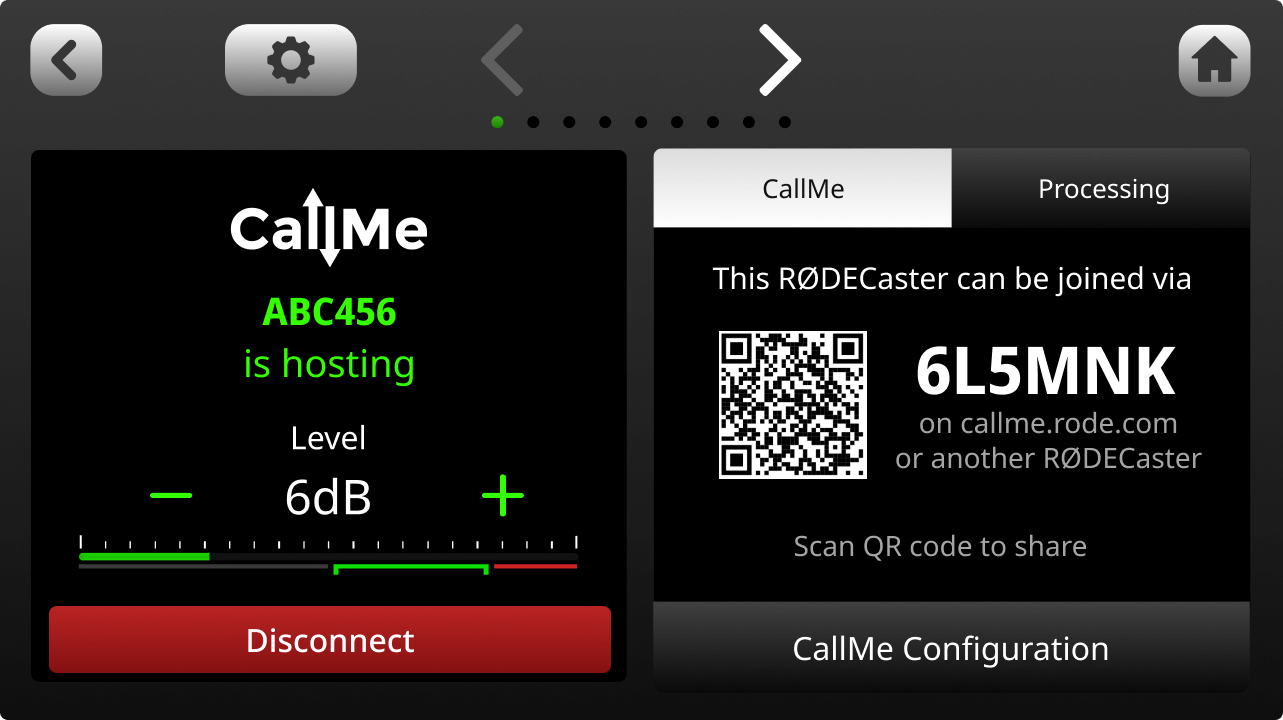
- Localiza la URL única y el código QR que aparecen en la pantalla.
- Comparte con tu invitado la URL y el código únicos, o el código QR.
- Tu invitado abrirá el enlace en su navegador web, introducirá su nombre, concederá acceso al micrófono y estará en directo en tu RØDECaster.
Otras opciones de llamada
CallMe Pro ofrece opciones de llamada más avanzadas para configurar con dispositivos y sistemas SIP de terceros. Entre las funciones adicionales se incluyen:
- Compatibilidad con varios invitados (3 canales CallMe)
- Incluye todas las funciones de RØDE CallMe, además de un completo conjunto de herramientas profesionales de radiodifusión
- Códec de audio SIP totalmente integrado, con interoperabilidad con sistemas de terceros para radiodifusión remota
- Llamadas SIP avanzadas con compatibilidad con UDP, TCP, TLS, respuesta automática y marcaciones rápidas personalizables
- Streaming resiliente a través de varias redes, conforme con RFC7198 y con compatibilidad con 4G/5G externa
- Control de audio con calidad de radiodifusión, compatible con Opus, G.722, G.711 y PCM, y con búfer de fluctuación ajustable
- Control flexible mediante pantalla táctil, interfaz web local, CallMe Hub, integración con Zoom™ y Click-&-Connect
.png)
Usar CallMe para llamadas
Alojar llamadas
Tanto para llamadas web como para llamadas directas de RØDECaster , puedes configurar tu RØDECaster Pro II y RØDECaster Duo para recibir llamadas activando la función «Alojar» en los ajustes de CallMe.
- Ve a los ajustes de CallMe.
- Asegúrate de que la opción «Activar el alojamiento de llamadas» esté activada
.png)
Cuando alguien te llame, aparecerá una notificación emergente en la pantalla de tu RØDECaster .
Toca la marca de verificación verde para aceptar la llamada o la cruz roja para rechazarla.
A continuación, se te pedirá que asignes la llamada entrante a un canal CallMe disponible. Los canales verdes indican que están listos. Si no hay ningún canal CallMe asignado, se te pedirá que asignes uno a un fader.
.png)
Llamadas salientes
Hay dos formas principales de realizar una llamada saliente.
Llamar a otro RØDECaster o unirse a una llamada de SIP (las llamadas de SIP solo están disponibles para suscriptores Pro).
Para llamar a otro RØDECaster, simplemente selecciona «Llamar a un RØDECaster» e introduce su código único. Si el otro usuario acepta la llamada, podrás monitorizarla, cambiar la configuración y mucho más desde los ajustes del canal.
Consejo profesional
Puedes bloquear todas las llamadas entrantes desactivando el interruptor «Activar alojamiento de llamadas» en la configuración de CallMe.
Procesamiento y grabación del canal CallMe
Procesamiento
Al igual que las demás entradas del RØDECaster Pro II o RØDECaster Duo, un canal CallMe tiene acceso al conjunto completo de herramientas de procesamiento de audio de RØDECaster. Esto permite procesar el audio de un invitado remoto y equipararlo a la calidad de los micrófonos locales, garantizando un sonido profesional y uniforme.
Esto incluye:
- Control de ganancia
- Ecualización (EQ)
- Dinámica (compresor, puerta de ruido, de-esser)
- Excitadores APHEX
Puedes encontrar más información al respecto aquí.
.png)
Mezcla menos con CallMe
La señal de audio de CallMe se enruta bidireccionalmente. De este modo, la persona que llama desde una ubicación remota recibe una mezcla de todas las entradas activas del RØDECaster del anfitrión. De forma predeterminada, todas las conexiones de CallMe están configuradas en modo mezcla menos.
Esta función esencial evita que la persona que llama desde una ubicación remota escuche un eco de su propia voz, algo fundamental para mantener una conversación clara y sin eco.Grabación
Al igual que todos los demás canales, los canales CallMe se incluirán en las grabaciones multipista de la tarjeta microSD .
En las grabaciones multipista de USB , los canales CallMe no están incluidos.
Uso del SMART Pads con CallMe
Con CallMe, puedes usar el SMART Pads como marcación rápida, para llamar al instante a otro dispositivo con solo pulsar un botón.
Configuración de marcación rápida
Puedes asignar rápidamente un fader accediendo a las configuraciones de tu RØDECaster, seleccionando la opción «Faders», eligiendo un fader disponible y seleccionando la opción Call ME.
- Una vez asignado, abre el menú CallMe tocando el icono de flechas situado en la esquina superior derecha de la pantalla de inicio de tu dispositivo.
- Selecciona el botón «Join a call» en un canal CallMe disponible.
- Selecciona un espacio de marcación rápida disponible, introduce el nombre y el código único del RØDECaster al que deseas conectarte y pulsa Guardar.
.png)
Asignar a un Smart Pad
Una vez configurado el espacio de marcación rápida, puede asignarse a un SMART Pad:
- En la pantalla de inicio, selecciona un espacio SMART Pad vacío
- En el SMART Pad menú Nuevo, selecciona «Marcaciones rápidas»
- Elige la marcación rápida que deseas asignar al SMART Pad y pulsa la marca de verificación verde situada en la esquina superior derecha
.png)
Disponibilidad y seguridad de CallMe
Disponibilidad de CallMe
RØDE CallMe está diseñado para conectarte desde casi cualquier lugar. Sin embargo, algunos países tienen normativas locales sobre internet o cortafuegos gubernamentales que pueden bloquear servicios como el nuestro, lo que podría afectar al rendimiento.
Si no estás seguro de poder utilizar CallMe en tu región, te recomendamos consultar la información local sobre los servicios de SIP y VoIP antes de empezar. Si tienes cualquier otra pregunta, ponte en contacto con nuestro amable equipo de asistencia.
Seguridad en llamadas de RØDECaster-RØDECaster y llamadas web de RØDECaster
Priorizamos la seguridad y la privacidad de sus conversaciones. Por eso, cuando realiza una llamada, todo el audio está cifrado de extremo a extremo entre usted (la persona que llama) y el anfitrión.
Esto significa que solo las personas directamente involucradas en la conversación pueden escuchar o grabar el audio.
En la mayoría de los casos, este audio cifrado se transfiere directamente entre los participantes (de igual a igual) para ofrecer la conexión más rápida y segura. Incluso si un cortafuegos de red restrictivo requiere que el audio se retransmita a través de un servidor, permanece completamente cifrado y nadie más puede acceder a él ni escucharlo.
Para ayudarnos con la asistencia al cliente y supervisar la calidad de nuestro servicio, almacenamos de forma segura datos técnicos limitados (metadatos) de la llamada. Puede tener la seguridad de que nuestros servidores nunca graban ni almacenan su audio cifrado.