What is RØDE CallMe?
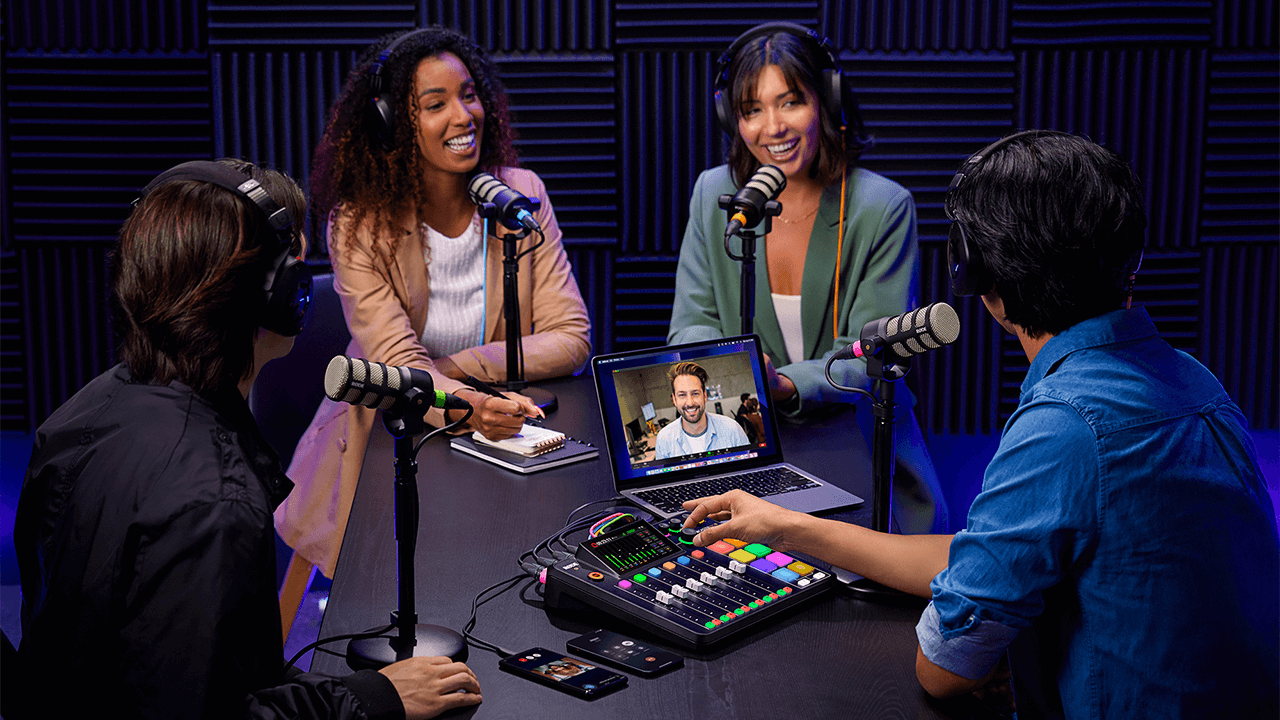
RØDE CallMe is a new feature for the RØDECaster Pro II and RØDECaster Duo, designed to facilitate remote audio communication. CallMe provides direct, low-latency audio connections over Wi-Fi or Ethernet. This functionality allows users to connect to remote guests from other RØDECaster units or via a web browser, integrating their audio directly into the RØDECaster for broadcasting or recording.
Developed in partnership with Vortex Communications, it is designed to overcome the core limitations of standard Voice over IP, which typically delivers low-quality, heavily compressed audio that doesn’t integrate as seamlessly into professional workflows.
Superior Audio Fidelity: The system is designed to provide significantly enhanced audio quality, suitable for professional broadcasting and podcasting. All plans offer notable improvements over standard VoIP. This eliminates the conventional "telephone sound."
Seamless Workflow Integration: To refine the workflow and reduce management of separate applications, CallMe is operated directly through the RØDECaster interface. This streamlines the entire production process. Calls are assigned to a fader and benefit from the complete suite of APHEX processing, just like a local microphone.
Advanced Calling Features: The native integration facilitates a professional call-handling experience. Features include direct RØDECaster-to-RØDECaster calling (RC Call) with options to save contacts, the capability to queue up to two callers while one is live, and straightforward Web Calling for guests to join via a browser link.
.png)
How do you access CallMe?
You can access this new feature for the RØDECaster Pro II and RØDECaster Duo by ensuring that your unit is updated to the latest firmware. To ensure your unit is running the latest firmware, use the RØDECaster App.
You need to register your RØDECaster Pro II or RØDECaster Duo on our account portal to access the CallMe features.
Note
You can access the CallMe feature on your RØDECaster Pro II or RØDECaster Duo by updating your device to firmware version 1.6.5 and ensuring your RØDECaster App is version 2.0.98 or newer.
Subscriptions
Once registered, you'll be able to select CallMe from the three available subscription plans for each of your devices.
Setting up CallMe
Assigning CallMe to a Fader
To assign the CallMe channel to a fader, the process is just like assigning a microphone or USB input, you need to assign the CallMe channel to a fader channel to control its audio.
- Tap the fader channel you wish to use.
- Tap the settings icon (cogwheel).
- From the source selection screen, choose 'CallMe'.
- Tap the green tick to confirm.
.png)
Connect to the Internet
To use the CallMe functions, a stable internet connection is essential.
You can connect your RØDECaster to the internet in the following ways:
- Wi-Fi (connecting to a strong Wi-Fi network directly from your RØDECaster)
- Ethernet (connecting an Ethernet cable directly to your RØDECaster)
.png)
Call options with CallMe
The CallMe feature allows you to make direct calls to and from your RØDECaster Pro II or RØDECaster Duo. There are two main ways to do this:
RØDECaster-to-RØDECaster calls.
In all the CallMe Plans, you can directly call another RØDECaster unit by using a unique joining code. This establishes a high-quality, stable audio link between the two RØDECaster units.
To make a connection in this way:
- Tap the 'CallMe' channel icon on your RØDECaster's main screen.
- Tap 'Call a RØDECaster'.
- Enter the other user's unique joining code. Your RØDECaster will connect once the recipient accepts the call.
.png)
.png)
Web Browser calls
The RØDE CallMe and the RØDE CallMe Pro also have unlimited access to Web calls, so that your guest can connect with any device that is connected to their computer.
- Tap the 'CallMe' channel icon.
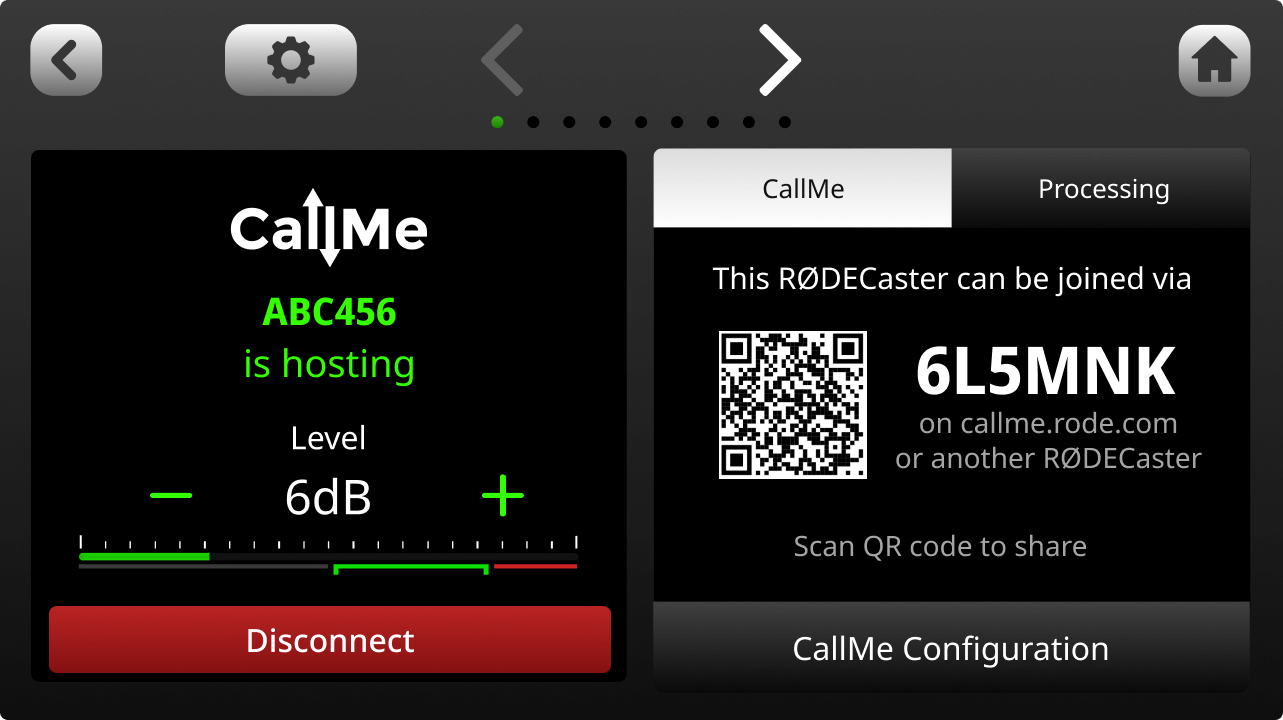
- Locate the unique URL and QR code displayed on the screen.
- Share the unique URL and Code or the QR code with your guest.
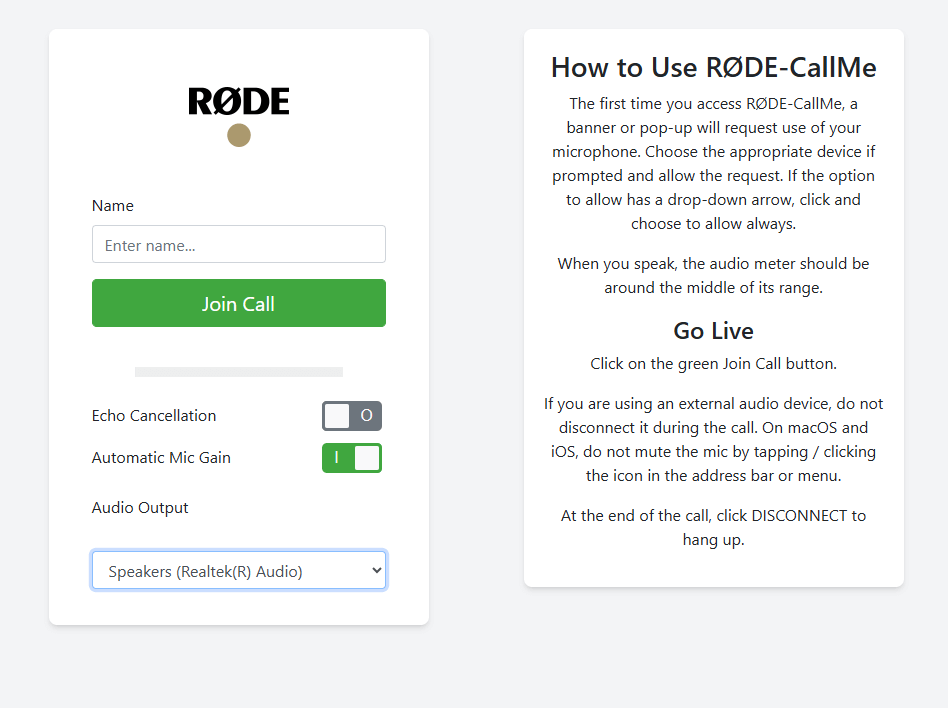
- Your guest will open the link in their web browser, enter their name, grant microphone access, and they will be live on your RØDECaster.
Other call options
CallMe Pro gives you more advanced calling options to configure with third party SIP devices and systems. Additional features include:
- Multi-guest support (3 CallMe Channels)
- Includes all RØDE CallMe features, plus a host of professional broadcasting tools
- Fully integrated IP audio codec with third-party interoperability for remote broadcasting
- Advanced SIP calling with support for UDP, TCP, TLS, auto-answer, and customizable quick dials
- Resilient multi-network streaming with RFC7198 compliance and external 4G/5G support
- Broadcast-grade audio control with support for Opus, G.722, G.711, PCM, and adjustable jitter buffer
- Flexible control via touchscreen, local web UI, CallMe Hub, Zoom™ integration, and Click-&-Connect
.png)
Using CallMe for calls
Hosting calls
For either web or RØDECaster direct calls, you can set up your RØDECaster Pro II and RØDECaster Duo, to receive calls by enabling the "Hosting" function in the CallMe settings.
- Navigate to the CallMe settings.
- Ensure 'Enable call hosting' is toggled on
.png)
When someone calls you, a pop-up notification will appear on your RØDECaster screen.
Tap the green tick to accept the call or the red cross to decline.
You will then be prompted to assign the incoming call to an available CallMe channel. Green channels indicate readiness. If no CallMe channel is assigned, you'll be prompted to assign one to a fader.
.png)
Outbound Calls
There are two primary ways to make an outbound call.
Calling another RØDECaster or joining a SIP call (SIP calls are only available to Pro subscribers).
To call another RØDECaster, simply select "Call A RØDECaster" and enter their unique code. If the other user accepts the call, you will then be able to monitor the call, change settings and more all in the channel settings.
Pro Tip
You can block all incoming calls by disabling the "Enable call hosting" toggle in the CallMe settings.
Processing and Recording the CallMe Channel
Processing
Just like the other inputs of the RØDECaster Pro II or RØDECaster Duo, a CallMe channel has access to the RØDECaster's full suite of audio processing tools. This allows the audio from a remote guest to be processed and matched to the quality of local microphones, ensuring a professional and consistent sound.
This includes:
- Gain Control
- Equalisation (EQ)
- Dynamics (Compressor, Noise Gate, De-esser)
- APHEX Exciters
You can find more information about this here.
.png)
Mix-Minus with CallMe
The audio signal from CallMe is routed bi-directionally. So, the remote caller receives a mix of all active inputs on the host's RØDECaster. This is set to mix-minus by default for every CallMe connection.
This core feature prevents the remote caller from hearing an echo of their own voice, which is essential for clear, echo-free conversation.Recording
Along with all other channels, the CallMe channels will be included in microSD card multitrack recordings.
For USB multitrack recordings, the CallMe Channels are not included.
Using the SMART Pads with CallMe
With CallMe, you can use the SMART Pads as a quick dial - so you can instantly call another device with the press of a single button.
Quick Dial Setup
You can quickly assign a fader by going into your RØDECaster's configurations and selecting the "Faders" option, choosing an available fader, and selecting the Call ME option.
- Once assigned, open the CallMe menu by tapping the arrows icon at the top right of your device's home screen.
- Select the "Join a call" button on an available CallMe Channel.
- Select an available Quick Dial space, enter the Name and unique code of the RØDECaster you would like to connect to, and press Save.
.png)
Assign to a Smart Pad
Once the Quick Dial space has been configured, this can be assigned to a SMART Pad:
- On your home screen, select an empty SMART Pad space
- In the New SMART Pad menu, select 'Quick Dials'
- Choose the Quick Dial to assign to the SMART Pad and press the green check mark at the top right
.png)
CallMe Availability and Security
CallMe Availability
RØDE CallMe is designed to connect you from almost anywhere. However, some countries have local internet rules or government firewalls that can block services like ours, which may affect performance.
If you’re unsure about using CallMe in your region, we suggest checking local advice on SIP and VoIP services before getting started. For any other questions, our friendly support team.
Security on RØDECaster-RØDECaster and Web-RØDECaster Calls
We prioritise the security and privacy of your conversations. So when you make a call, all audio is end-to-end encrypted between you (the caller) and the host.
This means that only the people directly involved in the conversation can ever listen to, or record the audio.
In most cases, this encrypted audio is transferred directly between participants (peer-to-peer) for the fastest, most secure connection. Even if a restrictive network firewall requires the audio to be relayed through a server, it remains fully encrypted and cannot be accessed or listened to by anyone else.
To help us with customer support and to monitor the quality of our service, we securely store limited technical data (metadata) from the call. You can be assured that your encrypted audio is never recorded or stored by our servers.