Audio Processing
Configuring Audio Processing
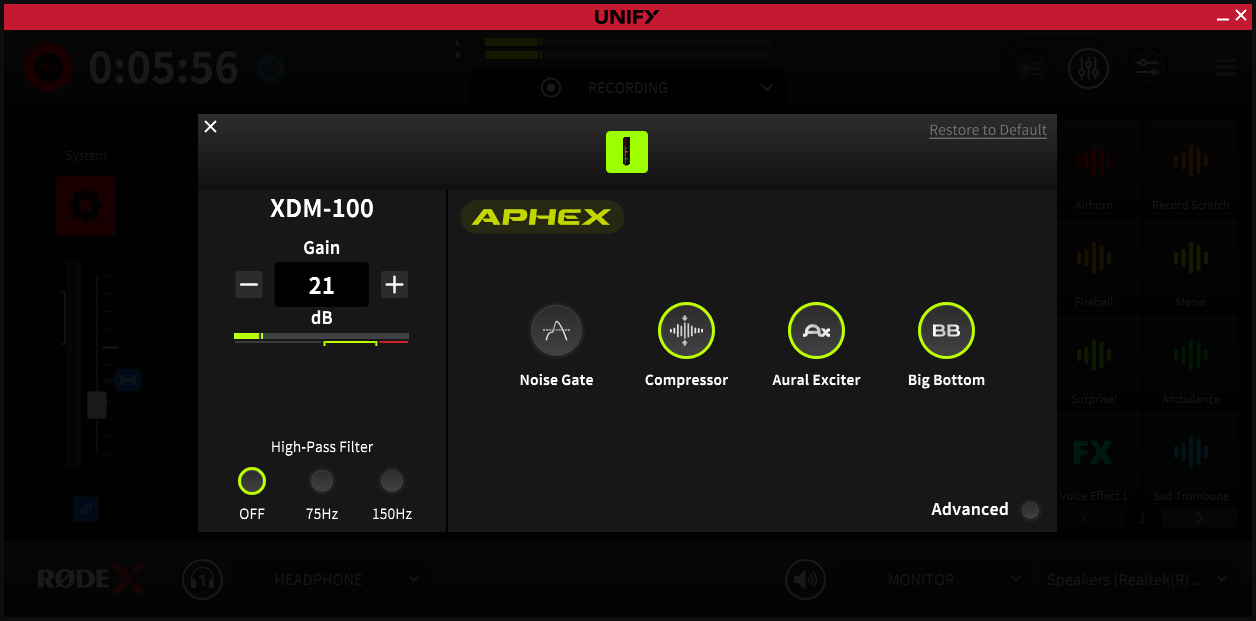
UNIFY allows you to unlock the powerful DSP processing that is built into your RØDE USB microphone or interface. This allows you to add professional audio processing including noise gate, compressor and even the legendary APHEX effects. The exact settings available will depend on your microphone, as different microphones have different DSP capabilities. But whatever microphone you have, the below guide should help you achieve a professional sound for your content.
Microphone Capability
Basic Audio Processing
This feature allows you to add a variety of audio processing tools to give your audio a professional edge. They are preset to give great results in a range of settings, and can easily be turned on or off to suit your needs.
Pad (if present)
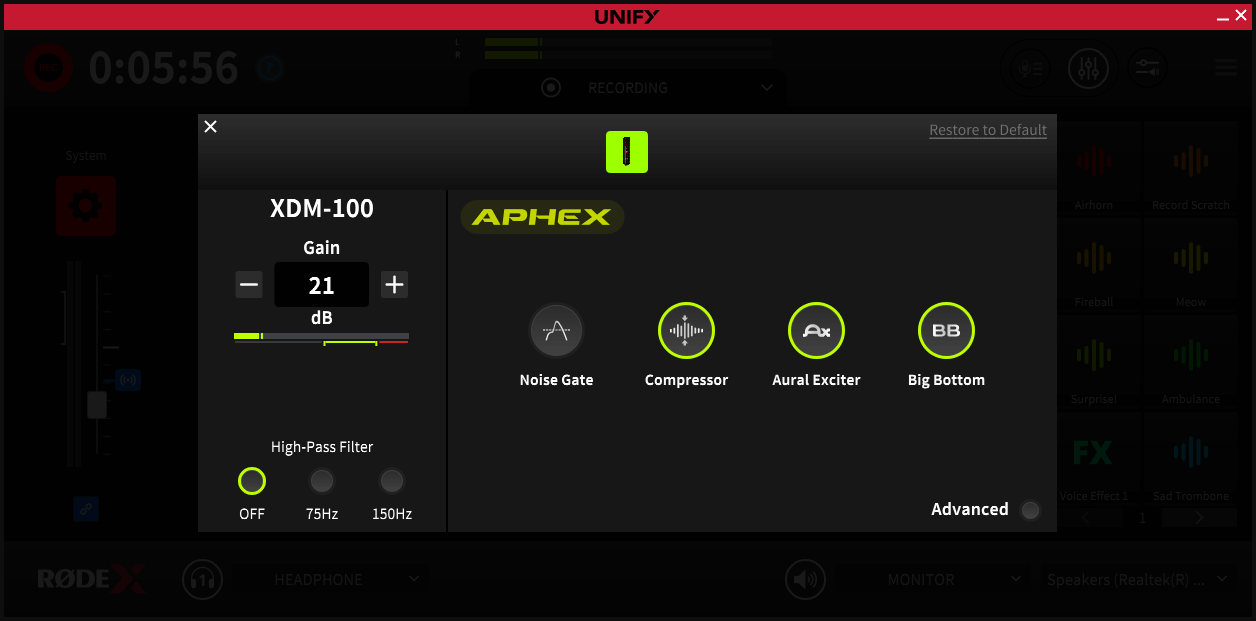
This control reduces the sensitivity of the microphone, making it quieter. It is useful when using a microphone designed to be further away from the sound (such as a VideoMic) as a vocal mic, as it reduces the risk of your audio distorting.
High Pass Filter
This control will reduce the lowest frequencies from your audio, which helps cut down on unwanted rumble from traffic, air conditioning and so on. The 75Hz setting will remove the very lowest frequencies, and works well in most settings. The 150Hz setting will remove more background noise, but you may notice it affecting the lower tones of your voice too, depending on your voice type.
Noise Gate
This control will turn down the level of your mic when you are not speaking, helping to reduce background noise when you are not talking.
Compressor
This control will even out the louds and softs in your voice, making it sound more even and professional.
Aural Exciter
This is the famous studio-grade processing that adds additional high harmonics to your voice to give it presence and sparkle.
Big Bottom
Another famous APHEX studio processor that adds depth and body to your voice.
VOXLAB™ Sound Controls
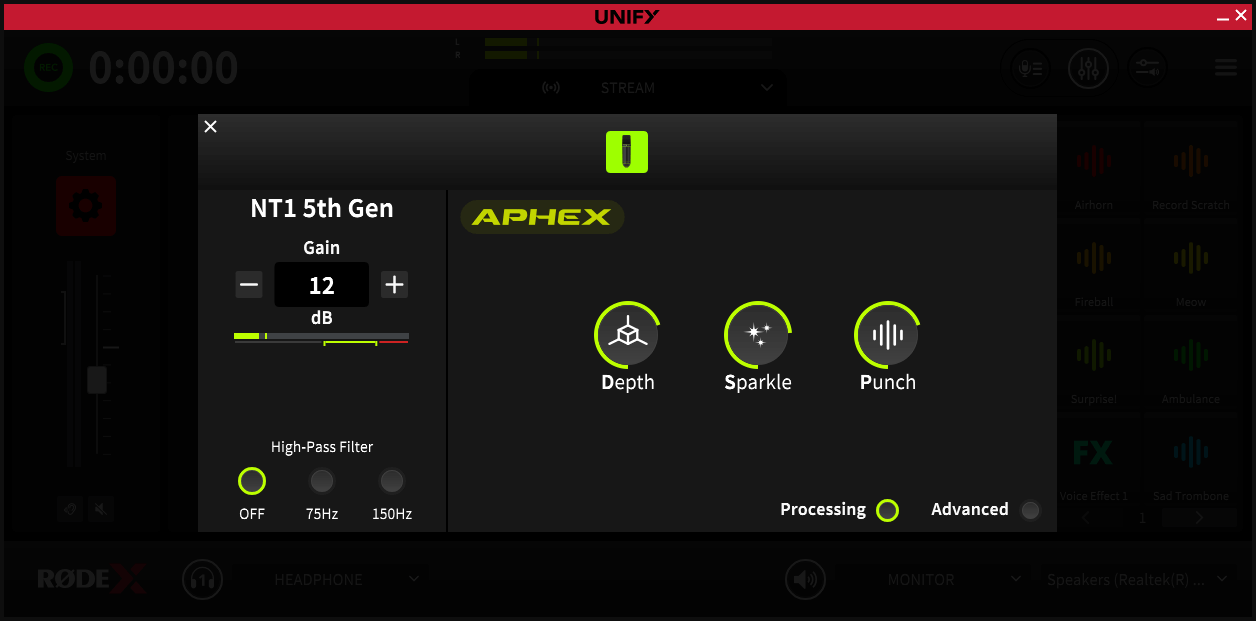
The VOXLAB™ controls are an innovate interface that allows you precise control over your sound without the need for expert audio knowledge. Each control affects multiple parameters to ensure your sound remains balanced and professional as you dial in the exact sound you prefer. Note that not all devices support the VOXLAB™ feature.
Depth
This control will add additional body and mid-range presence to your voice as it is boosted.
Sparkle
This control will add clarity and boost intelligibility of your voice. As you turn it up further it gives an exciting edge to your voice similar to a ‘radio station’ sound.
Punch
This control will even out your voice tones, and as you turn it up will create a dynamic, punchy sound that cuts through the mix of your other sounds ensuring you can be clearly heard.
Advanced Processing
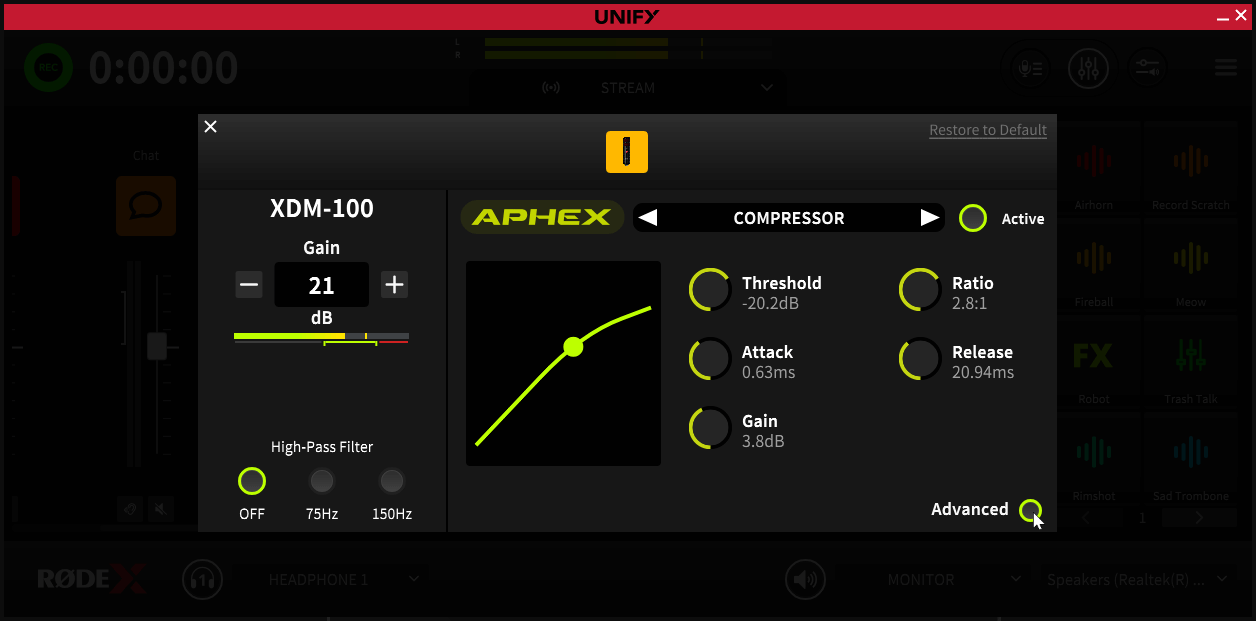
Activating the ‘advanced processing’ function allows you fine control over every parameter of the audio processing, and is perfect for perfectly tweaking your sound. Note that in this mode it is possible to dial in extreme values which can cause unpleasant sounds or distortion, so use with care. If you need to reset your settings, you can exit advanced mode, which will return to the standard defaults, and then start again by going back into advanced mode. Note that not all devices support advanced processing.
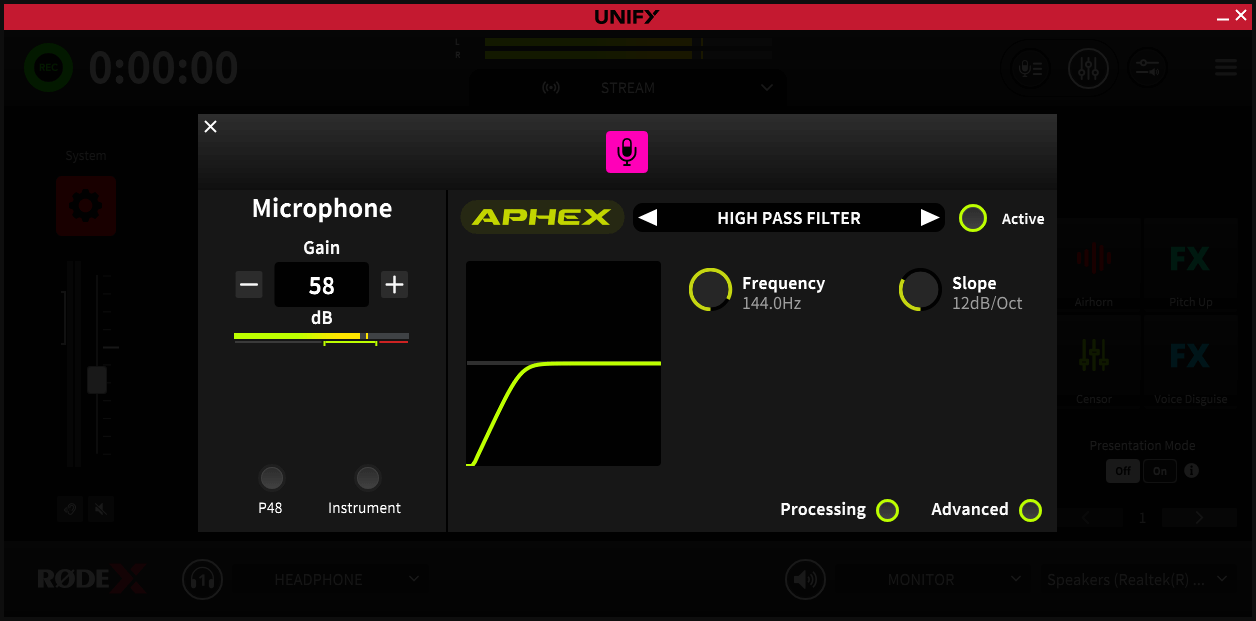
Advanced Processing – High Pass Filter
This control will reduce the lowest frequencies from your audio, which helps cut down on unwanted rumble from traffic, air conditioning and so on. Depending on the microphone being used, there may be a single on-off control, controls for either 75Hz or 150Hz filters, or granular control as described below.
Frequency:
This control sets the frequency of sounds that will be cut. Any sound below the set frequency will be reduced. Setting a high frequency will reduce background noise more, but may also start to affect the sound of your voice.
Slope:
This sets how harshly the filter cuts off low frequency sounds. A gentle slope will tail of the lower frequency sounds gradually, whereas a steep slope will cut them off more abruptly
Advanced Processing – Noise Gate
This control will turn down the level of your mic when you are not speaking, helping to reduce background noise when you are not talking.
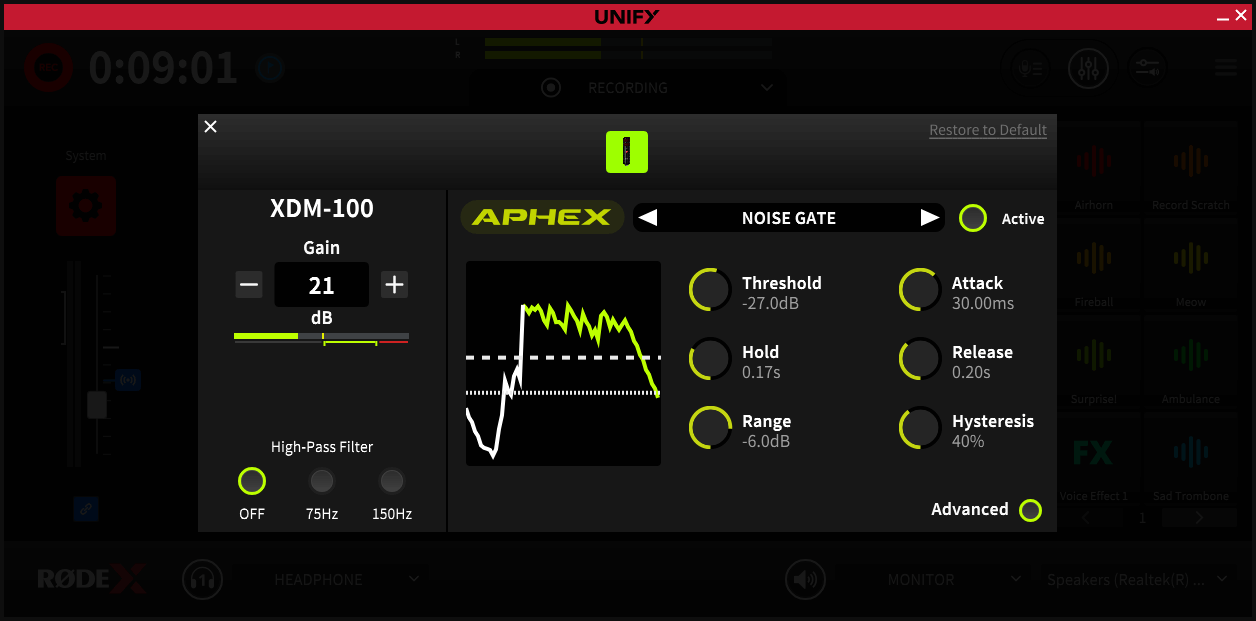
Threshold:
Perhaps the most important control, which sets where the noise gate will operate. It sets the point at which the noise gate detects when you are speaking. If it is set too high the noise gate will not open when you speak, and some of your words will be cut off. If you set it too low, it will open when there are unwanted background sounds present. It should be set so the gate opens easily when you speak, but stays closed when you are silent.
Hold:
This is how long the gate stays open once you stop speaking. This ensures that the gate does not cut off your last syllable by closing too early. A longer hold will reduce that risk, but can make background noise more audible when you stop speaking.
Range:
This is another important control that sets how much the volume of your microphone is turned down when you stop speaking. If the range is set to a small value, the noise gate will not have much effect on the background noise. A large range will turn down the microphone a lot when you are not speaking, reducing background noise more, but at the risk of hearing the background noise ‘pump’ up and down as you speak.
Attack:
This sets how fast the gate opens. A faster speed will reduce the risk of the start of your words being cut off, but can also introduce a ‘click’ when you begin to speak.
Release:
This is how quickly the gate closes. A slower speed will reduce the risk that your words are cut off, but can also mean background noise is more audible when you stop speaking.
Hysteresis:
It is common when talking to finish a sentence quieter than you start. Hysteresis puts an offset between the point at which the gate opens (set by the Threshold) and when it closes. This makes it less likely that quiet words at the end of sentences will be cut off, but may mean more background noise is heard when you finish speaking.
Advanced Processing – Compressor
This processor will even out the louds and softs in your voice, making it sound more even and professional. It does this by reducing the volume of the louder parts of your speech.
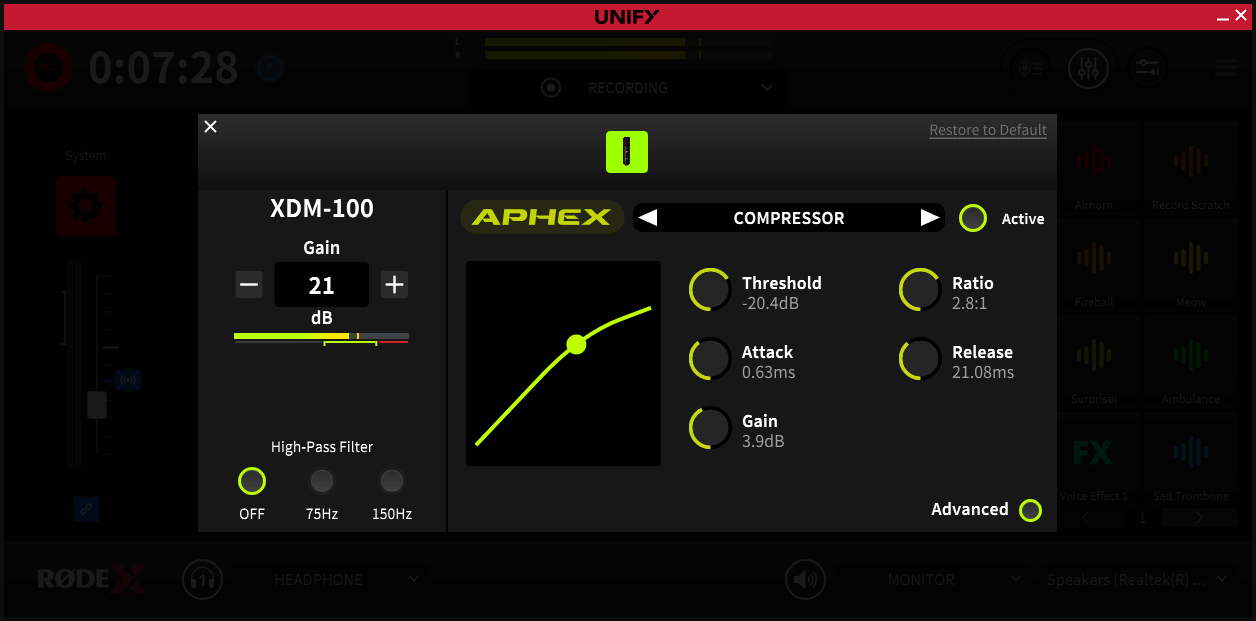
Threshold:
This sets at which point the compressor starts to reduce the volume of your voice. A low threshold means the compressor will be working to reduce your volume most of the time. A high threshold will mean the compressor only operates on the loudest peaks of your voice.
Attack:
This is how fast the compressor works. A fast attack will mean every individual syllable or sound is individually processed, giving a lot of control over the volume but at the risk of the sound being a bit unnatural. A slower attack will make the compressor work more gently, only reducing the level if you remain loud for a longer period of time – maybe a whole word.
Gain:
Because the compressor works to reduce the volume of the loudest sounds, it has the effect of reducing the overall level. The gain control allows you to normalise the level. It is especially useful if you use very extreme settings (a high compression ratio and a low threshold).
Ratio:
Possibly the most important control, this sets the amount by which the volume will be reduced. A high ratio will mean the difference between the loudest and quietest parts of your speech are reduced significantly – making the sound more even, but also more artificial. A lower ratio will even out the peaks more gently with less noticeable effect on the overall sound.
Release:
This is how quickly the volume returns to normal when the peak of the sound has passed. A fast release will give more control over the volume, but may sound more unnatural or processed. A slower attack will sound more natural, but may mean some syllables after a peak remain quiet.
Advanced Processing – Exciter
This processor is a faithful recreation of the famous APHEX studio processor that is found in the world’s top studios. It allows you to add additional harmonics to your voice to give more depth and presence without making your voice muddy or sibilant. The Aural Exciter adds additional high harmonics to your voice to give it presence and sparkle, whilst the Big Bottom adds depth and body to your voice.
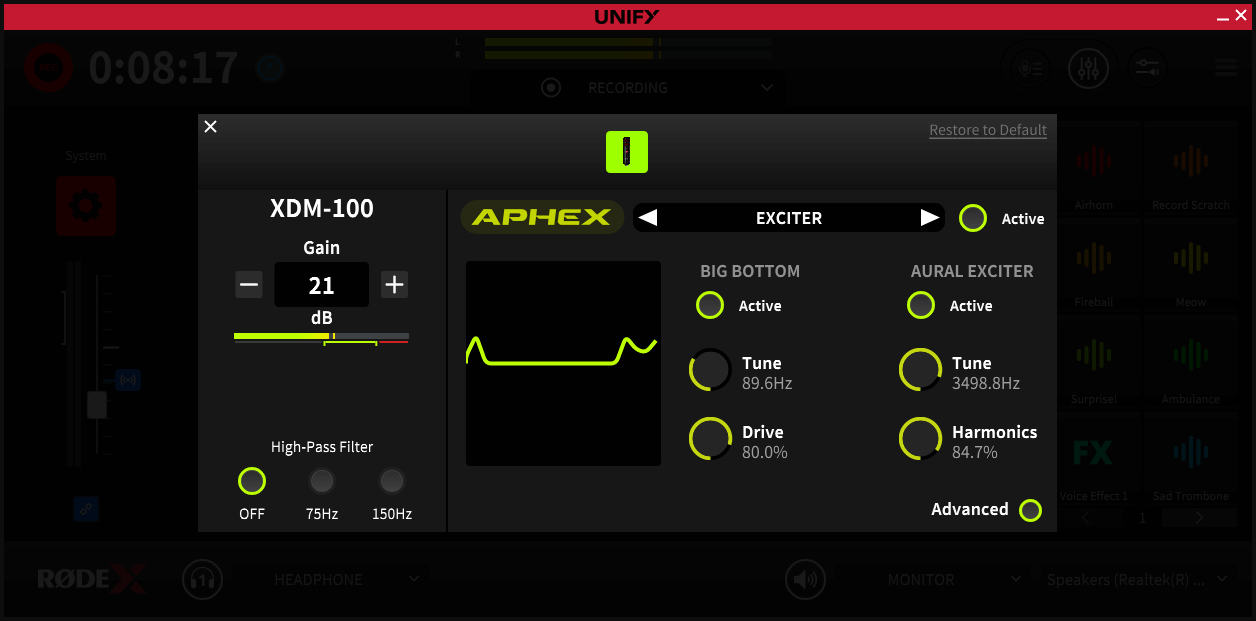
Big Bottom - Tune:
This sets the frequency around which the processor operates to add harmonics. It works best when this control is set to match the lower frequencies in your voice.
Drive:
This sets the depth of the Big Bottom effect. Turning it up will add more harmonics and create a larger, richer bass to your voice. Note that extreme settings can sound unnatural and harsh, so use discretion!
Aural Exciter Tune:
This sets the frequency around which the processor operates to add harmonics. It works best when this control is set to match the higher mid-range frequencies in your voice. If you set it too high you will add unpleasant sibilance, whilst setting it too low will make your voice sound harsh and nasal.
Harmonics:
This sets the depth of the Aural Exciter effect. Turning it up will add more harmonics and add more presence to your voice. Note that extreme settings can sound unnatural and harsh, so use discretion!
Advanced Processing – Equaliser
The equaliser is a three-band fully parametric equaliser that allows you to boost and cut specific frequencies to shape your sound.
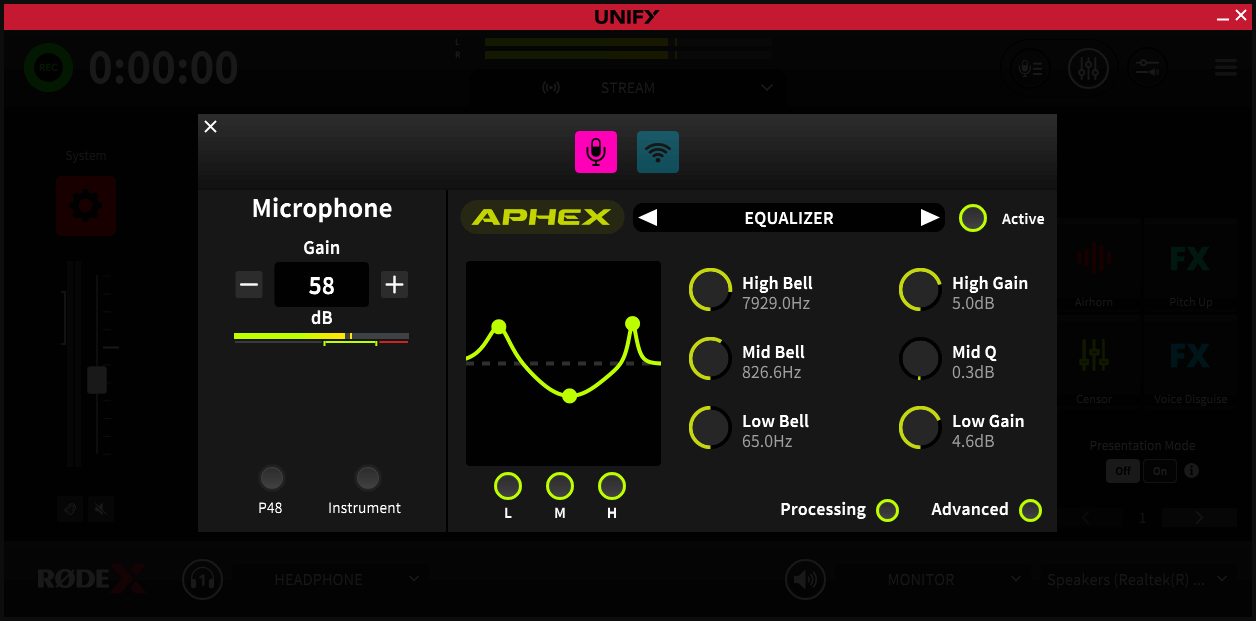
L M H buttons:
These allow you to disable individual bands of the EQ, allowing for quick comparisons when setting up your EQ.
Note that the EQ is not available on all devices or microphones.
High, Mid and Low Bell:
This sets the frequency for each of the three bands of the EQ, which can then be boosted or cut as needed.
High, Mid and Low Gain:
This sets the amount of boost or cut that is added for each frequency.
High, Mid and Low ‘Q’
This control is accessed via a long click on the Gain control, and sets the steepness of the curve. A high ‘Q’ will mean the boost or cut is tightly centered on a single frequency, whereas a low ‘Q’ will make the frequency boost or cut operate over a range of frequencies centered on the one set.